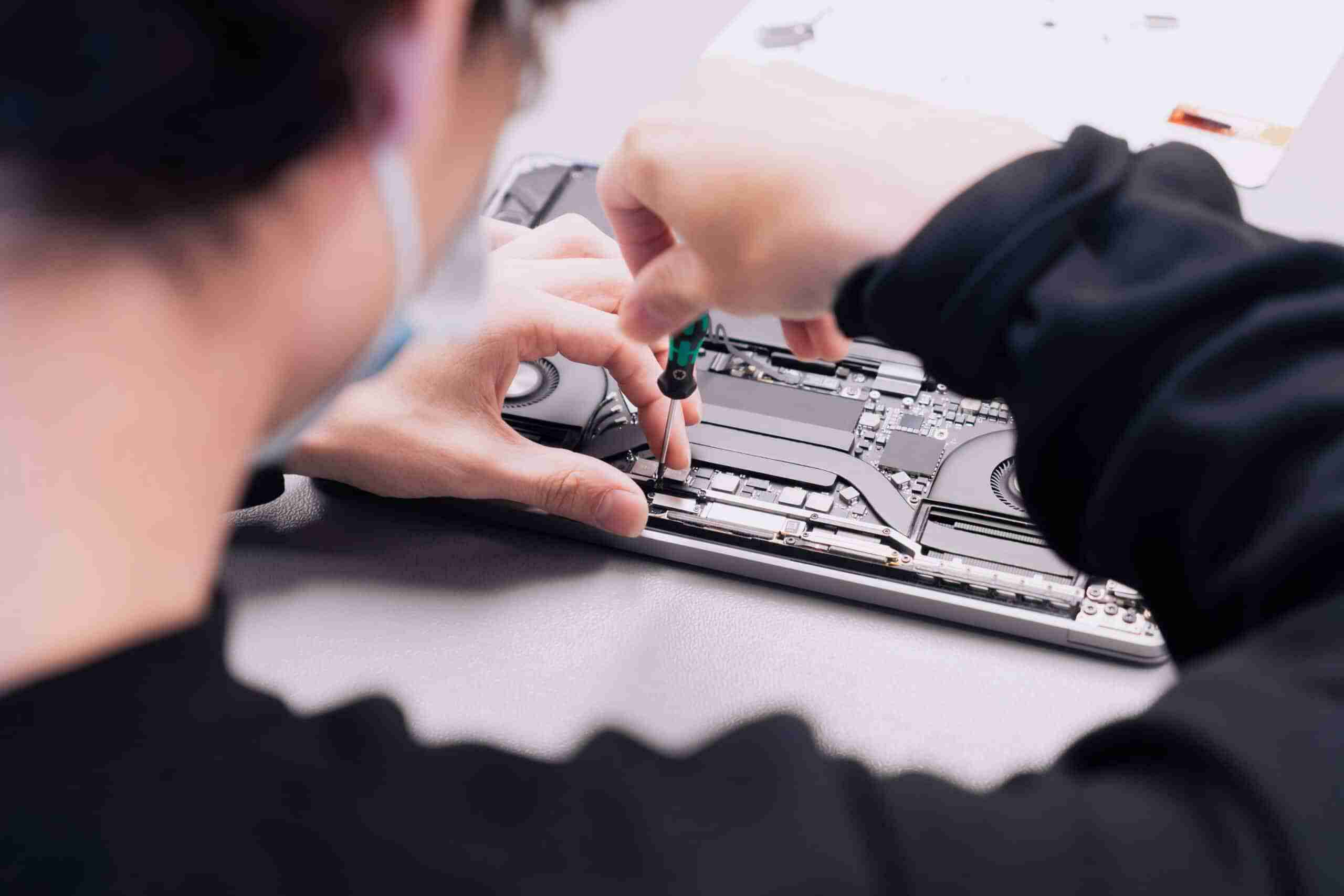
Most MacBook problems — cracked screens, dead batteries, liquid damage — can be diagnosed and repaired the same day by an experienced local technician. You don’t need to ship your MacBook off or wait a week at a big-box store. A skilled independent repair shop can handle most MacBook hardware issues faster, with more transparency, and often at a lower cost.
Get Your MacBook Repaired Today
Same-day diagnostics and repairs on most MacBook issues. Walk-ins welcome.
What Does MacBook Repair Actually Cover?
MacBook repair covers hardware diagnostics and repairs across the full Apple laptop lineup. This includes screen replacement, battery swaps, keyboard and trackpad repair, charging port repair, liquid damage treatment, and data recovery. These services work on any MacBook, MacBook Air, or MacBook Pro model, from older Intel machines to current M-series hardware.
What MacBook Repairs Does Gadget Medics Handle in Boca Raton?
If it’s a MacBook hardware problem, we’ve seen it. Our shop handles everything from a simple battery swap on a MacBook Air M2 to a full display replacement on a MacBook Pro 16-inch. We work on the full Apple laptop lineup: MacBook Air (Intel and M-series), MacBook Pro (13-inch, 14-inch, 16-inch, and older Intel models), and the MacBook 12-inch.
We also accept liquid damage and data recovery cases that other shops turn away. If your MacBook took a coffee spill or won’t power on at all, bring it in. We’ll tell you exactly what’s recoverable.
- Screen & Display Repair — cracked LCD or Retina panels, backlight failures, display cable replacements, and dead pixels on any MacBook model
- Battery Replacement — swollen batteries, rapid drain, MacBook not charging, or battery health below 80%. We replace with quality cells that restore full runtime.
- No-Power & Logic Board Diagnostics — no-power situations, kernel panics, and graphics glitches traced to the actual cause. If the fault turns out to be on the logic board itself, we’ll tell you up front — we don’t replace components on the board — and walk you through your options: saving your data, replacement, or Apple service.
- Keyboard & Trackpad Repair — sticky keys, butterfly keyboard failures (a known issue on 2016–2019 MacBook Pros), unresponsive or erratic trackpad behavior
- Charging Port & Power Problems — a MagSafe or USB-C port that stops charging because of debris, a worn connector, or a failed charging circuit. Roughly half of the “won’t charge” MacBooks we see are fixed with a thorough port cleaning; the rest need a port or charger replacement.
- Liquid Damage Recovery — corrosion cleaning under magnification, board-level triage, and data preservation. Time matters here, so bring it in immediately.
- Data Recovery & Storage Upgrades — failed or corrupted SSDs (a MacBook that stalls on the Apple logo or shows a folder with a question mark is a common sign), accidental deletion recovery, and SSD upgrades to breathe new life into older MacBooks
For a closer look at what the screen replacement process involves — from the initial assessment to calibrating the finished Retina display — see our guide on what to expect from a MacBook screen repair in Boca Raton. If your main question is how long you’ll be without the laptop, we break that down in how long a laptop screen repair takes.
Over the past 8+ years, our technicians have completed hundreds of MacBook repairs across every generation Apple’s released. We track which models fail most often and stock the parts accordingly. That’s how we keep same-day turnaround realistic, not just a marketing claim. Based on hundreds of repairs we’ve completed in our shop, we know exactly which components are most likely to fail on each MacBook generation and how to fix them properly the first time.
MacBook Air vs. MacBook Pro — Does Your Model Change the Repair?
The intake and diagnostic are the same for every MacBook. Where the model matters is parts cost and how much has to come apart to reach the failed component.
Apple Silicon MacBook Air models have no fan, so there are fewer parts to work around, and a battery replacement on an Air is one of the most common jobs on our bench. MacBook Pro 14-inch and 16-inch models pack components more densely, use higher-resolution ProMotion displays, and have active cooling, which adds steps to screen and keyboard work. Pro display assemblies and batteries also cost more. Even so, a MacBook Pro in good condition holds enough resale value that repairing one failed part usually beats replacing the machine.
Intel-era MacBooks from 2015 through 2020 are more of a judgment call. A 2017 MacBook Pro with a dead screen and an otherwise healthy board is still worth fixing; a 2015 MacBook Air with problems in several areas is a closer call. If Apple has already listed your model as obsolete, an independent shop can still fix most common problems, and our guide on repairing Apple devices after they go obsolete walks through that math.
One thing Apple Silicon owners should know: on every M-series MacBook the storage is soldered to the logic board, so there is no SSD upgrade after purchase. A storage failure on these machines means recovering data from the original chips rather than swapping in a new drive. SSD upgrades remain an option on many older Intel models.
How Much Does MacBook Repair Cost in Boca Raton?
MacBook repair pricing depends on the model, the specific component, and how much damage is involved. A battery replacement on a MacBook Air is straightforward. Liquid damage cleanup on a MacBook Pro 16-inch is a completely different scope of work.
Contact us for current pricing on any MacBook repair. We’ll give you a real number after a diagnostic, not a vague range that doubles by the time you pick it up.
Diagnostic — What Happens During the Assessment
When you bring your MacBook in, a technician runs a full hardware diagnostic. This isn’t just a visual inspection. We check battery health, storage integrity, GPU output, thermal performance, and power delivery.
For liquid damage cases, we open the machine and inspect the board under magnification. Any diagnostic fee is credited toward your repair cost — see our diagnostic policy for details. You’ll have a clear answer within the hour on most standard issues.
Liquid damage repairs are always quoted after inspection because corrosion damage varies significantly. Two MacBooks with the same symptom can have completely different repair scopes. We won’t quote a flat rate on something we haven’t examined.
Repair vs. Replace — How to Decide
Apple Store out-of-warranty flat-rate repairs often cost significantly more than independent repair. For most MacBooks under 6 years old with a single hardware failure, repair’s almost always the better financial decision.
If your MacBook’s 8+ years old and the logic board itself has failed, we’ll tell you honestly — we don’t replace components on the board — and help you weigh saving your data, replacing the machine, or Apple service. That’s the conversation we’d have with a friend, not a sales pitch in either direction.
Data changes the calculation. If the MacBook holds client projects, a photo library, or years of work files without a recent backup, getting those files back usually comes first, and we handle recovery separately from any decision about the machine itself.
The Broken Club lifetime warranty on covered repairs also changes the math. You’re not just paying for one fix — you’re protecting the repair long-term.
| Repair Type | Typical Complexity | Turnaround | Pricing |
|---|---|---|---|
| Screen / Display Replacement | Medium | Same day (most models) | Contact us for current pricing |
| Battery Replacement | Low–Medium | Same day | Contact us for current pricing |
| Keyboard / Trackpad Repair | Medium | Same day–1 business day | Contact us for current pricing |
| Liquid Damage Recovery | High | 1–3 business days | Contact us for current pricing |
| Data Recovery / SSD Upgrade | Medium–High | Same day–2 business days | Contact us for current pricing |
Gadget Medics vs. Best Buy Geek Squad vs. Apple Store — Which Should You Choose?
You can bring your MacBook to Best Buy, but Geek Squad typically ships it to a depot repair center. That means a 5–10 business day turnaround for most repairs, limited scope, and no local accountability if something goes wrong. You’re handing your machine to a logistics chain, not a technician.
The Apple Store requires a Genius Bar appointment and uses flat-rate out-of-warranty pricing that often makes repair look expensive. Apple may recommend replacement over repair on older models. For in-warranty issues, Apple’s the right call. For out-of-warranty MacBooks, the math usually favors independent repair.
Gadget Medics is an independent shop, not Apple-authorized. We use quality OEM-equivalent parts and back every repair with a 90-day warranty on parts and labor. Broken Club members get a lifetime warranty on covered repairs. We diagnose same day, quote before we touch anything, and you’re talking to the technician doing the work, not a service desk routing your ticket.
| Feature | Gadget Medics | Geek Squad | Apple Store |
|---|---|---|---|
| Turnaround Time | Same day – 3 days | 5–10 business days | Varies; often 3–7 days |
| Same-Day Service | ✓ Most repairs | ✗ Depot model | ✗ No guarantee |
| Warranty | 90-day standard; lifetime (Broken Club) | Limited coverage | 90-day on Apple repairs |
| Pricing Transparency | ✓ diagnostic + exact price upfront | ✗ Quote after depot assessment | ✗ Flat-rate, often high |
| Walk-Ins Accepted | ✓ walk-in welcome | ✗ Appointment required | ✗ Appointment required |
| Local Accountability | ✓ Talk to your technician | ✗ Depot / remote | Partial |
How Does the MacBook Repair Process Work — Step by Step?
Handing over an expensive laptop is stressful. Here’s exactly what happens from the moment you walk in to the moment you leave with a working MacBook.
Step 1: Walk In or Call — walk-in welcome
Bring your MacBook in any time during business hours. No scheduling, no waiting a week for a slot. We do same-day intake and you’ll talk to a technician immediately, not a front-desk intake form. Boca Raton location: Gadget Medics, Mission Bay Plaza, 20437 State Road 7, STE B-7, Boca Raton, FL 33498 | (561) 279-6888 | Mon-Sun 10:00 AM – 7:00 PM. Also serving Boca Raton: Gadget Medics, Feinrose Plaza, 1906 Clint Moore Rd, Unit 5, Boca Raton, FL 33496 | (561) 922-8588 | Mon-Fri 10:00 AM – 6:00 PM, Sat 10:00 AM – 4:00 PM, Sun Closed.
Step 2: Diagnostic
The technician runs a full hardware assessment. We check battery health, storage, GPU, thermal sensors, and power delivery. For liquid damage, we open the machine and inspect the board under magnification. We identify the root cause, not just the symptom.
Step 3: Transparent Pricing
You get a clear, exact price before any work begins. No surprise charges at pickup. You approve the repair, or you don’t. Diagnostic fee details are in our diagnostic policy — any fee paid is credited toward your repair.
Step 4: Repair
Most repairs are completed the same day. Repairs requiring a parts order get a clear ETA upfront. We’ll contact you when it’s ready.
Step 5: Quality Check and Pickup
Every MacBook is tested before it leaves the bench. We check display calibration, battery cycle test, keyboard function, and boot integrity. Broken Club warranty is applied at this stage for members.
South Florida Heat and Humidity Are Hard on MacBooks — Here’s What to Watch For
Boca Raton’s climate creates failure patterns you simply don’t see in drier parts of the country. High humidity, salt air near the coast, and constant cycling between outdoor heat and aggressive AC puts unique stress on MacBook components. The logic board, battery, and cooling system take the biggest hit.
In our experience fixing phones and consoles in South Florida, we see a consistent pattern on MacBooks too: logic board connector corrosion from ambient humidity, battery swelling accelerated by heat exposure (especially in cars), fan failures from dust and moisture buildup, and keyboard stickiness that worsens through South Florida summers. These aren’t random failures. They’re predictable consequences of the local environment.
- Logic board corrosion — salt air and humidity oxidize connectors and solder joints over time, causing intermittent failures that look like software issues
- Battery swelling — heat accelerates lithium cell degradation. A MacBook left in a hot car even once can trigger swelling that warps the trackpad.
- Fan and thermal failures — humidity causes dust to clump inside cooling systems, reducing airflow and causing thermal throttling or shutdowns
- Keyboard stickiness — high humidity causes key mechanisms to bind, especially on butterfly keyboard models already prone to debris sensitivity
Snowbird season (November through April) brings a specific pattern we see every year. Seasonal residents arrive with MacBooks that sat in storage up north or were used heavily through a cold, dry winter. The rapid climate shift from low-humidity cold to South Florida heat and moisture can trigger condensation inside the chassis and accelerate any existing corrosion.
If you’re a seasonal resident and your MacBook’s behaving oddly after arriving in Boca, same-day diagnostics can catch a small problem before it becomes a logic board failure.
We understand these regional failure patterns because we’ve been repairing MacBooks in Boca Raton for over 8 years. We know what breaks here, why it breaks, and how to fix it properly the first time.
Why Boca Raton Trusts Gadget Medics for MacBook Repair
With a 4.8+ star Google rating across both locations, the track record speaks for itself. We’ve been operating in Boca Raton for 8+ years, which means we’ve repaired MacBooks across every generation Apple’s released in that window, from the 2015 MacBook Pro Retina to today’s M-series lineup.
“We diagnose the root cause, not just the symptom. That’s the difference between a repair that lasts and one that fails again in three months.”
We stock OEM-equivalent parts from vetted suppliers so most common repairs don’t require a parts order. That’s how same-day service stays realistic for screen replacements, battery swaps, and keyboard repairs on the most common MacBook models.
- 8+ years repairing MacBooks in Boca Raton — we know local failure patterns
- 4.8+ star rating — consistent quality across hundreds of repairs
- Same-day service on most repairs — no depot shipping, no week-long waits
- Diagnostic before any work begins — transparent pricing, no surprises
- 90-day warranty on parts and labor for all repairs
- Broken Club lifetime warranty for members — the best coverage available for any independent repair
- Liquid damage and data recovery accepted — even when other shops say no
For more on MacBook repair best practices and what to expect from quality service, Apple’s official repair information is a useful reference. For independent repair standards and part quality guidance, iFixit’s MacBook repair guides are the industry benchmark.
Frequently Asked Questions
How much does MacBook repair cost in Boca Raton?
MacBook repair pricing depends on the model and the specific issue. Battery replacements, screen repairs, and keyboard fixes each have different costs depending on the MacBook generation. A MacBook Air M2 screen replacement is a different job than a MacBook Pro 16-inch display repair. Contact us for current pricing. Any diagnostic fee is credited toward your repair cost — see our diagnostic policy for details. You’ll know the exact price before any work begins.
Is it worth repairing a MacBook, or should I just buy a new one?
For most MacBooks under 6 years old with a single hardware failure — battery, screen, keyboard, or charging port — repair’s almost always the better financial decision. Apple Store flat-rate out-of-warranty pricing often makes replacement look necessary when it isn’t. A practical threshold we use in our shop: if the repair costs less than 50% of what an equivalent MacBook would cost used, repair almost always wins financially. Bring yours in for an evaluation, get the exact price, and compare it against current resale prices. We’ll give you an honest answer, not a push in either direction.
How long does MacBook repair take?
Most repairs are completed the same day. Battery replacements, screen repairs, and keyboard fixes typically take 1–4 hours. Liquid damage recovery takes 1–3 business days because it requires careful cleaning and diagnostics and may need parts orders. We give you a clear ETA upfront.
Can I bring my MacBook to Best Buy for repair?
Yes — Best Buy handles MacBook repairs through its Geek Squad service. What to expect: Geek Squad typically sends MacBooks to a remote depot for hardware repairs, which means 5–10 business days, and no same-day option. An appointment is usually required. If turnaround time matters, or your MacBook has liquid damage, a local independent shop can handle the repair on-site — often the same day.
How much does Geek Squad charge to fix a MacBook?
Geek Squad sends MacBooks to a depot for most hardware repairs, adding remote handling fees and 5–10 business days to any job. For out-of-warranty screen, battery, or keyboard issues, a local independent shop is typically faster and less expensive. We’ve been fixing MacBooks in Boca Raton for 8+ years. Bring yours in — you’ll know the exact cost before any work begins, with no depot wait and no surprise fees.
Do you repair water-damaged MacBooks in Boca Raton?
Yes — liquid damage is one of the most common MacBook repairs we handle at Gadget Medics. Speed is critical: every hour a wet MacBook sits unpowered, corrosion advances on the logic board. Bring it in immediately, even if it appears to be working. Our technicians inspect the board under magnification, clean the corrosion off the board, and tell you exactly what’s recoverable. We take liquid damage cases that other Boca Raton shops turn away.
Can you recover data from a MacBook that won’t turn on?
In many cases, yes. Even when a MacBook won’t power on, the storage is often still intact. We assess recovery options for failed drives, water damage cases, and machines that stopped booting, and we won’t start recovery work until you approve the scope and cost. For Windows laptops and other brands, see our laptop repair services in Boca Raton.
Do you repair MacBook logic boards?
No — we don’t replace components on the logic board. What we do is a same-day diagnostic that shows whether the fault is really on the board or in a part we fix in-house, like the battery, charging port, display, or keyboard. If it is the board, we’ll tell you up front and walk you through your options: saving your data, replacement, or Apple service.
If you’re prepping a MacBook before the school year, fixing common issues first can meaningfully increase its trade-in value. We put together an Apple Back to School 2026 trade-in prep guide that walks through exactly what Apple checks — and what to repair first to get more trade-in credit before you upgrade.