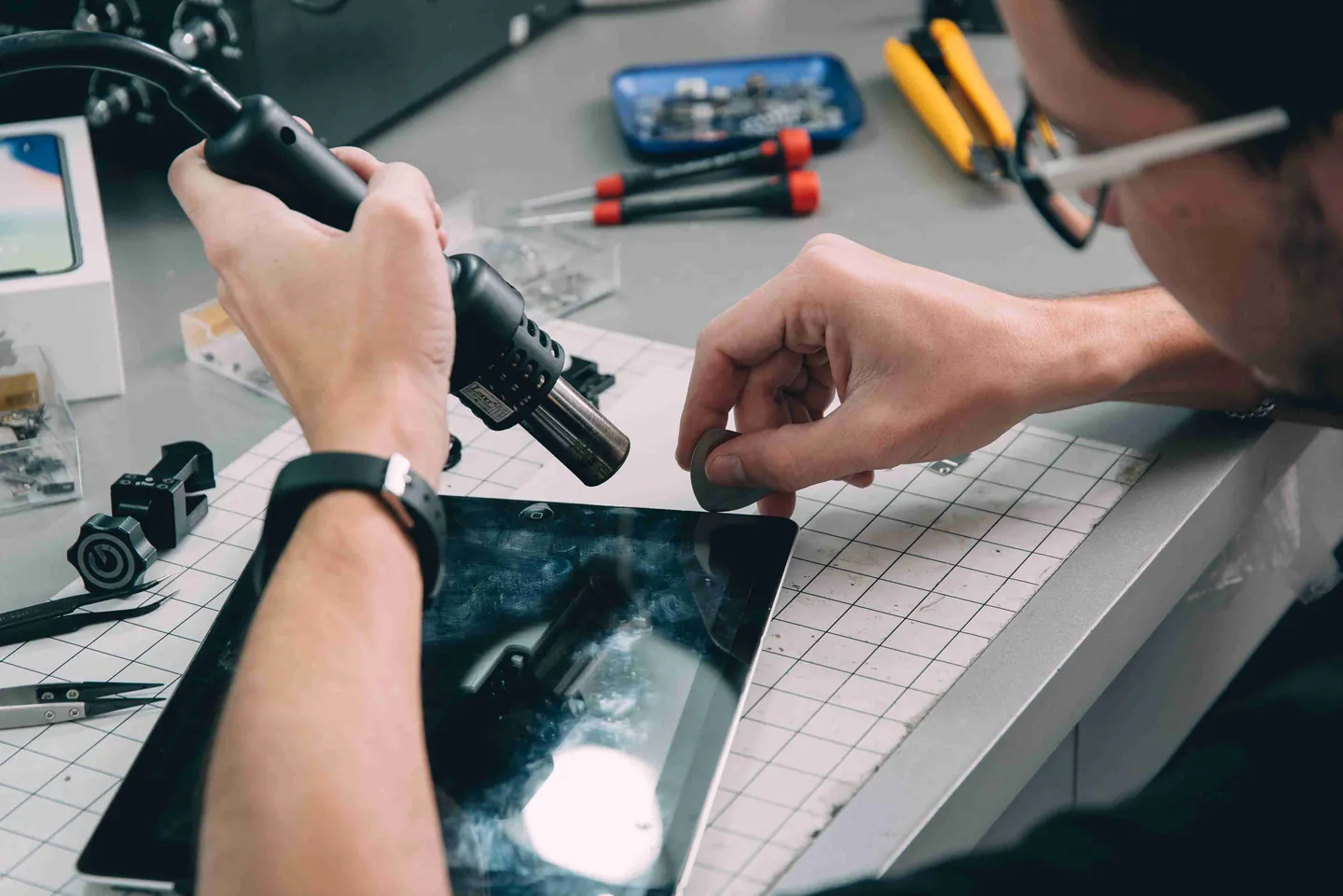
iPad repair in Boca Raton is something our shop handles every day — from cracked iPad Pro screens and swollen iPad Air batteries to iPad mini glass repairs and standard iPads that refuse to charge. Gadget Medics has been fixing tablets, phones, computers, and consoles since 2018, and in our eight years here the vast majority of iPads that come in for screen or battery work are back in your hands the same day once the correct part is confirmed in stock. You don’t need to mail your device to Apple or wait a week for a Genius Bar appointment. Every job begins with a free written quote you approve before we touch anything, and every completed repair is backed by a 90-day warranty on parts and labor.
In this article
- What iPad problems we see most often
- Parts, technicians, and how we work
- How to prepare before you bring your iPad in
- Our repair process, step by step
- iPad Pro, iPad Air, iPad mini, and standard iPad repair
- When an iPad is not worth repairing
- Why people in Boca Raton choose us
- Frequently asked questions
Written by Gadget Medics Team
What iPad problems we see most often
Most iPads arriving at our shop fall into one of a handful of categories. Knowing which one yours belongs to can help you decide whether to bring it in right away or skip repair in favor of a new device. These are the eight patterns we see most.
Cracked screen or digitizer damage. A spiderweb crack in the glass is usually cosmetic, and many people live with one for weeks without losing any function. What should not be ignored are dead zones where the screen stops registering touches, phantom taps that open apps on their own, and rainbow-colored lines streaking across the display. Those symptoms mean the digitizer or LCD beneath the outer glass has been compromised, and the only real fix is replacement of the affected layer.
Battery drain, swelling, and sudden shutdowns. iPad batteries are lithium-ion, and like every lithium-ion battery they age. Over time capacity fades, charge curves become unpredictable, and in the worst cases the cell physically swells inside the aluminum shell. A swollen battery will push the display upward from the frame, sometimes visibly lifting the glass along one edge. When that happens the battery needs to come out promptly, before the pressure damages the screen or the logic board underneath.
Liquid damage. iPads are not waterproof. Pool water, coffee, saltwater, and rain each leave behind different residues, and each reacts differently with the internal circuitry. The single most important factor in whether we can recover a wet iPad is how quickly you bring it to us. Within the first twenty-four hours the odds are good. After forty-eight hours, corrosion starts winning, and each additional day reduces the chance of a successful repair.
Charging port problems. A surprising number of charging issues are not hardware failures at all. Pocket lint and dust compact into the Lightning or USB-C port over months of normal use, eventually keeping the connector from seating fully. Before we replace anything we clean the port with the proper tools and test with a known-good cable. More often than not, that is the entire fix.
Home button, Touch ID, and Face ID faults. On iPads that still have a physical Home button, Touch ID is paired to the logic board at the factory, and aftermarket button swaps will break biometric authentication. We use the correct calibration and pairing tools, which keeps Touch ID and Face ID functional after the repair rather than forcing you to live with a permanently disabled feature.
Camera, speaker, and microphone failures. Muffled audio, a speaker that crackles, or a camera that shows black or discolored images can come from several sources. Sometimes the underlying component has failed. Sometimes a flex cable has torn or come loose after a drop. And sometimes the speaker grille is simply clogged with debris. A short diagnostic up front avoids ordering a part that is not actually the problem.
Boot loops and the “iPad is disabled” lock screen. An iPad stuck cycling on the Apple logo, trapped in recovery mode, or locked out after too many wrong passcode attempts is not always a hardware failure. Many of these situations resolve with a proper DFU restore performed in the correct sequence, which in most cases preserves the data on the device.
Wi-Fi and cellular connectivity drops. Intermittent Wi-Fi or cellular problems after a drop usually trace to an antenna cable that has been pinched or torn inside the housing, rather than a fault on the logic board itself. Those cables are inexpensive and the repair is straightforward, so the final bill is almost always lower than customers expect.
Parts, technicians, and how we work
The parts we install on a standard iPad repair match OEM specifications for the display, touch layer, battery chemistry, and connector tolerances. For customers who specifically ask, we can also source true Apple service-stock parts on certain repairs, though those carry a higher price and longer lead time. Before we start any job, the quote tells you exactly which grade of part we plan to use, so there are no surprises when you pick the iPad up.
Every repair is logged against a named technician. That means the same person who performed the work will see the ticket again if anything surfaces during the 90-day warranty period, rather than a different tech trying to guess what was done. Because we also handle iPhone screen repair and MacBook and PC repair in the same shop, multi-device households often find it easier to bring everything to one place rather than split repairs across different vendors.
How to prepare before you bring your iPad in
A few minutes of preparation at home makes the intake faster, protects your data, and avoids a second trip if we need your cooperation to proceed.
Back up your data. Most screen and battery repairs do not touch user data at all, but a backup is the only real guarantee. Use iCloud backup through Settings, your name, iCloud, iCloud Backup, or plug the iPad into a Mac or PC and back up through Finder or iTunes.
Turn off Find My iPad. Navigate to Settings, your name, Find My, Find My iPad, and switch it off. With Activation Lock engaged, no one can restore or reset the iPad, so any repair that requires a restore cannot proceed until this is disabled.
Know your Apple ID password and device passcode. After we complete the repair we need to confirm that Face ID, Touch ID, and iCloud sign-in are still working. Without the credentials we cannot verify the repair in front of you.
Remove the case and screen protector. Cases often hide bent corners, hairline cracks, and other pre-existing damage that we need to document before we start. Pulling them off at home saves time at intake.
Our repair process, step by step
Every iPad that comes through the door follows the same four-step flow. It is designed to give you a clear price and timeline before any work begins.
- Free written quote. Walk in during business hours or call us at (561) 279-6888 in advance. We examine the iPad, identify the actual failure, and write out the price, parts, and expected timeline. No work starts until you read and approve the quote.
- Itemized parts and labor. The quote lists the part and labor as separate lines, never a lump sum. If you have a written quote from another local repair shop for the same work, we honor a $10 price-beat once we confirm it covers an equivalent part and warranty.
- Fast turnaround on most jobs. Screen replacements, battery swaps, charging-port fixes, and digitizer repairs are typically completed in two to four hours once the parts are in hand. Larger jobs such as serious liquid-damage recovery usually take two to five days, and the quote will tell you which category your repair falls into.
- 90-day warranty on parts and labor. If the part we replaced fails under normal use within ninety days, we replace it at no charge. The warranty covers our work, not fresh physical damage from a new drop. Customers enrolled in Broken Club receive lifetime coverage beyond the standard ninety days.
iPad Pro, iPad Air, iPad mini, and standard iPad repair in Boca Raton
We service the entire iPad lineup at both of our Boca Raton locations. Parts for the most common generations are stocked in the shop, and less common parts are ordered within twenty-four hours from trusted suppliers. Here is what to expect for each model family.
iPad Pro repair in Boca Raton
The iPad Pro line covers the widest repair range we work on — from the original 9.7-inch model from 2016 through the current M4 Pro in 11-inch and 13-inch sizes. iPad Pro owners in Boca Raton most often bring their devices in for three reasons: a cracked Liquid Retina or OLED display, a battery that has stopped holding a reliable charge, and USB-C port damage from frequent cable connections.
Screen replacements on the 11-inch iPad Pro are typically ready the same day when the part is in stock. The M1, M2, and M4 generations use more advanced display technology — the M4 Pro is the first Apple tablet with a tandem OLED panel — so part cost runs higher than on a standard iPad. The 12.9-inch models and current M4 13-inch iPad Pro sometimes require a special part order if we do not have your exact generation on the shelf, which usually adds one business day. When Face ID is involved in any repair, we use the correct calibration tools so biometrics remain fully functional afterward. A diagnostic fee may apply depending on the complexity of the issue — see our diagnostic policy for when that applies; any fee paid is credited toward the repair cost.
iPad Air repair in Boca Raton
The iPad Air runs six generations and two screen sizes: the original 9.7-inch through the current M2 Air in 11-inch and 13-inch configurations. Cracked screens and failing batteries are the leading repairs for iPad Air models in Boca Raton, and both are typically completed within hours when the part is in stock.
The M2 iPad Air 11-inch and M2 iPad Air 13-inch introduced in 2024 have a larger screen area and thinner bezels than earlier Air generations, which makes the glass slightly more vulnerable to corner drops. Florida’s heat and humidity can also accelerate battery degradation — if your iPad Air is losing charge faster than it used to, a health check takes about five minutes and costs nothing. Unlike an Apple Store appointment or a Geek Squad counter visit, both of which typically mean waiting days for a slot, you can walk into either of our Boca Raton locations and get a written quote on the spot. Call ahead at (561) 279-6888 to confirm part availability for your specific generation.
iPad (standard line) repair in Boca Raton
The standard iPad — currently in its eleventh generation — is the most common tablet we see at Gadget Medics. It is the model many Boca Raton families buy for school and everyday use, and the 9th and 10th generation iPads account for the majority of screen and digitizer work we do.
Parts for the standard iPad line are among the most readily stocked in our shop, so most screen and battery repairs go out the same day. The 10th-generation iPad switched from Lightning to USB-C, so charging-port service differs from the older models. If your standard iPad has a cracked screen, a dead zone where touch does not register, or a battery that drops below a few hours on a full charge, any of those repairs is straightforward at either of our Boca Raton locations.
iPad mini repair in Boca Raton
The compact size of the iPad mini makes it popular as a travel device and secondary screen — and that same portability means it gets dropped more often than larger tablets. We service iPad mini generations one through seven, including the mini 6 with USB-C and the mini 7 with the A17 Pro chip released in late 2024.
Screen repairs on the mini require extra care because the glass and digitizer sit in a tighter housing than full-size models. The mini 6 and mini 7 use a laminated display — a single bonded assembly rather than separate glass-over-LCD layers — so the repair takes more time than on an older mini, and the quote reflects that. Battery replacements on the mini are among the faster repairs in the Apple tablet lineup. If you have an iPad mini 6 or mini 7 with a cracked screen or failing battery, walk in at Mission Bay Plaza or Feinrose Plaza and we will examine it on the spot in Boca Raton.
The original iPad through iPad 4 are still technically repairable, but parts availability has thinned out and a working used unit of the same generation often costs less than the fix. When we see one of those older models, we walk through the math with you honestly before you commit.
When an iPad is not worth repairing
Not every iPad that comes through the door is a repair candidate, and we would rather tell you that up front than take your money on a job that leaves you disappointed.
Pre-iPad Air 2 devices with significant screen damage. Parts and labor for those models frequently total more than a working used unit of the same generation costs on the secondary market. Unless the device has sentimental value or a specific software configuration that must be preserved, replacement is usually the better call.
Heavy liquid damage with multiple symptoms. If the screen, touch layer, audio, and charging have all failed after a liquid event, corrosion has almost certainly reached the logic board. We don’t replace components on the board, so we will tell you that up front and walk you through your options — saving your data, a new device, or Apple service.
iCloud-locked or stolen-listed devices. We do not unlock Activation Lock, and we do not bypass Apple ID sign-in. If you bring in an iPad that was picked up secondhand without the original owner’s credentials, we unfortunately cannot work on it. Bring proof of ownership along with the Apple ID and passcode.
Board damage from a prior third-party repair. If a previous shop damaged pads or traces on the logic board during an earlier repair, that is damage on the board itself, which we don’t repair. We will still diagnose it and be straight with you about your options.
In each of these cases we try to offer an alternative. Data recovery lets you move photos, documents, and contacts to a replacement device, and we can give you an honest estimate on the trade-in value of the old hardware toward a new one.
Why people in Boca Raton choose us
Three themes come up most often in the reviews customers leave us. The first is the free written quote before any work begins, which takes the anxiety out of deciding whether to repair or replace. The second is itemized pricing with no hourly billing, so the number on the quote is the number on the invoice. The third is the 90-day warranty on the work itself. We operate two Boca Raton locations — Mission Bay Plaza and Feinrose Plaza — and our customer base stretches across Palm Beach and Broward counties, from Delray Beach and Deerfield Beach to Coral Springs, Parkland, and Boynton Beach.
About Gadget Medics. Gadget Medics is an electronics repair shop in Boca Raton, Florida, with two locations: Mission Bay Plaza (20437 State Road 7, STE B-7) and Feinrose Plaza (1906 Clint Moore Rd, Unit 5). We have been repairing iPhones, Android phones, iPads, MacBooks, PCs, and gaming consoles since 2018. Every repair is backed by a 90-day warranty on parts and labor, with lifetime coverage available through Broken Club membership. 600+ Google reviews across our locations, 4.8+ star rating.
Call (561) 279-6888 to confirm current hours at each location or visit the Gadget Medics website for directions.
Frequently Asked Questions
How long does an iPad screen repair take in Boca Raton?
Most iPad screen and digitizer replacements are ready the same day at Gadget Medics, and two to four hours is a reasonable estimate once the correct part is on hand. iPad Pro 12.9-inch displays and current M-series models can add a day to the turnaround if we need to order the part from a supplier — one reason we recommend calling ahead when the iPad is a high-end or recent model.
Does Gadget Medics repair iPad Pro screens in Boca Raton?
Yes — we repair all iPad Pro generations at both Boca Raton locations, including the 11-inch and 12.9-inch models up through the current M4 Pro. Screen replacements for the 11-inch iPad Pro are typically ready within hours when the part is in stock. The 12.9-inch and M4 13-inch occasionally require a special part order, adding about one business day. Call us at (561) 279-6888 before heading in and we will confirm availability for your model.
How much does iPad Air battery replacement cost in Boca Raton?
Battery replacement cost depends on the exact iPad Air generation — the M2 Air models use a different cell than older generations, and the 13-inch differs from the 11-inch. Rather than quote a number here that may not match your model, we give every customer a free written estimate once we see the device. Walk in at Mission Bay Plaza or Feinrose Plaza, or call (561) 279-6888 and we will give you a price range over the phone. A diagnostic fee may apply for complex battery issues — see our diagnostic policy; any fee paid is credited toward your repair.
Do I need an appointment, or can I walk in?
Walk-ins are welcome at both of our Boca Raton locations during business hours. Because Mission Bay Plaza and Feinrose Plaza keep different schedules, we recommend calling (561) 279-6888 before you head over so we can confirm the hours at the nearer location and verify that the correct part is in stock for your repair.
Can you fix water-damaged iPads?
We can often recover a liquid-damaged iPad, and the odds are best when the device is brought in within the first twenty-four to forty-eight hours and has not been repeatedly powered on in the meantime. Our liquid-damage service includes full disassembly, ultrasonic cleaning of the logic board and affected components, component-level inspection under magnification, and a clear go or no-go recommendation before any replacement parts are ordered.
How much does an iPad repair cost at Gadget Medics?
The final cost depends on the specific model and the exact problem. A screen replacement on a standard iPad 9th-generation runs lower than an iPad Pro 12.9-inch display replacement, and battery replacements are flat rates per generation. Rather than guess at a number on the phone, we write a free quote once we see the device, and we honor a $10 price-beat against any matching written quote from another local shop covering the same part and warranty terms.
Need an iPad repair in Boca Raton?
Walk in at Mission Bay Plaza or Feinrose Plaza, or call ahead to confirm hours and part availability. Every fix is backed by our 90-day warranty on parts and labor.