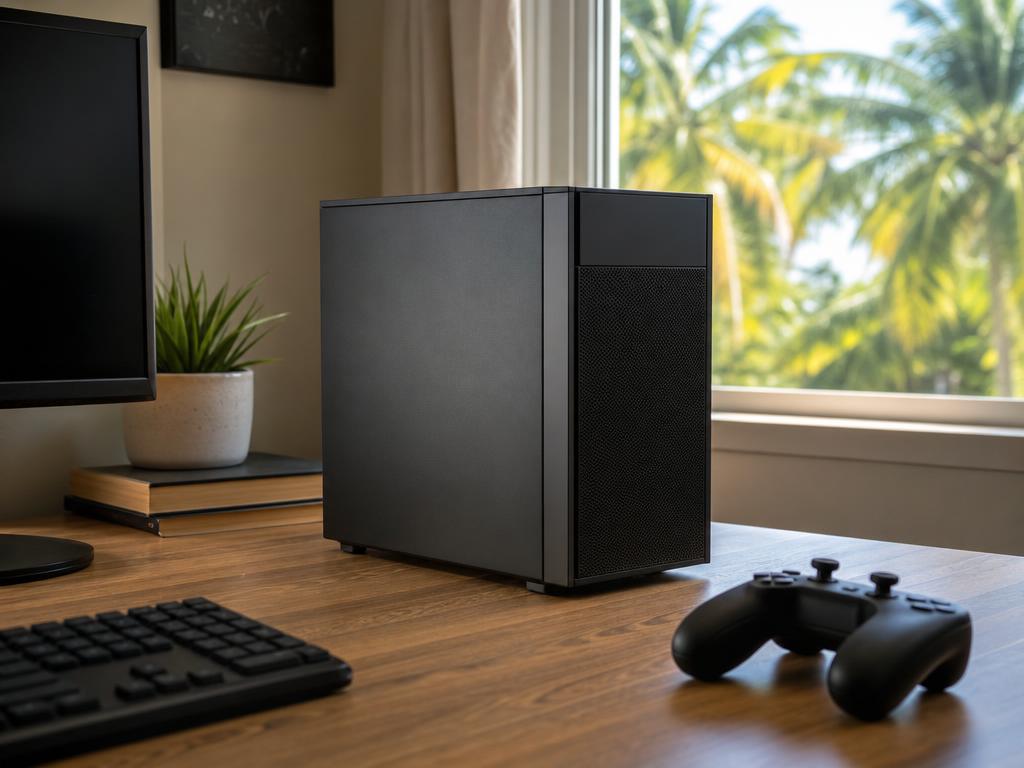
Most gaming PCs in Boca Raton are running hotter than their owners realize — and a big new game release is often what exposes the problem first. You don’t need to replace your GPU. In our experience, a thorough cleaning and thermal repaste brings temperatures down by 15 to 25 degrees Celsius and stops the random crashes that follow when a demanding title pushes the card hard.
Get Your Gaming PC Ready for Launch Day
Same-day GPU cleaning and thermal repaste at both Boca Raton locations. Walk-ins welcome.
What Does a GPU Repaste Actually Mean for Your Gaming PC?
A GPU repaste is the process of removing the old, dried thermal compound from between your graphics card’s chip and its heatsink, cleaning both surfaces, and applying a fresh layer of high-quality thermal paste. That paste is the only thing transferring heat from the GPU die — which can hit 80 to 90 degrees Celsius under sustained gaming load — to the copper heatpipes and aluminum fins that cool it. When the paste dries out, cracks, or separates, the heat transfer breaks down. Temperatures spike. The GPU throttles itself. Frames drop. Eventually the system shuts off entirely to prevent component damage.
Most GPUs ship with thermal compound rated to last three to five years under regular use. In our experience working on gaming PCs and desktop computers in Boca Raton, that timeline shortens considerably in South Florida’s climate. We regularly see systems where the paste has fully dried and separated in under two years — especially in homes without strong air conditioning, in setups with restricted airflow, or in rigs that see long daily gaming sessions.
A repaste is not the same as replacing your GPU. It’s maintenance — the same logic as changing oil in an engine rather than buying a new one. Done right, it can fully restore a card’s original thermal performance and add years of reliable life to a system that would otherwise start causing problems the moment you push it under a demanding new release.
Signs Your GPU Needs Attention Before a Major Game Launch
These symptoms show up during regular gaming but become impossible to ignore when a demanding new title runs your GPU at full load for hours at a time. If you recognize any of these patterns, don’t wait for launch day to find out the hard way.
Louder-Than-Normal Fan Noise
GPU fans spin faster as temperatures climb. If your rig sounds like a jet engine during games that used to run quietly, your GPU is working harder than it should to maintain safe temps. The fans aren’t broken — they’re compensating for degraded heat transfer. A repaste and cleaning removes the dust-clogged heatsink fins and restores efficient airflow so the fans can spin at lower speeds to achieve the same result.
Frame Rate Drops During Extended Sessions
Thermal throttling is when your GPU automatically reduces its clock speed to avoid overheating. In practice, this feels like a frame rate that starts fine and degrades 20 to 30 minutes into a session — you didn’t change any settings, the game didn’t get harder, your GPU just got too hot and pulled back. In our shop, this is the symptom that most often surprises people who thought their PC was running normally.
Random Crashes or Shutdowns During Intense Scenes
Modern GPUs have a thermal safety cutoff. If temperatures consistently exceed 90 to 95 degrees Celsius, the driver crashes the game — or the system shuts off entirely to prevent damage. Random driver crashes or unexpected shutdowns specifically during graphically intense moments are almost always an overheating story. If they’re happening before a new demanding release drops, they’ll be constant afterward.
High Temperatures Even at Idle
A healthy GPU at idle should sit well below 50 degrees Celsius in a properly cooled case. If you’re idling at 65 to 75 degrees before you’ve even opened a game, the paste has almost certainly degraded — or the heatsink is packed with dust. Either problem only gets worse under full gaming load.
Your PC Is Two or More Years Old and Has Never Been Serviced
In our shop, this is the most common scenario we see: a gaming PC that ran fine for two years, starts showing occasional thermal symptoms, and then completely falls apart under a demanding new release. Same-day service before launch day is straightforward. Bringing it in after three crashes-to-desktop and a corrupted save file is more stressful for everyone. If your rig has never been opened and cleaned, that is reason enough to have it checked before the next big launch.
The Latest Game Releases Are More Demanding Than Ever — Here’s Why That Matters
The game releases hitting PC in late 2026 are among the most GPU-intensive software ever shipped commercially. Titles like Control Resonant — the sequel to the 2019 original that popularized real-time ray tracing — and Phantom Blade Zero are built around visual effects that push graphics cards to sustained 90 to 100 percent GPU utilization for hours at a time. That’s exactly the scenario where marginal thermal performance becomes a real problem.
Most GPUs spend the majority of their lives under light or moderate load. Everyday tasks, older games, and even many modern multiplayer titles don’t push a card to its thermal limits consistently. A graphically demanding single-player game that runs at full load for a four-hour session is a different animal entirely — and that’s the test that exposes dried paste and dust-choked heatsinks. If your GPU barely handled the last demanding game you played, it will struggle more with the next one.
The timing matters too. If you’re planning to play any major new release in the first week, you want your system ready before launch — not in the middle of a repairs queue during it. Same-day service is available, but the safest move is to bring your rig in for a pre-launch check a week or two before the title you’re targeting. Same-day turnaround is realistic for most systems, but same-day isn’t guaranteed if the schedule fills up on launch weekend.
Gadget Medics vs. Best Buy Geek Squad vs. DIY — Which Makes Sense?
DIY Repasting
You can do a GPU repaste yourself if you’re comfortable disassembling the card, removing the heatsink without bending heat pipes or snapping retention clips, cleaning both surfaces correctly with isopropyl alcohol, and applying the right amount and pattern of paste. A wrong application — too much or too little — can actually perform worse than the dried compound you replaced. It’s doable for experienced builders, but it’s not a beginner task. If you’ve never opened a GPU cooler before, the risk of voiding your warranty or damaging something during disassembly is real and not worth the savings.
Best Buy Geek Squad
Best Buy’s Geek Squad does not offer hands-on GPU thermal maintenance. Their focus is device-level support — warranty repairs, software troubleshooting, setup services, trade-in processing. If you walk into Best Buy with an overheating gaming PC and ask for a GPU repaste, most Geek Squad locations will either decline or route you to a depot service with a two to three week turnaround. Geek Squad is not built for same-day gaming PC thermal work. You’re paying for Best Buy’s brand recognition and store footprint, not technical depth on PC hardware. The same applies to most big-box computer repair counters in general — they’re staffed for consumer electronics support, not hands-on hardware maintenance.
Manufacturer Warranty Centers
If your GPU is under its manufacturer warranty, a documented overheating failure can be a covered event — but the process involves shipping your card to a depot, waiting for RMA approval, and a return timeline measured in weeks. Manufacturer warranty service is the right choice for defective new hardware. For a two-year-old card with dried paste and accumulated dust, it’s not the right tool — and most manufacturers don’t cover thermal paste degradation as a warranty event anyway. It’s considered normal wear.
Gadget Medics — Same-Day in Boca Raton
We handle GPU cleaning and thermal repasting same-day at both our Boca Raton locations. You bring your PC in, a technician opens it, cleans the heatsink fins, replaces the thermal compound on the GPU die, checks and replaces any dried VRAM thermal pads if needed, and reassembles. Most cleaning and repaste jobs are same-day with a two to four hour turnaround. For heavily packed systems with dense cable management or multiple components needing service, we’ll give you an honest estimate upfront. You approve the service and price before we begin. A diagnostic fee may apply depending on the issue — see our diagnostic policy for exactly when it applies and how it works; any fee is credited toward your service if you proceed.
We’ve been working on gaming PCs in Boca Raton since 2018 — cleaning, upgrades, thermal maintenance, component swaps, full builds. We’re not a big-box service counter that ships your PC to a depot. Your rig stays in-shop and comes back the same day in the vast majority of cases.
How the GPU Cleaning and Repaste Process Works at Gadget Medics
Step 1 — Intake and Thermal Assessment
When you bring your PC in, we run a quick thermal check first: idle temperatures, a brief load test, fan function, and a look at the case airflow path. This tells us whether we’re dealing with paste degradation alone, dust plus paste, or something additional like a failing fan bearing. Most gaming PCs we see in Boca Raton benefit from a full cleaning plus repaste, not just one or the other — the dust inside the heatsink compounds the paste degradation significantly.
Step 2 — Disassembly and Cleaning
The GPU cooler comes off. We clean the GPU die surface and heatsink base with 99 percent isopropyl alcohol. The heatsink fins are blown out with compressed air; in heavily clogged systems they’re cleaned individually by hand. Case fans get the same treatment. The goal is to restore the thermal system close to its original state — not just apply fresh paste over a partially dirty surface, which is what a rushed job looks like.
Step 3 — Thermal Compound and Pad Replacement
We apply a high-quality thermal compound to the GPU die with the correct method and amount. Where needed, we also replace dried VRAM or VRM thermal pads — small pads that sit between memory chips and the heatsink base. These dry out just like the main GPU compound and are often skipped in quick repaste jobs, leaving the same heat buildup on VRAM that was the second biggest contributor to throttling in the first place.
Step 4 — Reassembly and Load Testing
The cooler goes back on with proper retention pressure. We run a sustained load test — 15 to 20 minutes of GPU stress — and monitor temperatures throughout. A successful repaste typically brings peak load temperatures down by 15 to 25 degrees Celsius compared to pre-service readings. We’ll show you the before-and-after numbers so you can see exactly what changed. Same-day pickup for most systems.
South Florida Heat and Humidity Make GPU Thermal Problems Worse — Here’s the Math
Boca Raton’s climate is not kind to gaming PCs. Average summer temperatures in South Florida push into the mid-90s Fahrenheit, and even with air conditioning, indoor ambient temperatures in many homes here run 5 to 10 degrees warmer than in northern states where PC hardware is typically tested and benchmarked. That baseline difference has a direct impact on GPU cooling headroom.
Here’s the number that matters: a GPU cooler is designed to keep the chip some fixed delta above ambient. If a card is rated for 85°C under full load at 22°C ambient, that same card in a 30°C South Florida home hits 93°C under identical load — already in throttling range, before you factor in any paste degradation or dust accumulation. Thermal problems that would stay invisible in a cool dry environment become real in Palm Beach County.
South Florida’s humidity adds another layer. Higher ambient humidity accelerates corrosion on heatsink surfaces and causes thermal paste to degrade faster, especially in homes where air conditioning cycles off overnight or rooms that aren’t climate-controlled around the clock. In our experience here in Boca Raton, gaming PCs that would have run five years with minimal thermal maintenance in a dry northern environment show paste degradation in two to three years. The same thermal maintenance logic applies to gaming laptops — South Florida heat degrades laptop thermal paste just as fast, and same-day cleaning is available for those too.
If you game in South Florida, every two years is the minimum maintenance window — and every year makes more sense if your setup is in a warmer room, if the case has poor airflow, or if you’re running a higher-end GPU. A same-day cleaning and repaste before a major launch is cheap insurance against what those games will put your card through.
We also see a lot of gaming setups in Boca Raton stuffed into cramped entertainment centers, closed cabinets, and desk hutches with almost no air gap behind the case. These arrangements are thermal disasters regardless of climate: the GPU exhausts hot air into an already-hot enclosed space, which the intake fans then recirculate right back through the heatsink. If that’s your setup, we’ll flag it when you bring the PC in — a same-day airflow fix often makes more difference than the repaste alone.
Why Boca Raton Gamers Trust Gadget Medics
We’ve been the local alternative to big-box stores and manufacturer depot services in Boca Raton since 2018. Gaming PC work — cleaning, thermal maintenance, component upgrades, OS issues, GPU and RAM swaps — is a consistent part of what we do every week. We’re not a phone repair shop that occasionally opens a PC case. We see gaming hardware regularly and stay current on which GPU generations run the hottest, which thermal compounds hold up best in South Florida’s climate, and what the common failure patterns look like across the rigs currently in local gaming setups.
About Gadget Medics — Electronics repair shop serving Boca Raton, FL and surrounding South Florida communities since 2018. Computer, laptop, phone, tablet, and gaming console repair. Walk-ins welcome at both locations. All repairs backed by a 90-day warranty on parts and labor, with lifetime coverage available through Broken Club membership. Over 600 Google reviewers across both Boca Raton locations rate us 4.8+ stars on average.
You don’t need an appointment. Same-day service is available for cleaning and repaste jobs on most systems. For larger builds with extensive cable management that extends disassembly time, we’ll give you an honest timeframe when you arrive — not after we’ve already started. Same-day pickup is the norm. A week-long depot turnaround from a big-box store is not something you need when the goal is to be ready for launch day.
Frequently Asked Questions
How much does a GPU cleaning and repaste cost at Gadget Medics?
Pricing depends on the GPU model, the complexity of the cooler, and whether thermal pads also need replacement. We give you a clear quote after the initial assessment — no surprises. A diagnostic fee may apply depending on the issue; see our diagnostic policy for details. Any fee paid is credited toward your service if you proceed.
Will a GPU repaste void my graphics card’s warranty?
Most GPU manufacturers include language that can void the warranty if a third party disassembles the card. If your GPU is still under its original manufacturer warranty, check that document before bringing it in. In our experience, most gaming PCs coming in for thermal maintenance are running cards that are two to four years old — typically past the standard one-year GPU warranty. For out-of-warranty cards this isn’t a concern.
How long does the cleaning and repaste take?
Most same-day jobs are completed in two to four hours, including intake assessment and load testing. Complex builds with dense cable management or heavily dust-clogged systems may take a bit longer. We give you an honest estimate when you drop the PC off so you can plan your day accordingly.
How often should I have my gaming PC serviced in South Florida?
Every one to two years is the right interval for most gaming PCs here in Boca Raton and the surrounding South Florida area. If your setup is in a warmer room, if you game daily for long sessions, or if your case has limited airflow, lean toward the one-year end. The same-day cost of a cleaning and repaste is small compared to the performance loss and potential component damage from years of running hot.
Do I need to bring the whole PC or just the GPU?
Bringing the full PC is almost always the better move. The GPU doesn’t cool in isolation — case airflow matters, and dust accumulates throughout the entire system, not just on the GPU. Cleaning the graphics card alone while leaving the rest of the case packed with dust is a half-measure. Same-day service covers the full system, and you leave knowing the entire thermal chain is working correctly.
Can a GPU repaste actually fix crashes during intense gaming?
Yes, in the majority of cases where thermal throttling or GPU overheat is the root cause. If your crashes happen specifically during graphically intense moments or after extended sessions — and your temperatures are running high — a cleaning and repaste addresses the underlying issue. If the crashes are happening for other reasons (driver conflict, hardware fault, power delivery issue), the same-day diagnostic will catch that and we’ll tell you exactly what’s going on.