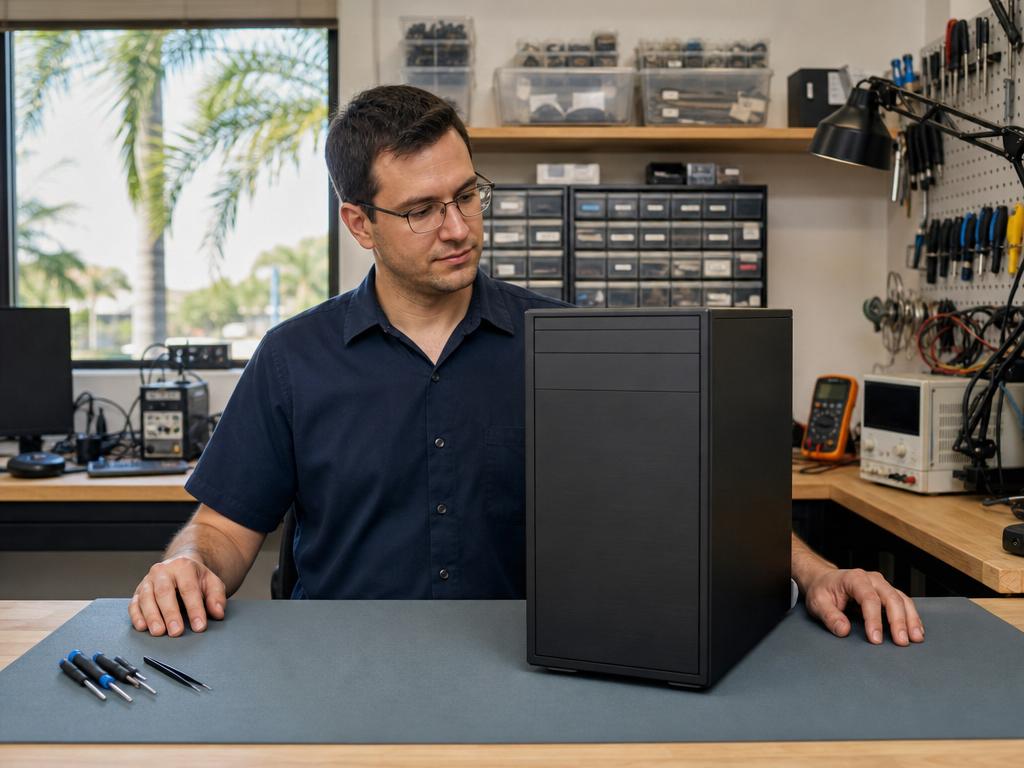
Most gaming PCs built between 2019 and 2022 can handle 2026’s next-gen titles — but only if you upgrade the right components in the right order. In our experience here in Boca Raton, the GPU is almost always the first bottleneck, and you don’t need to build a whole new machine to close the gap. With GTA 6 arriving on consoles November 19 and a PC release window to follow, now is the right time to know exactly where your rig stands.
Get Your Gaming PC Diagnosed and Upgraded Today
Same-day PC diagnostics and component upgrades at both Boca Raton locations. Walk-ins welcome.
What Does Upgrading a Gaming PC Mean in 2026?
With GTA 6 launching November 19 on consoles and a PC window to follow — plus Witcher 4, Borderlands 4, and Cyberpunk 2077’s Phantom Liberty 2 in the pipeline — the 2026 game lineup isn’t just bigger. It’s built for hardware that large portions of the existing gaming PC install base doesn’t have. DirectX 12 Ultimate ray tracing, DLSS 3/FSR 3 frame generation, and next-gen open-world asset streaming are now table stakes, not premium features.
A gaming PC upgrade in 2026 doesn’t mean rebuilding from scratch. In most cases, you’re swapping one or two components — almost always the GPU, sometimes RAM — to close the gap between your current build and what next-gen games require. The goal is to extend your rig’s useful life by 2–4 years without paying the full cost of a new system.
The components that matter, in priority order:
- GPU — renders every frame you see. The single biggest performance lever in any gaming PC, and the first component to address in any 2026 upgrade.
- RAM — 16 GB DDR4 was fine in 2020; 32 GB is the 2026 floor for next-gen titles.
- NVMe SSD — open-world streaming, shader compilation, and load times all require fast Gen 4 storage. An HDD in 2026 is a hard bottleneck.
- PSU — the silent upgrade risk. A new high-TDP GPU on an undersized PSU causes instability and hardware damage.
- CPU / Motherboard / Cooler — the most expensive swap, and usually the last necessary one unless your platform is 4+ generations behind.
Diagnose Your Setup Before Spending a Dollar
Before buying anything, know exactly what you’re working with. Windows makes this easy and it takes under five minutes.
Check CPU and RAM
Open Settings → System → About. You’ll see your processor name and installed RAM. Running 16 GB? Plan to address it soon. 32 GB DDR5 on a current platform means you’re set on memory for the next couple of years minimum.
Check GPU and VRAM
Open Task Manager → Performance → GPU. This shows your GPU model and available VRAM. For 1080p gaming in 2026, 8 GB VRAM is the practical floor; for 1440p, 12–16 GB is the new standard. Next-gen open-world titles routinely push 8 GB VRAM at Medium settings at 1080p — and higher at Ultra.
Check Storage Type
Open Settings → System → Storage. An HDD as your primary drive in 2026 isn’t just slow — it’s a hard bottleneck for open-world asset streaming and shader compilation. Rockstar’s PC releases have consistently required SSD, and GTA 6 on PC is expected to mandate it outright.
Quick Benchmark Baseline
Run 3DMark TimeSpy or Speed Way and compare your result to a reference card. An RTX 4070 scores approximately 17,000 on TimeSpy. Scoring under 8,000? Your GPU is the primary constraint. UserBenchmark gives a component-level percentile breakdown — useful for identifying the weakest link in a mixed-age build.
In our shop, about 7 in 10 gaming PCs that come in for an upgrade consultation have a GPU that’s two or more performance tiers behind what current games need — even when the owner assumed their rig was “basically current.” Getting that diagnostic clarity before spending anything is the most valuable part of the process.
GPU, RAM, SSD — What to Upgrade First and Why
This is the core of any 2026 upgrade path. The order matters as much as the parts themselves.
1. GPU — Upgrade This First, Always
The GPU renders every frame your monitor displays. A current-gen CPU paired with a 2019 GPU will consistently underperform a 2019 CPU paired with a current-gen GPU in almost every modern game — gaming is GPU-bound at 1080p and above. If you’re targeting GTA 6 at playable settings, the GPU is where to start.
The 2026 tiers by use case:
- Budget 1080p — GTA 6 playable: RTX 4060 (8 GB VRAM) or AMD RX 7600. Solid for 1080p High settings; VRAM is tight on Ultra textures but practical at Medium-High.
- Sweet spot — 1080p/1440p: RTX 4070 (12 GB VRAM) or AMD RX 7700 XT (12 GB VRAM). The right class for 2026–2027 next-gen titles at 1440p, with same-day frame generation headroom from DLSS 3 or FSR 3.
- 1440p futureproof through 2028: RTX 4080 (16 GB VRAM) or AMD RX 7900 XTX (24 GB VRAM). Significant investment, 3–4 years of genuine headroom.
What not to buy in 2026: any GPU from the 2018–2020 generation without hardware ray tracing — GTX 1080, RX 580, GTX 1660 Ti class. These cards can’t run DLSS 3/4 or AMD FSR 3 frame generation, which are increasingly required for next-gen titles to hit acceptable frame rates at medium-high settings.
2. RAM — 32 GB Is the 2026 Standard
GTA 6 on PC is widely expected to recommend 32 GB. In our experience, 16 GB DDR4 holds up adequately today but will show its limits within 12–18 months of next-gen releases — and these games are releasing close together in 2026.
- DDR4 platform (Intel 10th–12th gen, AMD Ryzen 5000): upgrade to 32 GB DDR4 (2×16 GB). You don’t need a new motherboard — same slots, same platform.
- DDR5 platform (Intel 13th/14th gen, AMD Ryzen 7000/9000): target 32 GB DDR5-6000 for optimal performance. Same socket, faster memory.
- DDR3 platform: this is a red flag — see the section below.
3. NVMe SSD — 1 TB PCIe Gen 4 as Your Primary Drive
A Gen 4 NVMe drive doesn’t just improve load times. Open-world games stream massive asset packs continuously during gameplay — and an HDD introduces stuttering and pop-in that no GPU upgrade can compensate for. GTA 6 is estimated at 100–130 GB on PC alone, based on the console build size.
Solid 2026 choices at 1 TB:
- Samsung 980 Pro (PCIe 4.0, up to 7,000 MB/s sequential read) — reliable and proven across 2024–2026 gaming workloads
- WD Black SN850X (PCIe 4.0, 7,300 MB/s) — strong sustained write performance for large game installs
- Crucial T500 (PCIe 4.0, excellent price-to-performance in 2026)
1 TB minimum. 2 TB if your library is already large — NVMe prices in 2026 make the jump a practical decision.
4. PSU — The Hidden Upgrade Risk
An RTX 4070 draws up to 200W under load. An RTX 4080 draws up to 320W. Add 65–125W for the CPU and you need real headroom. Pairing a new GPU with an old 550W PSU from 2015 causes random shutdowns, instability, and in worst-case configurations, component damage.
- RTX 4060 / RX 7600 build: 650W 80+ Gold minimum
- RTX 4070 / RX 7700 XT build: 750W 80+ Gold
- RTX 4080 / RX 7900 XTX build: 850W 80+ Gold
80+ Gold certification matters specifically in South Florida’s ambient temperatures. A non-certified PSU running at high load in warm conditions is the single most common failure point we see on gaming PCs that come in for power issues.
5. CPU / Motherboard / Cooler — Save This for Last
Modern games are overwhelmingly GPU-bound. A 4-year-old Intel Core i7 or AMD Ryzen 5 paired with a current-gen GPU will outperform a brand-new CPU paired with a 2019 GPU in shooters, open-world titles, and RPGs. You don’t need a new CPU to play GTA 6 — you need the right GPU first.
A platform upgrade makes sense when: you’re on a DDR3 platform that can’t be upgraded in any meaningful way; your CPU is under 6 cores on a socket 4+ generations behind; or you’re streaming while gaming and your CPU genuinely bottlenecks encoding. For most Boca Raton gamers we’ve talked through this with, holding the CPU/mobo swap until the next platform generation or a clear benchmarked bottleneck is the right financial call.
Red Flags: When Upgrading Doesn’t Make Sense
There’s a point where new parts in an aging system is the wrong financial move. In our experience, these configurations call for an honest “start fresh” conversation instead:
- DDR3 platform (Intel Haswell/Skylake, AMD AM3+): RAM can’t be upgraded without a full platform swap. CPU performance on these platforms is so far behind that any GPU upgrade is immediately bottlenecked at higher game settings.
- PSU under 500W with no upgrade budget: a new high-TDP GPU without a matching PSU is a hardware risk. We won’t install it under those conditions.
- Socket 4+ generations behind (LGA 1150, AM3+, LGA 2011): quality parts for these platforms are increasingly difficult to source, and the CPU ceiling is too low to justify a GPU investment.
- Case with no PCIe x16 clearance or GPU length limit: some compact builds physically can’t fit an RTX 4070-class card. A custom build in a proper mid-tower often makes more sense than fighting the chassis.
Gadget Medics vs. DIY vs. Best Buy — Which Makes More Sense?
You have three real options for a gaming PC upgrade in Boca Raton. Here’s the honest breakdown.
DIY is the right call if you’re experienced with component installation, have anti-static precautions, and can diagnose post-upgrade issues yourself. If you’ve never seated a GPU, aren’t certain about PSU connector compatibility, or haven’t confirmed PCIe slot clearance for your specific case, the risk of bent pins, static damage, or an undiagnosed misconfiguration is real.
Best Buy is where most Boca Raton residents buy components — which is fine. But Geek Squad doesn’t offer hands-on gaming PC hardware upgrades. Their service scope is software troubleshooting, virus removal, and device setup. For hardware, Geek Squad typically recommends a prebuilt purchase from the Best Buy floor. Same-day GPU installation or NVMe upgrades simply aren’t on the Geek Squad service menu — you’d be leaving Best Buy with a part and a handshake, not an installed and tested system.
At Gadget Medics, we diagnose your current setup first — confirming GPU clearance, PSU headroom, and thermal condition before anything is ordered or installed. We handle same-day GPU and RAM swaps, run a full benchmark after install, and catch the problems that would surface during your first gaming session: dried thermal paste, a marginal PSU, dust-clogged fans. We’re an independent local shop, not a big-box chain. You’re talking to the technician doing the work. Any assessment fee is applied toward your upgrade cost — see our diagnostic policy for details on when and how fees apply.
| Feature | Gadget Medics | DIY | Best Buy / Geek Squad |
|---|---|---|---|
| Compatibility check before install | ✓ Done for you | Your research | ✗ Not offered |
| GPU / RAM / SSD installation | ✓ Same day (most configs) | ✓ DIY | ✗ Not in scope |
| Post-install benchmark test | ✓ Full run before pickup | Your responsibility | ✗ Not offered |
| Custom gaming PC builds | ✓ custom gaming PC builds | ✓ If experienced | ✗ Prebuilts only |
| Same-day walk-in service | ✓ Both locations | Same day if parts in hand | Appointment recommended |
| Local accountability | ✓ Talk to your technician | ✓ | ✗ Corporate chain |
South Florida Heat Is Hard on Aging Gaming PCs — Here’s What to Watch For
Boca Raton’s climate creates a hardware failure environment that most PC upgrade guides aren’t written for. High ambient temperatures, coastal humidity, and the constant cycle between outdoor South Florida heat and aggressive indoor AC put unique stress on aging gaming components. We see this consistently in our shop — in ways that simply don’t match guides written for northern or dryer climates.
What South Florida conditions do to older gaming PCs:
- Dried thermal paste on GPU and CPU: South Florida heat cycling breaks down thermal compound faster than in a stable northern climate. A 4-year-old gaming PC in Palm Beach County can have thermal paste as degraded as a 7-year-old machine in a climate-controlled northern home. Running GTA 6 on a GPU that’s thermal-throttling from dried paste means you’ll never see the performance you paid for.
- Capacitor aging on PSUs and motherboards: electrolytic capacitors degrade faster at sustained high ambient temperatures. A PSU that might last 10 years in a stable northern apartment can show early aging failure at 6–7 years of South Florida conditions.
- Fan bearing failures from heat and humidity: dust accumulates faster in South Florida homes, and humidity causes clumping inside cooling systems. A clogged GPU cooler running GTA 6 at full load will thermal-throttle or shut down mid-session.
- PCIe connector corrosion from coastal air: salt air near Delray Beach, Boynton Beach, or anywhere within a few miles of the Atlantic can cause connector oxidation on gaming PCs in open-chassis cases — intermittent failures that present as driver crashes or instability rather than obvious hardware failure.
In our experience, about 3 in 10 South Florida gaming PCs that come in for a GPU upgrade also need a same-day thermal repaste and fan cleaning before the new hardware makes any meaningful difference. Installing a $400 RTX 4070 into a system that immediately thermal-throttles it at 95°C is not an upgrade — it’s an expensive same-day disappointment.
Same-day thermal maintenance paired with the GPU swap is the right call in South Florida. We understand these regional failure patterns because we’ve been repairing and building PCs in Boca Raton for over 8 years. Snowbird season also brings a specific variant: seasonal residents arrive with gaming PCs — or gaming laptops — that sat in storage through a dry northern winter. The rapid climate shift from cold, low-humidity conditions to South Florida heat and humidity can trigger condensation and accelerate pre-existing connector corrosion. Same-day diagnostics at either Boca Raton location can catch a small problem before it becomes a board-level failure.
Why Boca Raton Gamers Trust Gadget Medics for PC Upgrades and Custom Builds
With 600+ Google reviews and a 4.8+ star rating across both Boca Raton locations, Gadget Medics has been building and upgrading gaming PCs in this community since 2018. We’re not a big-box chain or a franchise — we’re an independent local shop where you’re talking to the technician doing the work, same day, at Mission Bay Plaza or Feinrose Plaza.
“The upgrade that makes sense for your budget and your build — not the one that moves the most expensive part off a shelf. That’s the conversation we’d have with a friend.”
- 8+ years building and upgrading gaming PCs in Boca Raton — we know South Florida’s specific hardware failure patterns
- 600+ Google reviews, 4.8+ star rating — Mission Bay Plaza and Feinrose Plaza combined
- Same-day GPU, RAM, and SSD upgrades on most configurations — no depot shipping, no week-long Geek Squad turnaround times
- Compatibility verified before any parts are ordered or installed
- Custom gaming PC builds matched to your budget and resolution target — via our gaming PC build service
- 90-day warranty on all upgrade labor; Broken Club members get lifetime warranty coverage
- Full computer repair and diagnostic service — same-day assessment catches everything that needs attention, not just the part you came in for
About Gadget Medics — Two locations in Boca Raton, FL. Mission Bay Plaza: 20437 State Road 7, STE B-7, Boca Raton, FL 33498. Feinrose Plaza: 1906 Clint Moore Rd, Unit 5, Boca Raton, FL 33496. Fixing and building computers since 2018. Walk-ins welcome at both locations — call (561) 279-6888 to confirm current hours. All upgrades backed by a 90-day warranty on parts and labor. Broken Club members receive lifetime warranty coverage. 600+ Google reviews across both Boca Raton locations.
Related guides: Console Gaming Repair Boca Raton · SSD Upgrade Boca Raton: Cost & Timing Guide
Frequently Asked Questions
Is it worth buying a used GPU for a 2026 gaming PC upgrade?
Used GPUs from the RTX 3000 or AMD RX 6000 series can be reasonable if the card is in good condition and correctly priced. Avoid anything from the 2018–2020 generation without hardware ray tracing — GTX 1080, RX 580, GTX 1660 class — these cards can’t run DLSS 3/4 or FSR 3 frame generation, which are increasingly required for next-gen titles. Bring a candidate card to us for a same-day diagnostic before committing — we can confirm the card’s health and tell you whether it’s worth the price.
Will an RTX 4060 handle GTA 6 at 1080p?
Yes — the RTX 4060 is a reasonable minimum for GTA 6 at 1080p High settings. Its 8 GB VRAM is tight on Ultra textures, but at 1080p Medium-High, performance should hold adequately. If you want 1440p or 2–3 more years of headroom beyond GTA 6, the RTX 4070 (12 GB VRAM) is the right step up. Same-day installation on either card is available at both our Boca Raton locations.
Do I need to replace my motherboard to upgrade from DDR4 to DDR5?
Yes — DDR4 and DDR5 slots are physically incompatible. A DDR5 upgrade requires a new motherboard and CPU that natively support DDR5 (Intel 12th gen or later, AMD Ryzen 7000 series or later). If your platform uses DDR4 and you’re budget-conscious, upgrading to 32 GB DDR4 on your existing board is the more cost-effective near-term path. A full platform upgrade makes most sense when you’re already replacing the GPU and your current socket is 4+ generations behind.
How much SSD space does GTA 6 need on PC?
Rockstar hasn’t published final PC system requirements yet, but based on GTA 6’s console build size, PC estimates put the install at 100–130 GB. A 1 TB NVMe drive gives you GTA 6 plus a solid game library without constant uninstalling. If you already have 400–500 GB installed, go straight to 2 TB — Samsung 980 Pro and WD Black SN850X both offer reliable 2 TB configurations at reasonable 2026 prices.
Custom build vs. prebuilt gaming PC in Boca Raton — which is cheaper?
Custom builds at Gadget Medics typically land 10–20% below equivalent-spec prebuilts from Best Buy or Amazon, because you’re not paying for brand markup, proprietary cases, or bundled software you won’t use. More importantly, a custom build is matched to your specific use case — 1080p 144 Hz on a tight budget, or 1440p 165 Hz at a higher investment. Prebuilts optimize for price-point optics. Bring your target resolution, game list, and budget to either Boca Raton location and we’ll put together a realistic parts list on the spot, same day.