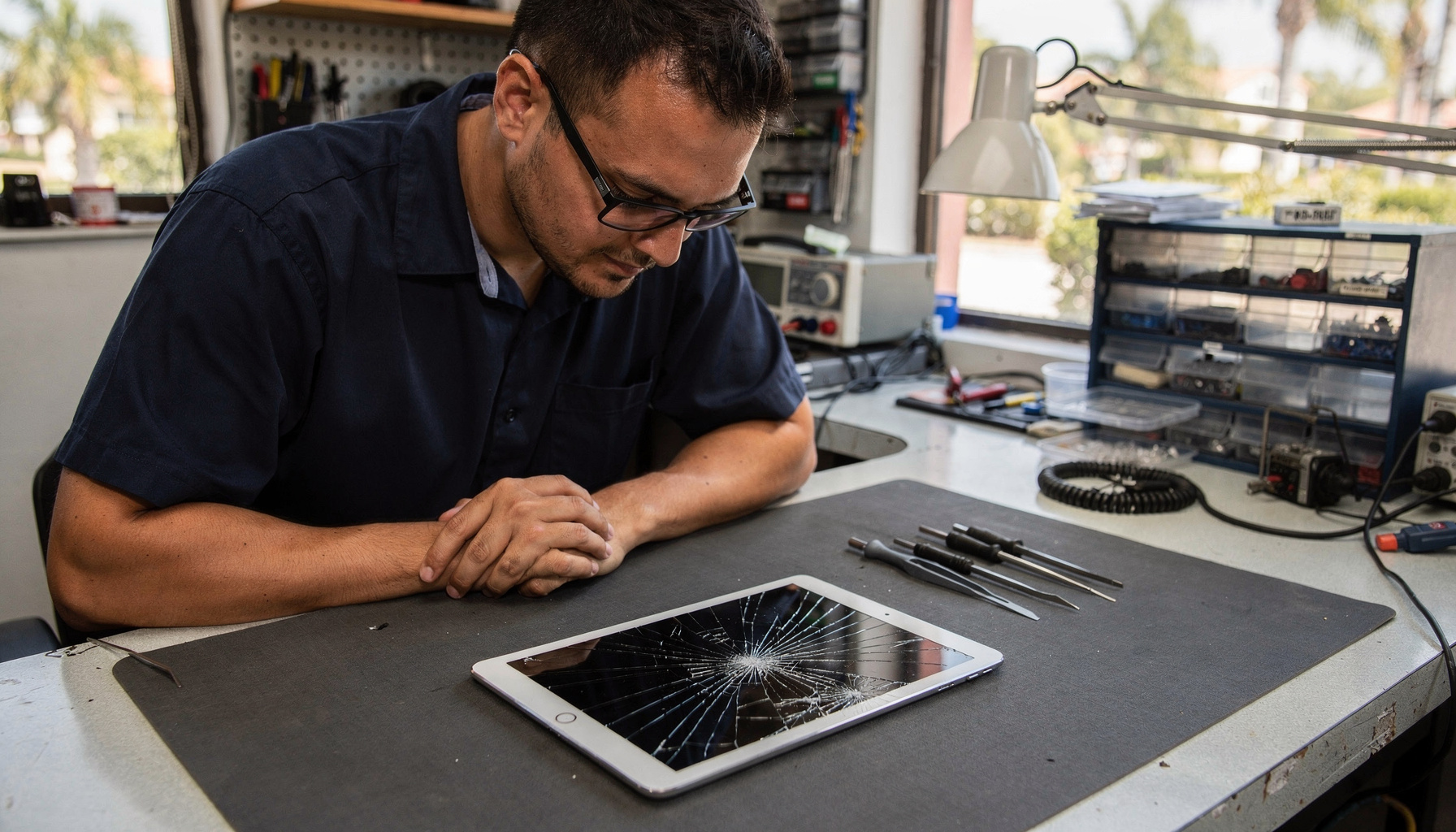
Most tablets that “won’t turn on” aren’t actually dead — in our experience at Gadget Medics in Boca Raton, well over half the tablets we see for this exact complaint start working again after a proper charge cycle or a forced restart. You don’t need to write your tablet off, and you definitely don’t need to wait three days for an Apple Genius Bar appointment. Try these five steps first — they take less than 20 minutes and they work on iPad, Samsung Galaxy Tab, and Microsoft Surface alike.
Get Your Tablet Diagnosed Today
Same-day tablet diagnostics at both Boca Raton locations. Walk-ins welcome.
Why won’t my tablet turn on? Common causes to rule out first
A tablet that won’t power on almost always comes down to one of four things: a completely drained battery, a software freeze that needs a forced restart, a charging port or cable problem that’s been quietly failing, or physical damage — most often water exposure or a drop that cracked the display but left the internals intact. South Florida heat plays a bigger role than most people realize too. Tablets left on a hot car seat or in direct Boca Raton afternoon sun can hit internal temperatures that trigger an emergency shutoff, leaving the device appearing dead for 30 to 60 minutes even after you bring it back indoors.
A fifth cause — actual hardware failure at the logic board or battery cell level — does exist, but in our shop it accounts for fewer than 25% of “dead tablet” walk-ins. Try the five steps below before you assume the worst.
5 self-diagnostic steps to try before driving to a repair shop
Step 1: Charge it — properly — for a full 30 minutes
This sounds obvious, but the mistake is in how most people charge. Plug your tablet into a wall outlet using the original charger — not a cheap aftermarket cable, not a low-wattage phone charger, and not a laptop USB port. An iPad needs the correct wattage to start charging from a truly dead state; the same is true for Samsung Galaxy Tab and Microsoft Surface. Once plugged in correctly, wait the full 30 minutes without pressing any buttons. A completely drained battery sometimes needs 15 minutes before it can even display a charging indicator on screen. If you see the battery icon appear at any point in that window, your tablet is alive — it just needed power.
Step 2: Try a forced restart by brand
If a charge cycle didn’t wake it up, a forced restart bypasses any software freeze and is different from just pressing the power button. Here’s how it works by device:
- iPad with Face ID (no Home button): Press and release Volume Up, press and release Volume Down, then hold the Top button until the Apple logo appears.
- iPad with Home button: Hold Home and Top (or Power) button together for 10 seconds until the Apple logo appears.
- Samsung Galaxy Tab: Hold Power and Volume Down together for 10 to 15 seconds until the Samsung logo appears.
- Microsoft Surface: Hold the Power button for 30 seconds, release, wait 10 seconds, then press Power again.
In our experience, forced restarts resolve roughly 30% of the “dead tablet” appointments we see in Boca Raton — pure software hangs that look exactly like hardware failure from the outside.
Step 3: Look for signs of life beyond the screen
If the screen stays dark after the forced restart, check these signals before assuming the display itself is dead: Does the tablet vibrate when you plug in the charger? Does it make any sound — a notification chime, keyboard click, or lock sound — when you press buttons? Can you see a very faint image if you shine a bright flashlight at the screen at an angle in a dark room? Any of these signs means the tablet is actually powering on but has a separate backlight or display connection problem — a much simpler fix than a failed logic board. Same-day screen repair is available at Gadget Medics for most iPad, Samsung Galaxy Tab, and Microsoft Surface models.
Step 4: Test with a different charger and cable
Charging ports and cables fail more often than batteries in South Florida — the humidity and heat cycle degrades cable insulation and oxidizes charging port contacts faster than in a dry northern climate. Before assuming your tablet’s battery is dead, borrow a known-working charger from a family member or friend and try that instead. You don’t need to own identical equipment — many charging problems disappear the moment a quality cable replaces the faulty original. If the tablet starts charging immediately with the swapped cable, you saved yourself a repair visit entirely. If it doesn’t, the charging port may have debris, corrosion, or physical damage — which is what Step 5 looks for.
Step 5: Check for heat damage, water exposure, and port debris
South Florida summers are uniquely hard on tablets. The combination of Palm Beach County humidity — routinely above 80% from June through September — and outdoor heat that pushes 95°F on asphalt means tablets in Boca Raton and the surrounding area absorb more moisture and heat stress than devices almost anywhere else in the country. Look for these South Florida environmental damage signs:
- Port debris: Hold your tablet’s charging port up to a light. Lint, fine sand, and salt residue from humid South Florida air are the single most common cause of intermittent charging failure we see. A toothpick or short burst of compressed air can clear minor debris — never use a metal object.
- Liquid damage indicators: iPads have a liquid contact indicator inside the charging port — a small red or pink dot visible with a flashlight signals water intrusion. Samsung Galaxy Tab and Microsoft Surface have similar indicators in their ports.
- Heat-related shutoff: If your tablet was left on a hot car seat or in direct South Florida sun and won’t start, move it to a cool, shaded room for 30 to 60 minutes before trying again. Do not put it in a refrigerator — the condensation that forms when you take it back out can cause additional damage. Heat shutoffs are temporary and fully reversible.
When to bring your tablet to a repair shop instead of troubleshooting further
The five steps above handle most soft failures. Bring your tablet in for same-day professional diagnosis at Gadget Medics when you notice any of these:
- The device shows the charging indicator but won’t boot past the Apple logo or Samsung boot screen after 30 or more minutes
- The tablet makes sounds or vibrates but the screen stays completely dark — a backlight or display cable problem, not a software fix
- There’s visible cracking on the screen or chassis after a drop, even if the screen “looks fine” — internal connectors can be damaged without obvious exterior signs
- The liquid contact indicator is red or pink — water damage spreads and corrodes rapidly in South Florida humidity; same-day treatment significantly improves recovery odds
- The charging port has visible damage — bent pins, a loose connector, or visible corrosion won’t respond to a cable swap
You don’t need an appointment for same-day tablet diagnosis at Gadget Medics — walk-ins are welcome at both our Boca Raton locations. Our diagnostic policy explains exactly when a fee applies and how any fee paid is always credited toward your repair cost if you proceed.
Gadget Medics vs. Apple Genius Bar vs. Best Buy Geek Squad — who should you call for a dead tablet in Boca Raton?
If your tablet won’t turn on and you’re anywhere in Palm Beach County, you have a few options. Here’s how they actually compare:
Apple Genius Bar (Town Center at Boca Raton): Same-day appointments are hard to get during busy stretches — typical scheduling runs 3 to 7 days out. Apple will diagnose iPads at the bar, but any repair needing a part usually means leaving the device for days or shipping it. Apple doesn’t touch Samsung Galaxy Tab or Microsoft Surface — for non-Apple tablets the Genius Bar sends you elsewhere. Out-of-warranty iPads face a flat Apple service fee regardless of what the specific problem turns out to be.
Best Buy Geek Squad (Boca Raton): Geek Squad handles some tablet screen replacements and battery swaps, but most complex repairs are shipped to a central depot rather than done in-store — meaning same-day repair typically isn’t available at Best Buy. Turnaround at Geek Squad for a depot repair is usually 1 to 2 weeks. Geek Squad also has limited options for water damage treatment or data recovery on tablets.
uBreakiFix / Asurion: A national chain network that handles common screen and battery replacements on some tablet models. Same-day repair at uBreakiFix depends on part availability at the specific location. Service quality varies by location and the chain model can mean less technician accountability than an independent shop where the same person diagnoses and repairs your device.
Gadget Medics (Mission Bay Plaza and Feinrose Plaza, Boca Raton): Same-day tablet repair on most iPad, Samsung Galaxy Tab, and Microsoft Surface issues — screens, batteries, charging ports, and water damage treatment — with walk-ins welcome and no appointment needed. We handle both Apple and Android tablets without manufacturer restrictions. All tablet repairs are backed by a 90-day warranty on parts and labor, and Broken Club members receive lifetime warranty coverage. We’re an independent shop, not a chain or a big-box service counter, which means the technician working on your tablet is the same person explaining the problem and the price to you.
How much does tablet repair cost in Boca Raton?
Tablet repair cost depends on two things: what’s wrong, and which model you have. Screen replacements are the most common service, and pricing varies significantly by generation — an older iPad 9th-gen screen is considerably less than an iPad Pro 12.9-inch M2 display. Samsung Galaxy Tab S9 and Microsoft Surface Pro screen repairs are similarly model-specific. At Gadget Medics, you always know the exact cost before any work begins — you approve the quote, then we start.
Same-day service is available for most screen, battery, and charging port repairs when we have the part in stock. More complex issues — water damage recovery, data extraction — are quoted after the diagnostic inspection. If the fault turns out to be on the logic board itself, we’ll tell you up front: we don’t replace components on the board. Our diagnostic policy covers when a bench fee applies and how any fee paid is always credited toward the final repair cost if you move forward.
If you’re weighing whether to fix or replace, our tablet repair vs. replacement guide walks through exactly when repair makes financial sense — and when buying new is the right call.
South Florida heat and humidity are hard on tablets — here’s what to watch for year-round
In our 8 years repairing tablets in Boca Raton, we see a clear seasonal spike in dead-tablet walk-ins every June through September — South Florida’s hottest, most humid stretch. Palm Beach County regularly reaches 90°F-plus with 80 to 90% humidity during those months. That combination accelerates battery degradation, promotes moisture infiltration through charging ports and seams, and triggers heat-protection shutoffs that look exactly like permanent hardware failure.
Three South Florida habits that kill tablets faster than a drop:
- Car seat storage: A parked car in Boca Raton in July can reach 140°F on the back seat within an hour. Lithium batteries begin losing capacity permanently above 113°F. A single hot afternoon can permanently reduce your tablet’s battery life by 10 to 15%.
- Pool and beach use: South Florida’s outdoor lifestyle is hard on electronics. Salt air and water splash from pools, the beach, and outdoor patios get into charging ports and accelerate oxidation — the same corrosion process that makes coastal electronics age faster than devices kept inland.
- AC-to-outdoor cycling: Moving from a 72°F Boca Raton office or mall to 95°F Palm Beach County heat creates condensation inside the device — the same moisture that activates those liquid contact indicators and, left untreated, spreads to the logic board.
Same-day water damage and heat damage assessment is available at Gadget Medics. The earlier you bring in a heat-stressed or moisture-exposed tablet, the better the recovery odds — the damage spreads with every hour in South Florida’s humid environment.
Why Boca Raton trusts Gadget Medics for tablet repair
About Gadget Medics — Independent electronics repair shop serving Boca Raton and Palm Beach County since 2018. We repair iPads, Samsung Galaxy Tabs, Microsoft Surfaces, iPhones, laptops, MacBooks, and gaming consoles. Walk-ins welcome at both Boca Raton locations — call (561) 279-6888 to confirm current hours. All tablet repairs backed by a 90-day warranty on parts and labor. Broken Club members receive lifetime warranty and same-day diagnostics at no charge. Trusted by 600+ Boca Raton neighbors with a 4.8+ star Google rating across both locations.
Call (561) 279-6888 or visit Gadget Medics to learn more about our tablet repair services.
You don’t need to drive to a big-box store, book an Apple Genius Bar appointment three days from now, or ship your tablet off to a manufacturer depot. Same-day tablet repair in Boca Raton — whether it’s an iPad that won’t wake up, a Samsung Galaxy Tab with a cracked screen, or a Microsoft Surface with a dead charging port — is available at Gadget Medics with walk-ins welcome at both locations.
Frequently Asked Questions
My tablet won’t turn on and it feels warm — what should I do first?
A warm, unresponsive tablet is most likely in a heat-protection shutoff. Move it to a cool, shaded room — not a refrigerator, which creates condensation damage — and wait 30 to 60 minutes before trying to power it on. If it’s still unresponsive after cooling down and a full 30-minute charge with the correct charger, bring it in for same-day diagnosis. Gadget Medics sees this pattern often with tablets used outdoors in South Florida heat.
How long does a tablet battery last before it needs replacing?
Most iPad, Samsung Galaxy Tab, and Microsoft Surface batteries hold 80% or more of their original capacity for 500 to 800 charge cycles — roughly 2 to 4 years of typical daily use. In South Florida’s heat, that timeline can compress to 18 to 24 months for tablets regularly left in hot cars or direct sun. A battery that drains noticeably faster than it used to, or a tablet that only stays on while plugged in, usually needs a same-day battery replacement rather than a full device replacement.
Can a tablet that won’t turn on still have recoverable data?
In most cases, yes. When a tablet won’t power on due to a battery failure or charging issue, the data storage itself is typically intact and fully recoverable once the hardware is repaired. If the logic board itself has failed, we’ll tell you that up front — we don’t replace components on the board — and walk you through your options. Bring your tablet in before assuming your photos, contacts, or documents are gone — same-day diagnosis tells you exactly what’s recoverable.
Is there a fee to diagnose a tablet that won’t turn on?
It depends on what the diagnostic involves — a quick visual check is different from a bench-level tear-down. Our diagnostic policy explains exactly when a fee applies, and any fee paid is always credited toward your repair cost if you decide to proceed. Broken Club members receive diagnostics at no charge as a membership benefit.
How long does same-day tablet repair take at Gadget Medics?
For screen replacements and battery swaps, same-day service typically takes 1 to 3 hours depending on your model and our current queue. Charging port repairs run 30 to 60 minutes for most iPad and Samsung Galaxy Tab models. Water damage treatment and data recovery are assessed individually after inspection — but we give you a time and cost estimate the same day you bring it in. Need exact timing for a specific iPad model? Our dedicated guide on how long an iPad screen repair takes in Boca Raton covers the expected turnaround by generation.