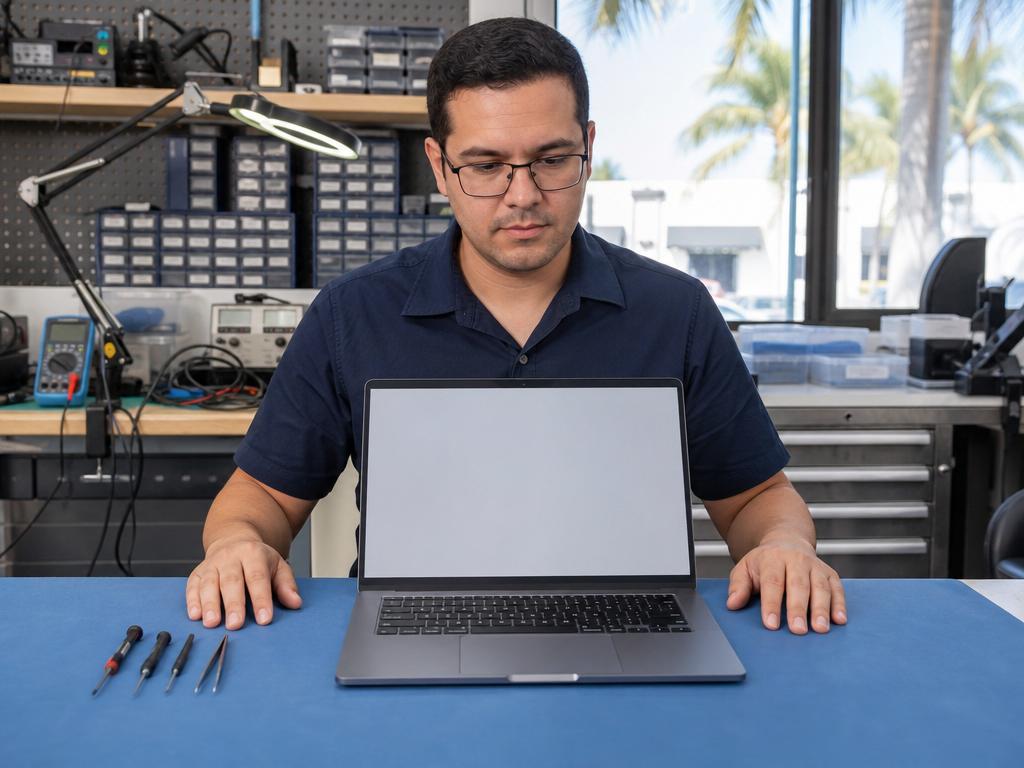
Yes, a slow laptop is almost always fixable — and in our experience here in Boca Raton, a worn-out or outdated hard drive is the culprit far more often than people realize. You don’t need to buy a new laptop just because it takes two minutes to boot or freezes every time you open a browser tab. An SSD upgrade can restore near-new speed in the same day, usually in under an hour for most Windows laptops and older MacBooks, at a fraction of what a replacement machine costs.
Get Your Laptop Running Fast Again Today
Same-day SSD upgrades at both Boca Raton locations. Walk-ins welcome — call ahead to confirm parts availability for your model.
When Does a Laptop Really Need an SSD Upgrade?
Not every slow laptop needs to be replaced. In our shop in Boca Raton, the single most common performance fix we make is replacing a worn-out or undersized hard drive with a solid-state drive. The performance difference is immediate and dramatic — the same machine that took 90 seconds to boot and froze every time you opened Chrome is loading everything in under 15 seconds after the same-day upgrade.
The clearest signs your laptop storage is the bottleneck:
- Boot time over 30 seconds — A laptop with a healthy SSD boots Windows or macOS in 10–15 seconds. If yours takes 45 seconds or more, the drive is almost certainly the problem.
- App lag after launch — Programs open, then freeze for 5–10 seconds before responding. This is classic mechanical hard drive latency, and it disappears immediately after an SSD upgrade.
- Storage over 85% full — Both SSDs and HDDs slow significantly when nearly full. Upgrading to a larger drive fixes storage and speed at the same time.
- Random freezes or spinning wheel — On MacBooks, a persistent spinning beachball. On Windows laptops, a frozen cursor or blank desktop. Both frequently trace to drive performance.
- Drive health warnings — Any laptop showing SMART errors or storage health warnings should be treated as urgent. Waiting for full failure often means losing your data.
Which Device Classes We See Most
MacBook users — especially those on 2015–2020 MacBook Airs and MacBook Pros — are often surprised how much a full or slow SSD affects performance. Apple ships some base models with 256GB storage, and once you’re past 80% capacity the whole system slows noticeably. Our MacBook repair team handles same-day SSD upgrades on Intel-era MacBooks regularly.
Windows laptops benefit even more dramatically. Budget machines shipped from the factory with a 5,400 RPM spinning hard drive can feel three to four times faster after a same-day SSD swap. You don’t need a new machine — you need a better drive. Our laptop repair team keeps common SATA and NVMe drives in stock for same-day turnaround on the most common configurations.
Desktop computers running Windows on an original factory HDD get the same dramatic improvement. If your home PC feels sluggish despite having a decent processor, an SSD upgrade is almost always the fix. Our desktop repair team can add an SSD as a boot drive while keeping existing storage — same-day in most cases.
SSD vs. HDD — The Plain-Language Difference
Your laptop’s storage drive is where your operating system, applications, and files live. The speed at which it retrieves data determines how fast everything on your screen feels — from boot time to loading a browser tab to saving a document.
HDD (Hard Disk Drive) — the older mechanical technology. Inside is a spinning magnetic platter and a read/write arm that physically moves to access data. Average access time: 10–15 milliseconds. HDDs are fragile: a drop while the drive is active risks physical damage and data loss. South Florida’s heat accelerates lubricant degradation inside HDDs faster than in cooler climates.
SSD (Solid State Drive) — no moving parts. Data is stored on flash memory chips. Average access time: under 0.1 milliseconds — more than 100 times faster than a spinning drive. SSDs use less battery, generate less heat, survive drops far better, and handle South Florida heat and humidity more reliably than any mechanical drive.
NVMe SSD — the premium tier. Instead of using the older SATA connection (which caps at ~550 MB/s), NVMe drives connect directly to the PCIe bus and hit 3,500–7,000 MB/s. For everyday tasks — web, email, documents — the difference between SATA and NVMe is barely noticeable. For video editing, large file transfers, or gaming, NVMe is a meaningful upgrade.
| Drive Type | Speed (Seq. Read) | Durability | Typical Retail Price (1TB, major U.S. retailers, mid-2026) |
|---|---|---|---|
| HDD (5,400 RPM) | ~80–120 MB/s | Poor — heat-sensitive, fragile | ~$30–45 |
| SATA SSD | ~500–550 MB/s | Excellent | ~$55–75 |
| NVMe SSD (PCIe 3.0) | ~3,000–3,500 MB/s | Excellent | ~$60–85 |
| NVMe SSD (PCIe 4.0) | ~5,000–7,000 MB/s | Excellent | ~$80–120 |
How Much Does an SSD Upgrade Cost in Boca Raton?
Total cost depends on your laptop model, which drive type it supports, the capacity you want, and whether your existing data needs to be migrated. A basic SATA SSD swap on a Windows laptop is a different job from replacing a proprietary blade in an older MacBook Pro.
As the table above shows, the drive itself ranges from roughly $55–120 retail for a 1TB SSD depending on type. Gadget Medics adds labor and data migration on top of the drive cost. Contact us at (561) 279-6888 for current service pricing on your specific model — we quote after seeing the machine and you approve the total before any work begins.
- Drive type — SATA 2.5-inch, M.2 SATA, M.2 NVMe, or proprietary MacBook blade
- Capacity — 500GB, 1TB, or 2TB; larger capacity = higher drive cost, same labor
- Data migration — Cloning your existing OS and files saves you a full reinstall; we include this as a service option
- MacBook generation — Pre-2017 MacBooks use proprietary Apple blades; M-series MacBooks have soldered storage that cannot be upgraded internally
What SSD Services Does Gadget Medics Handle in Boca Raton?
In our shop, we’ve completed SSD upgrades hundreds of times across every common platform — from simple SATA swaps on budget Windows laptops to M.2 NVMe installs on gaming machines to storage upgrades on Intel-era MacBooks. Same-day turnaround is realistic on most configurations when parts are in stock.
- Windows laptops — SATA 2.5-inch or M.2 NVMe swap, with or without data migration. Same-day on most models.
- MacBook (Intel, pre-2017) — Proprietary Apple SSD blade replacement. Same-day on most models.
- MacBook (Intel, 2017–2019) — Proprietary Apple PCIe blade; upgradeability varies by model, we assess case by case.
- MacBook (M1, M2, M3) — Soldered storage, not upgradeable internally. We advise on external drive options.
- Desktop PCs — SATA or NVMe SSD as a boot drive, including OS migration to the new drive. Same-day in most cases.
- Gaming PCs — Secondary NVMe drives for game storage expansion. Same-day on most builds.
Walk-ins are welcome at both Boca Raton locations. For MacBook or uncommon models, calling ahead at (561) 279-6888 lets us confirm parts availability before you make the trip. You get a written price, approve it, and in most cases pick up a fast laptop the same day. Mission Bay Plaza: 20437 State Road 7, STE B-7, Boca Raton, FL 33498 | Mon–Sun 10 AM–7 PM. Feinrose Plaza: 1906 Clint Moore Rd, Unit 5, Boca Raton, FL 33496 | (561) 922-8588 | Mon–Fri 10 AM–6 PM, Sat 10 AM–4 PM.
Gadget Medics vs. Best Buy Geek Squad vs. Micro Center — Which Should You Choose for an SSD Upgrade in Boca Raton?
You have options. Here’s an honest look at the three main paths.
Best Buy Geek Squad handles laptop services, but the Geek Squad model typically routes your machine through a Best Buy service queue or a depot repair center. SSD upgrades through Best Buy Geek Squad often take 5–7 business days if the laptop goes depot-side. You’re dealing with a Best Buy service ticket, not an independent technician diagnosing your specific machine. Best Buy Geek Squad charges data migration as a separate add-on, and their Geek Squad labor rates on common upgrades tend to run higher than an independent shop. The big-box service model is built for scale, not same-day personal turnaround.
Micro Center has excellent drive selection for DIY buyers. If you’re comfortable opening your laptop yourself, Micro Center is a great place to buy the component. But Micro Center doesn’t offer laptop installation labor the way a repair shop does — you’ll leave with the drive and still need someone to put it in and migrate your data.
The Apple Store handles MacBook questions for in-warranty machines but uses flat-rate out-of-warranty pricing tiers that can make Apple’s own service expensive on older MacBook models. Apple Stores require appointments, don’t guarantee same-day, and don’t service Windows laptops. For an out-of-warranty 2018 MacBook Pro, an independent shop like Gadget Medics is almost always faster and lower-cost than Apple Store flat-rate.
Gadget Medics is an independent shop — walk in, talk to the technician doing your upgrade, get a quote before we touch anything, and most upgrades are done the same day. You don’t need an appointment, you don’t need to wait a week at Best Buy, and you’re not navigating Apple Store tier pricing on a machine that just needs a new drive.
| Feature | Gadget Medics | Best Buy Geek Squad | Micro Center | Apple Store |
|---|---|---|---|---|
| Same-Day Service | ✓ Most upgrades | ✗ Usually depot (5–7 days) | ✗ Drive retail only | ✗ Appointment + varies |
| Walk-Ins Welcome | ✓ Both locations | Partial (queue) | ✓ Retail floor | ✗ Appointment required |
| Data Migration | ✓ Included option | ✓ Extra charge | ✗ Drive only | Limited |
| Windows + MacBook | ✓ Both | ✓ Both (depot) | ✓ Parts for both | ✗ Mac only |
| Quote Before Work | ✓ Always | Varies | ✓ Shelf price | ✓ Flat rate |
| 90-Day Warranty | ✓ Standard | Limited | ✗ Retail return policy | ✓ Apple 90-day |
Repair or Replace? When an SSD Upgrade Extends a Laptop’s Life vs. When to Move On
This is the question we get most often. In our experience working on laptops in Boca Raton for over 8 years, an SSD upgrade is the right call in the clear majority of cases — but not always.
An SSD upgrade makes sense when: The laptop is 3–7 years old with a capable processor (Intel Core i5/i7 or AMD Ryzen 5 or better) and the primary complaint is speed or storage. Budget machines shipped from the factory with a spinning hard drive benefit most dramatically — you don’t need a new machine, you need a better drive. If the laptop is used for work or school, a same-day upgrade avoids the disruption of migrating to a new device entirely.
Consider replacement instead when: The processor is 8+ years old (an SSD can’t fix an underpowered CPU), when multiple things are failing simultaneously (battery dead, hinge broken, screen lines), or when the laptop has 4GB of soldered non-upgradeable RAM. On laptops stuck at 4GB RAM, even the fastest SSD won’t fix lag caused by running out of working memory in a modern browser. We’ll tell you honestly which category your machine falls into.
We give you the same honest assessment we’d give a friend. If the upgrade makes financial sense, we’ll say so. If the machine isn’t worth the investment, we’ll tell you that — and we won’t push a repair that doesn’t fix the real problem.
South Florida Heat and Humidity Are Hard on Laptop Drives — Here’s What to Watch For
Boca Raton’s climate creates specific drive failure patterns you don’t see in drier, cooler regions. The combination of South Florida heat, coastal humidity, and the constant cycle between outdoor sun and indoor air conditioning puts stress on both mechanical drives and SSDs in ways that shorten their lifespan compared to national averages.
In our experience repairing laptops across Palm Beach County, we see a consistent pattern: hard drives fail faster in South Florida than the national average, and SSDs in machines regularly exposed to extreme heat show accelerated wear. The specific failure modes we see here:
- HDD wear from South Florida heat — Mechanical drive lubricants degrade faster in sustained heat. Laptops left in cars during Boca Raton summers see this accelerated dramatically. Cabin temperatures can exceed 140°F — that’s not theoretical risk, it’s the failure pattern we trace every summer.
- Humidity and platter oxidation — High ambient humidity in coastal Palm Beach County accelerates oxidation on hard drive platters, causing read errors that can precede full failure by weeks.
- SSD wear from heat exposure — Flash memory handles heat well under normal use, but sustained exposure to extreme temperatures accelerates cell wear. An SSD that’s been in a hot car even once has taken damage that compounds over time.
- Snowbird season storage issues — Every year after peak season, we see laptops brought in by seasonal residents that sat in non-AC storage through the South Florida summer. Temperature extremes can cause drive failures that only surface after the machine is turned on again in the fall.
Same-day storage health checks take about 10 minutes and can catch an early drive problem before it becomes data loss. If your laptop has been running on its original factory hard drive for several years in South Florida’s climate, proactive replacement is almost always cheaper than emergency data recovery after a failure. The Palm Beach County summers are not gentle on spinning hard drives.
Why Boca Raton Trusts Gadget Medics for Laptop Upgrades
With 600+ Google reviews and a 4.8+ star rating across both Boca Raton locations, the pattern is consistent: fast turnaround, honest assessments, same-day service on most upgrades. We’ve been operating in Boca Raton since 2018 — 8+ years — which means we’ve seen how South Florida’s climate affects every generation of laptop hardware and we stock the parts most likely to be needed for same-day completion.
- 8+ years repairing and upgrading laptops in Boca Raton
- 600+ Google reviews, 4.8+ star rating across two Boca Raton locations
- Same-day SSD upgrades on most Windows laptops and Intel-era MacBooks
- Data migration included — you leave with your files, not a blank drive
- 90-day warranty on all parts and labor
- Broken Club members get a lifetime warranty on covered repairs
- OEM-quality replacement drives from vetted suppliers
- Written quote before any work begins — you approve the price
About Gadget Medics — Electronics repair shop in Boca Raton, FL. Fixing iPhones, MacBooks, Windows laptops, iPads, and gaming consoles since 2018. Walk-ins welcome at both Boca Raton locations. All repairs backed by our 90-day warranty on parts and labor, with lifetime warranty available through Broken Club membership. 600+ Google reviews across Mission Bay Plaza and Feinrose Plaza.
Call (561) 279-6888 | Mission Bay Plaza: Mon–Sun 10 AM–7 PM | Visit Gadget Medics
Related guides: Ultimate Guide to SSD Connection Issues · Gaming PC Upgrade Guide 2026: GPU, RAM & SSD
Frequently Asked Questions
How much does an SSD upgrade cost at Gadget Medics in Boca Raton?
Cost depends on your laptop model, which drive type it supports (SATA vs. NVMe), the storage capacity you want, and whether data migration is included. Contact us at (561) 279-6888 for current service pricing on your specific machine — we quote after seeing the laptop and you approve the total before we start any work.
Can you upgrade the SSD on a MacBook with Apple Silicon (M1, M2, M3)?
No — on M-series MacBooks the SSD is soldered to the logic board and cannot be replaced after purchase. If you’re running out of storage on an M1 or M2 MacBook, we can walk you through external drive solutions. For Intel-era MacBooks (pre-2020), SSD upgrades are often possible — bring it in and we’ll confirm compatibility for your model.
Will I lose my files when you swap the SSD?
No. We clone your existing OS and files to the new drive before removing the old one. You pick up your laptop exactly as you left it — same applications, same settings, same data — just significantly faster. If the original drive is failing and cloning isn’t possible, we discuss recovery options before doing anything.
How long does an SSD upgrade take?
Most standard SATA swaps take 45 minutes to 1.5 hours including data migration. NVMe upgrades on compatible Windows laptops are similar. MacBook Intel SSD replacements typically run 1.5–3 hours depending on the model. Same-day completion is realistic for walk-in customers on most common configurations. Call ahead to confirm part availability for your specific model.
Is it worth upgrading an old laptop’s SSD, or should I just buy a new one?
In our experience, for laptops 3–7 years old with a capable processor and at least 8GB of RAM, an SSD upgrade almost always beats replacement — better value, no data migration headache, and you keep the machine you already know. If the laptop is 8+ years old, has 4GB of soldered RAM, or has multiple hardware issues, we’ll give you an honest assessment on whether the math works.
Do you offer same-day SSD upgrades in Boca Raton?
Yes — same-day SSD upgrades are available at both Boca Raton locations for most Windows laptops and Intel-era MacBooks when parts are in stock. Walk-ins welcome at Mission Bay Plaza (Mon–Sun 10 AM–7 PM) and Feinrose Plaza (Mon–Fri 10 AM–6 PM, Sat 10 AM–4 PM). Calling ahead at (561) 279-6888 to confirm part availability for your specific model saves time.