Snapchat, TikTok, and Discord are where kids spend much of their online time – but these platforms come with risks. As a parent, understanding how these apps work and setting up safety measures can help protect your child without limiting their ability to connect and express themselves.
Here’s what you need to know:
- Snapchat: Disappearing messages, Snap Map (location sharing), and privacy settings require attention.
- TikTok: A highly engaging algorithm and content creation tools make it popular, but inappropriate content and messaging risks exist.
- Discord: Originally for gamers, it now hosts private communities but can expose kids to unmoderated chats and strangers.
Key Risks Across Platforms:
- Privacy Issues: Data collection and location sharing can compromise safety.
- Harmful Content: Algorithms may expose kids to inappropriate material.
- Stranger Interactions: Messaging features can lead to contact with unknown individuals.
Quick Tips for Safety:
- Set up parental controls: Use features like Snapchat’s Family Center, TikTok’s Family Pairing, and Discord’s privacy settings.
- Limit interactions with strangers: Adjust messaging, friend requests, and location-sharing settings.
- Talk openly with your child: Discuss risks, set clear rules, and encourage them to share concerns.
The goal isn’t to block everything – it’s to create a safe online space while teaching your child to navigate the digital world responsibly.
Common Risks on Snapchat, TikTok, and Discord
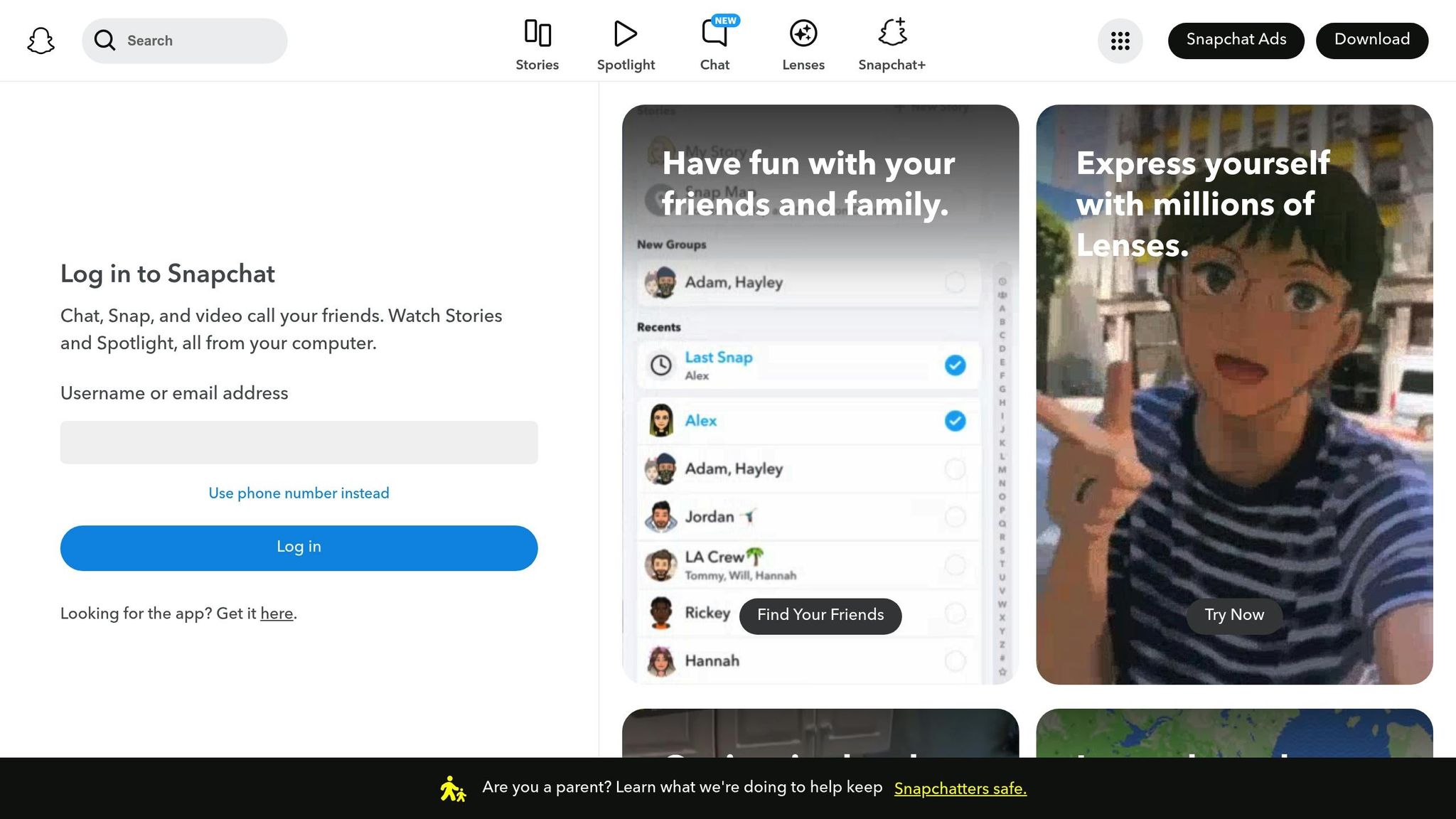
Snapchat, TikTok, and Discord are popular platforms for socializing and sharing, especially among younger users. However, they come with risks that parents should be aware of. Each app has unique challenges, and understanding these can help you take steps to protect your child’s online safety.
Privacy and Data Collection Concerns
These apps often gather more data than you might expect. For instance, Snapchat’s Snap Map feature can share your child’s real-time location with their friends if it’s turned on.
TikTok collects a range of information, including device identifiers and browsing history, which has raised privacy concerns among experts and officials.
Discord, while seemingly private, allows server admins to store chat logs. This means conversations might not be as confidential as they seem. It’s essential to remind kids not to share personal details, like their school name, home address, or even local landmarks, as these can reveal their routines. Teaching them to share cautiously is a big step toward safeguarding their privacy.
Exposure to Harmful Content and Cyberbullying
The content algorithms on these platforms can sometimes lead children to inappropriate or harmful material. For example, TikTok’s recommendations might eventually show risky challenges or themes unsuitable for younger audiences.
Snapchat’s disappearing messages, while appealing for casual chats, can make it harder to document or address instances of cyberbullying.
Discord, with its unmonitored voice chats and text channels, can sometimes expose users to hostile language or toxic behavior. In some cases, coordinated harassment by groups can spill over into real-life consequences, making it a significant concern for parents.
Risks from Stranger Interactions
Interactions with strangers are another major issue. Snapchat’s location-sharing features and TikTok’s messaging functions can allow unknown users to contact your child. Similarly, Discord’s private chats can be exploited by harmful individuals. There have also been reports of scams and grooming tactics targeting younger users on these platforms.
How to Set Up Parental Controls and Safety Features
Taking a little time to configure parental controls can go a long way in keeping your child safer online. Each platform has its own tools, and understanding how to use them can make a real difference. Here’s a guide to setting up key safety features across popular platforms.
Snapchat Parental Control Setup
Snapchat’s Family Center offers a way to monitor some aspects of your child’s account, though it doesn’t provide full visibility. To get started, your child needs to invite you.
- Open your child’s Snapchat profile, scroll to Privacy Controls, and tap Family Center.
- From there, they can send you an invitation by entering your phone number or Snapchat username.
- Once you accept the invitation on your device, you’ll be able to see their friend list – but not the content of their messages.
Another important feature to check is the Snap Map, which shares your child’s real-time location with their friends. To disable this:
- Go to the camera screen and pinch to zoom out until the map appears.
- Tap the settings gear and enable Ghost Mode to make your child invisible on the map.
- You can also limit location sharing to specific friends using the My Friends or Select Friends options.
For added privacy, adjust direct message settings:
- Go to Settings > Privacy Controls.
- Under Contact Me, switch from Everyone to My Friends.
- Change View My Story to Friends Only, ensuring strangers can’t see their posts.
TikTok Safety Settings Guide
TikTok’s Family Pairing feature lets you manage your child’s account directly from your own device. Here’s how to set it up:
- On your child’s TikTok app, go to Settings and Privacy and select Family Pairing.
- On your device, choose Parent, while your child selects Teen. Then, scan the QR code to link the accounts.
Once connected, you can control several settings:
- Screen Time Management: Set daily usage limits to help manage screen time.
- Restricted Mode: Filter out content that may not be suitable for younger viewers. While not perfect, it’s a helpful tool.
- Direct Messaging: You can completely disable DMs or restrict them so only friends can send messages. For younger kids, disabling messaging entirely is often the safest option.
- Comment Controls: Enable Filter Comments to block spam and offensive language. You can also add custom keywords to block in the Additional Filters section.
Discord Safety Configuration
Unlike Snapchat and TikTok, Discord doesn’t have a dedicated parental control dashboard. Instead, you’ll need to adjust its Privacy & Safety settings manually:
- Click the gear icon near your child’s username to access User Settings.
- Go to Privacy & Safety and enable Safe Direct Messaging to screen incoming messages for explicit content.
- Adjust the Explicit Content Filter to scan media from everyone. This will blur potentially explicit images until your child chooses to view them.
- In the same section, disable direct messages from server members to reduce contact from strangers.
These steps help create a safer space for your child while using Discord.
Parental Controls Comparison Chart
| Feature | Snapchat | TikTok | Discord |
|---|---|---|---|
| Parental Dashboard | Family Center | Family Pairing | None |
| Screen Time Controls | No | Yes | No |
| Content Filtering | Basic privacy settings | Restricted Mode available | Explicit content filter settings |
| Message Monitoring | Can view friend lists | Can disable messaging entirely | Can filter direct messages |
| Location Controls | Ghost Mode for Snap Map | Not applicable | Not applicable |
| Age Verification | Self-reported | Self-reported | Self-reported (13+ required) |
| Stranger Contact Prevention | Friends-only messaging | Can disable DMs completely | Friend request and DM settings options |
TikTok stands out with its extensive Family Pairing controls, while Discord requires a more hands-on approach through manual settings. Snapchat offers helpful tools like Family Center and Ghost Mode, but it falls somewhere in the middle.
Ultimately, no platform can guarantee complete safety. Active parental involvement remains the best way to help protect your child online.
How to Monitor and Manage Your Child’s App Use
Setting up parental controls is just the beginning. The real challenge is keeping an eye on your child’s online activities without making them feel like you’re hovering. It’s all about finding that sweet spot between supervision and trust. Here’s how you can manage it effectively.
Simple Monitoring Methods
Check their account activity regularly. Most apps offer insights into user activity, which can help you spot patterns. For instance, on TikTok, take a glance at their For You page now and then to see the type of content they’re engaging with. This can help you catch any concerning trends or inappropriate material that might bypass the filters.
Keep an eye on their friend lists. On platforms like Snapchat, the Family Center feature lets you see who your child has recently added. Similarly, if they’re on Discord, take a look at the servers they’ve joined. While gaming servers are mostly harmless, be cautious of ones with vague or questionable names that might not be age-appropriate.
Use screen time tools built into devices. Both iOS and Android devices offer features like Screen Time and Digital Wellbeing, which break down app usage. If you notice they’re staying up late on Discord during school nights, it’s probably time for a conversation.
Pay attention to behavioral changes. If your child suddenly becomes secretive about their phone, avoids showing you what they’re doing, or reacts emotionally when asked about their online activity, it could signal an issue worth addressing.
Once you’ve got a handle on their habits, it’s time to set clear expectations and boundaries.
Creating Clear Rules and Limits
After understanding how your child uses their apps, work together to establish rules that make sense for your family.
Set specific time limits. Broad rules like "don’t spend too much time on your phone" rarely work. Instead, try something more concrete: "No social media after 9:00 PM on school nights" or "You can use TikTok for an hour after finishing homework." Clear guidelines are easier to follow and enforce.
Define what’s acceptable. Be explicit about the types of content that are off-limits, whether it’s certain videos, images, or conversations. Create device-free zones and times at home – like "no phones during dinner" or "all devices charge in the living room overnight."
Establish meaningful consequences. If rules are broken, the consequences should connect to the behavior. For example, too much screen time might lead to reduced app access for a week, while sharing inappropriate content could result in temporary posting restrictions.
Involve your child in setting rules. When kids, especially teens, have a say in the rules, they’re more likely to follow them. Ask for their input on what limits they think are fair. This collaborative approach can reduce pushback and foster a sense of responsibility.
Balancing supervision with respect for their independence is key, which brings us to the next step.
Finding the Right Balance Between Supervision and Trust
Be upfront about your monitoring. Let your child know what you’re checking – whether it’s their friend lists, screen time, or the content they’re viewing. When they understand your intentions, they’re less likely to feel like you’re invading their privacy.
Grant more privacy as they show responsibility. Younger kids might need daily check-ins, but as they grow and consistently follow the rules, you can scale back. For example, a 16-year-old demonstrating good judgment might only need occasional discussions about their online activities.
Turn mistakes into learning opportunities. If you find your child chatting with strangers or viewing inappropriate content, use it as a chance to teach. Talk about the risks, discuss better choices, and work together to find solutions instead of jumping straight to punishment.
Respect their need for independence. Teenagers, in particular, need some privacy to develop their identity and social skills. Your role isn’t to read every message they send but to ensure they’re equipped to handle tricky situations when they arise.
Keep communication open. Make it a habit to check in regularly about their online experiences. Ask casual questions like, "Seen anything interesting on TikTok lately?" or "Had any odd interactions on Discord?" These chats should feel natural, not like an interrogation.
Adjust your approach as they grow. What works for a middle schooler won’t necessarily work for a high school senior. As your child matures and shows good judgment, be ready to tweak your methods and give them more freedom.
These strategies, combined with the right parental controls, create a safer online environment for your child. The ultimate goal isn’t to monitor every move but to prepare them to navigate the digital world confidently and responsibly on their own. The habits and lessons you establish now will help them make smart decisions when they’re managing their online life independently.
sbb-itb-2e56335
Building Open Communication About Online Safety
Parental controls can act as a safety net, but their real power comes from fostering open and honest conversations with your child. By creating an environment where kids feel safe sharing their online experiences, you make it easier for them to speak up when something doesn’t feel right. This openness is key to building a strong foundation for internet safety.
Pair these technical tools with continuous communication to keep online safety top of mind.
How to Start Safety Conversations
Make it a habit to ask about their day – both at school and online. Tailor your language to match their age and level of understanding.
Establishing trust early on ensures that kids feel comfortable turning to you for help when they need it. These open discussions lay the groundwork for them to navigate the digital world safely and independently.
Safety Tools and Support Resources
While open communication and monitoring are crucial, sometimes you need extra help to address online safety concerns. When conversations and parental controls fall short, knowing how to access additional tools and professional support can make a big difference. Most platforms offer built-in reporting features, and technical experts can assist with more complex security issues. After addressing immediate threats through platform tools, professionals can help secure your devices and ensure long-term safety.
How to Report and Block Problems
On Snapchat: To report an issue, press and hold any message, snap, or story. To block a user, visit their profile, tap the three dots, and select Block. This removes them from your child’s friend list and stops any future contact.
On TikTok: Report a video by pressing and holding it or tapping the arrow icon. To block someone, go to their profile, tap the three dots, and choose Block. This action prevents the user from viewing your child’s content, sending messages, or finding their profile in searches.
On Discord: Right-click on a message and select Report Message, or navigate to User Settings > Privacy & Safety > Report. To block a user, right-click their username and select Block. This stops direct messages and hides their messages in shared servers.
Documentation is key when dealing with serious incidents. Take screenshots of inappropriate messages, note usernames and timestamps, and save any relevant content before it disappears. These records can help platform moderators assess the situation and may be essential if law enforcement needs to get involved.
Getting Help with Device Security Setup
Sometimes, managing device security across multiple platforms and devices can feel overwhelming. That’s where professional assistance can step in to ensure everything is set up correctly.
Professional device configuration helps implement parental controls on all your family’s devices. This might include setting up router-level filtering, configuring controls on iOS and Android devices, and fine-tuning privacy settings within individual apps. Many parents find that DIY setups can leave gaps in security, making professional help a valuable option.
Gadget Medics‘ family safety consultations provide tailored guidance based on your child’s age and specific needs. Whether you’re introducing social media to a younger child or managing a tech-savvy teen, their technicians can recommend appropriate security measures and show you how to maintain them effectively.
Ongoing technical support is vital as apps frequently update their features and interfaces. What works today might not work tomorrow, so staying informed about the latest security practices is essential. Professional support ensures your family’s safety measures keep pace with these changes.
If you encounter a problem – whether it’s a parental control failure, a serious online threat, or suspicious activity on your child’s device – having access to expert help can resolve the issue quickly. Immediate support can make all the difference in protecting your child’s digital well-being.
Investing in professional setup and ongoing support not only brings peace of mind but also strengthens your efforts to keep your child safe online. These tools and resources work hand-in-hand with your monitoring and communication strategies to create a secure digital environment for your family.
Conclusion: Keeping Your Kids Safe Online
Keeping your children safe online is no small task – it takes ongoing effort and a hands-on approach. When it comes to platforms like Snapchat, TikTok, and Discord, your involvement as a parent is essential.
Start by understanding the apps your kids are using. Knowing what they encounter helps you address potential risks more effectively. While parental controls like Snapchat’s Family Center, TikTok’s restricted mode, and Discord’s privacy settings can be helpful, they work best when paired with regular conversations about responsible online behavior. These tools are just one piece of the puzzle.
The heart of online safety lies in open communication. Talking regularly with your kids about online risks and teaching them how to recognize potential dangers builds trust and reinforces safe habits. Kids are far more likely to follow safety measures when they understand the reasons behind them.
FAQs
How can I monitor my child’s online activity while still respecting their privacy?
Balancing safety and privacy begins with open and honest discussions about online habits and potential risks. Collaborate with your child to establish clear guidelines and expectations for using platforms like Snapchat, TikTok, and Discord. This not only fosters trust but also ensures they feel their voice matters.
Take advantage of parental controls and privacy settings to create a safer digital space without being overly intrusive. Encourage your child to talk about their online experiences frequently, so you can address any concerns together. This way, you can help them stay safe while respecting their growing independence.
What are the warning signs that my child might be facing harmful content or interactions on Snapchat, TikTok, or Discord?
It’s crucial to stay alert for signs that your child might be facing challenges related to harmful content or interactions on social media. Watch for sudden shifts in mood, pulling away from family activities, or becoming unusually secretive about their online habits. Behavioral changes like increased anxiety, signs of depression, or concerns about body image can also signal troubling experiences online.
Other warning signs might include exposure to inappropriate material, such as violent, sexual, or aggressive messages, or an unhealthy fixation on their social media presence. Keeping the lines of communication open and having regular, honest conversations can help you spot these issues early and address them effectively.
What tools or resources can help me keep my child safe online?
When it comes to keeping kids safe online, there are plenty of tools and resources that can make a difference. Parental control apps, for instance, let you manage screen time, block unsuitable content, and keep an eye on online activities. Some even use AI to flag risks like cyberbullying or exposure to harmful material.
On top of that, organizations dedicated to online safety provide helpful tips and guidelines to help you create a secure digital space for your child. Pairing these tools with honest conversations and clear rules can go a long way in protecting your child as they navigate the online world.