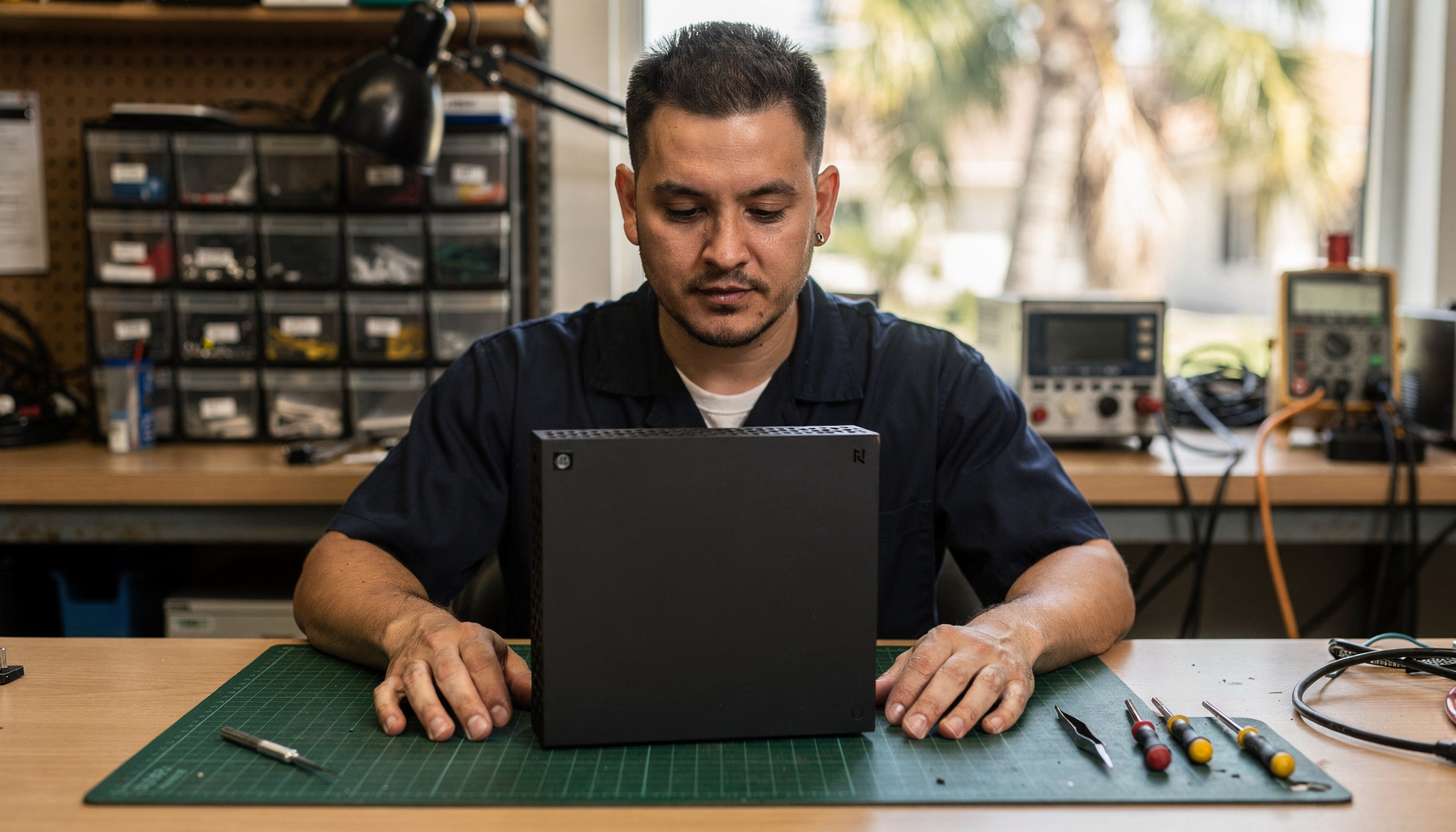
Yes, your PS5 or Xbox Series X can absolutely be ready for GTA 6 — but in our experience at Gadget Medics, consoles left unserviced for 3-4 South Florida summers are the ones that overheat during launch marathons. You don’t need to wait until November 19 to find out your setup has a problem. With Rockstar’s release date now only weeks away, this is the window to check the hardware, and storage headroom alone is worth checking today.
Get Your Console Ready for GTA 6 Today
Same-day console inspection and cleaning at both Boca Raton locations. Walk-ins welcome.
What Console Prep for GTA 6 Actually Means — and Why It Matters Before November
GTA 6 is expected to be one of the most demanding console titles ever shipped. Rockstar confirmed the November 19, 2026 release. Rockstar has not published a final install size. Its last open-world release, Red Dead Redemption 2, topped 150 GB, so we tell customers to plan for 150-200 GB free, with day-one patches likely pushing that higher. For South Florida gamers, pre-downloading to a fast internal SSD before launch day is essentially required if you want to play the moment the servers open.
Console prep for GTA 6 means three things: thermal health (fans, vents, thermal paste), controller performance (stick drift, bumper wear, button registration), and storage plus display configuration. In our Boca Raton shop, we see all three categories fail in consoles that are just 2-3 years old — especially those kept in enclosed entertainment centers in South Florida’s humid, warm climate. A console that runs fine through a normal session can buckle under the sustained load of a 6-hour GTA 6 launch marathon.
Your GTA 6 Console Readiness Checklist — Walk Through This Now
Before getting into the detail on each item, here’s the complete console prep checklist you can work through today. Most are a five-minute self-check; anything that doesn’t pass is same-day service at Gadget Medics — no appointment needed.
- Storage headroom: Check Settings → Storage. You need 150-200 GB free before launch day — that covers the GTA 6 base install plus the day-one patch and headroom for the first major update. If you’re tight, delete unused titles or add expansion storage (see the storage section below).
- Controller drift test: Release both analog sticks and watch whether the camera or character moves on its own. Any movement at rest means drift (more in the PS5 section below).
- Controller bumper test (Xbox): Rapidly press LB and RB 10-15 times each. Any missed or delayed press means the bumper mechanism needs attention before launch (details in the Xbox section below).
- Fan noise check: After 30 minutes of a demanding game, is the fan much louder than it used to be, or pulsing under load? That’s the signal for a thermal cleaning.
- Thermal paste age: A PS5 that’s 3+ years old and has been through several South Florida summers is due for thermal compound service.
- HDMI 2.1 cable verification: For the sharpest picture and highest refresh rate your console and TV support, use a genuine HDMI 2.1 cable. On Xbox, Settings → General → TV & display options → 4K TV details shows whether 120Hz is detected; if it isn’t, swap the cable first.
- Game Mode on your TV: Enable Game Mode on the HDMI input your console uses. This drops display input lag from 60-80ms down to 5-15ms and enables VRR and Auto HDR — both worth having on for a fast open-world game.
- Expansion drive health (PS5 M.2): If you already run an M.2 drive, confirm it shows up correctly in Settings → Storage → M.2 SSD Storage.
- Pre-download readiness: Big launches usually open pre-downloads in the days before release. Confirm storage headroom now and that your internet connection can handle a 150-200 GB overnight download.
Any item that doesn’t pass — controller drift, noisy fan, tight storage — bring it to Gadget Medics at Mission Bay Plaza or Feinrose Plaza for same-day service.
Why Your Console Fan Gets Louder After 2–3 Years — and What a Thermal Service Achieves Before GTA 6
Fan noise is one of the most common things we hear about in the weeks before a major launch. A PS5 or Xbox Series X that runs noticeably louder than it did a year ago — a steadier whine during a gaming session, or a rhythmic pulsing under heavy load — isn’t aging gracefully. It’s telling you the cooling system is working harder than it should. Two things cause this, both fixable before November 19.
The Mechanism: Dust Buildup and Thermal Compound Degradation
Modern consoles manage serious sustained heat loads. A PS5’s custom AMD APU generates real thermal output during an open-world gaming session, and the entire cooling strategy — heatsink, fan, and thermal interface material — has to shed that heat efficiently for the session to stay stable. Two things erode that system over time:
Dust accumulation is the faster of the two. The console’s fan pulls air continuously through the intake vents, and airborne particulate builds on the fan blades, heatsink fins, and in the exhaust path. After 2–3 years of regular use, that layer acts as insulation: the heatsink sheds heat less efficiently, so the fan spins higher and longer to compensate. In South Florida, indoor humidity carries more airborne particulate than drier northern climates, and consoles inside enclosed entertainment centers accumulate it faster than units on open shelves. We see this difference clearly at our Boca Raton shop — a three-year-old PS5 from a Palm Beach County home with central AC still accumulates dust at a pace that surprises most owners.
Thermal compound degradation takes a few years to become a real factor. The compound between the processor and heatsink is designed to conduct heat with minimal resistance, but it thins, cracks, and migrates through repeated heat cycles. Sony used liquid metal thermal compound on the PS5, which performs well initially but is specifically prone to migration by year 3–4 of ownership — which is exactly where most 2020–2021 launch PS5s sit right now. When the compound no longer makes full contact across the die surface, heat transfer drops and the processor runs hotter under the same load. Xbox Series X uses a conventional paste that degrades more predictably but still needs attention after 3–4 years of regular use.
Signs Your Console Is Running Too Hot Before the Fall Releases
These are the signs we look for at intake when someone brings in a console they’re worried about before a big launch. None of them require tools to identify — you can do this assessment right now:
- Fan noise that’s consistently louder than it used to be — not a one-session spike, but louder across the same games that used to run quietly. If you can remember it being quieter six months ago, that’s meaningful.
- Fan that pulses or surges under load — ramping up and back down rhythmically rather than holding steady. Often a sign the system is thermal-throttling at the margin: the processor is hitting a temperature ceiling, pulling back, and then the fan catches up.
- Rear exhaust port uncomfortably hot to the touch — warm airflow out the back is normal. Hot enough that you don’t want to hold your hand near it for more than a few seconds is not.
- Frame rate hitches or unexpected shutdowns during long sessions — especially after 45–60 minutes of sustained open-world gameplay. Modern consoles will reduce clock speed or shut down before sustaining damage. A console that starts dropping frames it handled cleanly last year may be protecting itself from heat.
- A game that used to run quietly now sounds like the fan is constantly working — if a sports title or a game that used to be nearly silent now has the fan spinning audibly all the time, the cooling headroom is gone.
Any two of these together, and the thermal system needs attention before you commit to a GTA 6 launch marathon. Coming in a few weeks before November 19 keeps you clear of the launch-week rush — same-day turnaround is normal now, but demand picks up significantly right around launch.
What a Full Thermal Service Actually Achieves
A thermal service at Gadget Medics for a PS5 or Xbox Series X covers full disassembly, fan cleaning, heatsink fin dust removal, fresh thermal compound application on the APU, reassembly, and a load test to verify airflow is restored. In our experience, a PS5 that’s been through 3–4 South Florida summers typically sees processor load temperatures drop by 8–15⁄C after a thermal repaste and clean. The fan runs slower, quieter, and less often for the same gaming workload — because it’s no longer compensating for a partially insulated heatsink.
In practical terms before a GTA 6 launch session: a console whose cooling system is working properly can sustain full clock speed through a 5–6 hour session without throttling or making the noise of an appliance. That’s not a new-console promise — it’s your current console performing the way it’s designed to when the thermal path is clean.
DIY Cleaning vs. Bringing It In
External compressed-air cleaning — blowing dust out through the vents from the outside without opening the console — is a reasonable half-measure if the unit is under two years old and showing no real symptoms. It helps, and it won’t cause any harm. For a PS5 that’s been through 3–4 South Florida summers with fan noise symptoms, compressed air through the exterior vents is not enough. The heatsink fins, the fan chamber, and the thermal compound need to be addressed from the inside.
Full thermal service on a PS5 requires disassembly down to the fan and heatsink, and handling the liquid metal compound correctly — it can migrate to adjacent board components if applied improperly. Xbox Series X full disassembly requires specific bit drivers and careful approach to the case clips. If your console is showing thermal symptoms, this is a bench job. Gadget Medics handles PS5 and Xbox Series X thermal service same-day at both Boca Raton locations — it’s one of the most common pre-launch services we run in the weeks before a major release. You don’t need an appointment; walk in and we’ll assess the unit and tell you what it actually needs before any work begins.
PS5 Prep Checklist — What to Check Before November 19, 2026
The Sony PlayStation 5 has specific failure patterns that show up after 2-4 years of regular play. Here’s what we assess on every PS5 that comes into our shop:
Dust Buildup in the Side Vents and Fan Chamber
The PS5’s fan pulls air through large side vents, and those vents are excellent at collecting Palm Beach County’s ambient dust and lint. After 2-3 years in South Florida conditions, the fan chamber can accumulate enough material to reduce effective airflow by 30-40%. Signs include louder fan noise during load spikes and the console running warm near the rear exhaust port even during moderate gameplay. This is a same-day job at Gadget Medics — full disassembly, clean the fan and heatsink, reassemble and verify. Most customers pick up the same afternoon.
Thermal Paste on the PS5’s APU
Sony used liquid metal thermal compound on the PlayStation 5, which performs well but migrates over time. By year 3-4 of ownership — exactly where most pandemic-era PS5 purchases are right now — the compound may have spread beyond the die contact area or thinned unevenly. In our experience, roughly 1 in 5 PS5s brought in for heat complaints has thermal compound that has shifted enough to affect sustained performance. Proper thermal paste service brings load temperatures down by 8-15°C, which translates directly to quieter fans and better frame-rate consistency under GTA 6’s heavy workloads.
DualSense Stick Drift — Test Before GTA 6 Releases
DualSense stick drift is one of the most common issues we see in 2024-2026 PlayStation 5 controllers. The analog stick encoders degrade with use, and GTA 6’s driving and flight mechanics will immediately expose any drift that went unnoticed in a slower-paced game. You can test for drift now: set the controller down without touching it and watch if the camera slowly pans on its own in-game. Any movement means drift is present. In our experience, roughly 1 in 3 DualSense controllers brought in for any service has early-stage drift the owner hasn’t noticed yet on their current game library. DualSense stick drift repair is a same-day service at Gadget Medics — encoder replacement and calibration, done while you wait.
Xbox Series X|S Prep Checklist — Microsoft’s Console Has Its Own Quirks
The Xbox Series X and Series S have different thermal designs and failure patterns than the PS5. Both are worth checking before November, particularly if you’ve been running Quick Resume heavily.
Rear Exhaust Vent and Fan Noise
The Xbox Series X exhausts heat through the large top vent. South Florida’s warm, humid indoor environment accelerates dust and lint accumulation on that fan. If your Series X fan is louder than it was a year ago — or makes an irregular pulsing sound under gaming load — the fan bearing is degrading. We handle same-day Xbox Series X fan cleaning and service at both Boca Raton locations. This is not a safe DIY repair; the Series X requires full disassembly to access the fan without risking the board.
Controller Bumper Failure on 2020-2022 Xbox Controllers
The LB/RB bumper mechanism on 2020-2022 Xbox Series X controllers has a documented weak point in the trigger housing. In our shop, we see bumper failures regularly on controllers that have seen heavy use for 3-4 years. GTA 6 uses bumpers constantly — weapon cycling, vehicle controls, menu navigation. Test yours: rapidly press LB and RB 10-15 times each. If either registers intermittently or clicks without in-game response, bring it in for a same-day bumper repair before launch day.
If a cable swap doesn’t fix your picture, or you suspect something deeper, our guide covers when your Xbox needs a repair shop — HDMI port damage, overheating patterns, power failures, and disc drive errors, with the signs that mean it’s time to bring it in rather than try a DIY fix.
Storage, Downloads, and Display Readiness for GTA 6
How Much Space to Clear — and Where to Check
A launch-model PS5 has about 667 GB of usable storage (newer models have more), and modern AAA titles install at 70-150 GB each. Four or five big games plus older titles can leave a drive 85% full without the owner noticing, and that is when installs start failing. Check now: PS5 > Settings > Storage, Xbox > Settings > System > Storage Devices. If you’re above 500 GB used on a launch PS5, delete some titles or add storage. Back up save data before deleting anything you might reinstall.
PS5: The M.2 Expansion Slot
The PS5 has an M.2 slot that takes standard NVMe SSDs. Sony specifies PCIe 4.0 x4 drives from 250 GB to 8 TB, and most current consumer NVMe drives meet that spec. The slot sits under the side panel, so there is no soldering or deep disassembly, but the drive needs a heatsink because the chassis runs warm enough to throttle a bare drive. Games on the expansion drive run exactly as they do on internal storage. We install and verify M.2 SSDs same-day at Gadget Medics — bring the drive and we’ll have it formatted and confirmed while you wait.
Xbox Series X|S: The Expansion Card
Microsoft’s expansion slot uses a proprietary card. It plugs in with no tools and matches internal-drive speed, but it costs more per gigabyte than a standard M.2 drive. External USB 3.0 drives work for storing backward-compatible Xbox One and Xbox 360 games, but Series X|S games have to run from internal or expansion-card storage. If you mostly play current-gen titles, the expansion card is the only clean fix.
Why Pre-Downloading GTA 6 Before November 19 Matters
Pre-downloads for big launches usually open in the days before release. On November 19 itself, every household in South Florida — and globally — will be downloading at once, and pre-loading avoids that entirely. Plan for 150-200 GB free well before launch week. If you need to add storage or clear space, do it now while same-day service is available without the November rush.
HDR and Game Mode — Common Misconfiguration We See
One of the most frequently misdiagnosed display issues we see in Boca Raton customers: HDR is enabled on the console but the TV is in Cinema mode, which disables Game Mode and caps the display at 60Hz regardless of what the PS5 or Xbox outputs. Check your TV’s picture settings and enable Game Mode on the HDMI input your console uses. VRR and Auto HDR both require Game Mode to function. This single change often transforms the visual experience before GTA 6 even loads.
The Mixed Gaming Household — Console and PC Under the Same Roof
Many Boca Raton households run a PlayStation 5 or Xbox in the living room and a gaming PC in a bedroom or home office. GTA 6 releases console-first on November 19, 2026 — based on Rockstar’s pattern with GTA 5 and Red Dead Redemption 2, the PC version typically follows 12-18 months after console launch. Here’s what to check now for a shared-hardware setup.
If the Same TV Serves Console and PC
Confirm your TV has two HDMI 2.1 ports available — or use a quality HDMI 2.1 switch. Verify that Game Mode is active on every HDMI input used for gaming. Without Game Mode, display input lag sits at 60-80ms even with proper HDMI 2.1 hardware, and VRR won’t engage. Input lag at that level is noticeable in GTA 6’s driving and gunfight mechanics.
Controller Sharing Accelerates Wear
DualSense controllers connect to PC via USB or Bluetooth. Xbox controllers are plug-and-play on Windows. When two people share a controller between console and PC sessions, analog stick wear accelerates significantly over single-user setups. A controller with borderline drift on one player’s current game library can fail quickly once a second person starts logging hours in GTA 6. Test for drift now — not on launch weekend.
PS4 and Xbox One: Repair, Replace, or Hand It Down?
GTA 6 is PS5 and Xbox Series X|S only, so a lot of households upgrade this fall and the old PS4 or Xbox One moves to a bedroom or a younger sibling. A launch-edition PS4 or Xbox One is now nearly 13 years old, which raises a fair question: is it worth fixing?
The Repair-vs-Replace Math
For the common repairs, the math still favors repair. HDMI port replacement, thermal service, controller drift repair, and storage expansion on a PS4 all cost significantly less than a refurbished replacement console, and parts for PS4-era hardware are still easy to get in 2026. Both PS4 and Xbox One accept external USB 3.0 drives, and for games native to those consoles the speed difference versus internal storage is minimal. If the internal 2.5″ drive is failing, with slow loads or read errors, a drive swap is a bench repair that also means reinstalling the system software.
Where the math shifts is board-level failure: APU faults, melted power connectors from years of heat, or old water damage. That’s work we don’t do, and by that point the cost can approach or exceed a working used console anyway. We’ll tell you that before taking your money, not after.
Tune-Up Checklist for a Hand-Me-Down Console
A full tune-up can give an older console another 2-3 years of use for a fraction of the cost of a new entry-level system. Before it goes into daily use, run through this:
- HDMI test: swap the cable and try a different TV input. If the signal still drops with a known-good cable and TV, have the port inspected before it gets worse.
- Thermal check: run a demanding game for 30 minutes and listen. A fan noticeably louder than it used to be means a cleanout is due.
- Controller drift test: open the analog stick visualization in system settings with the sticks at rest. Any visible drift should be fixed before it becomes a gameplay problem.
- Storage check: less than 20% free means adding external storage or archiving games before an install fails halfway.
- Account reset: do a full factory reset to remove the previous owner’s account and linked payment methods before the new user sets it up.
The whole list takes about an hour. If something flags, bring it in before setup — hardware issues are much easier to deal with before a console is in daily use.
Gadget Medics vs. Best Buy Geek Squad vs. uBreakiFix — What Actually Makes Sense in South Florida
If your PS5 or Xbox Series X needs service before November, you have options in Boca Raton and Palm Beach County. Here’s how they actually compare:
| Service | Gadget Medics | Best Buy Geek Squad | uBreakiFix |
|---|---|---|---|
| Console repair (same-day) | ✓ Same-day most cases | ✗ Multi-day or mail-in | ✓ Same-day at some locations |
| Controller drift repair | ✓ Same-day | ✗ Not offered | Limited |
| Thermal repaste + fan cleaning | ✓ Same-day | ✗ Not offered | ✗ Not offered |
| M.2 SSD / storage expansion | ✓ Same-day install + verify | ✗ Not offered | ✗ Not offered |
| HDMI port repair | ✓ PS5 + Xbox same-day | ✗ Mail-in only | Limited |
| Independent local shop | ✓ Boca Raton, 8+ years | ✗ National chain | ✗ Asurion-owned chain |
Best Buy Geek Squad
Best Buy Geek Squad accepts console check-ins but routes most hardware repairs through Sony or Microsoft’s authorized service network — meaning your console ships out and you’re without it for 2-4 weeks. For a PS5 fan cleaning or DualSense stick drift fix, Geek Squad’s answer is typically “we’ll send it in.” You don’t need to wait 3 weeks for a Geek Squad service chain to route your console through their system when same-day service is available locally.
Sending It to Sony or Microsoft Directly
Sony’s official PlayStation service and Microsoft’s Xbox service depot exist primarily for warranty repairs. Most 2020-2021 PS5 and Xbox Series X units are now out of warranty — and both Sony and Microsoft charge significantly more than independent shops for out-of-warranty work, with 2-4 week turnaround. That’s fine for non-time-sensitive repairs. It’s not the right path when GTA 6 is weeks away and you need your setup clean before launch.
Gadget Medics — Same-Day, Walk-In, Both Boca Raton Locations
At Gadget Medics, cleaning, fan and thermal service, stick drift and bumper repair, M.2 SSD installation, and HDMI port service are all same-day at both Mission Bay Plaza and Feinrose Plaza. Walk in, we assess the console, you approve the service, and we finish it that day. In our experience, more than 90% of the PS5 and Xbox cleaning and controller jobs we take in are done same-day, and the quote comes from the technician who actually looked at your unit.
South Florida Heat and Humidity Hit Gaming Consoles Hard — Here’s What We See at Our Boca Raton Shop
Gaming consoles are designed for North American indoor conditions — roughly 68-72°F at 40-50% relative humidity. South Florida doesn’t operate in that range. Boca Raton and Palm Beach County regularly hit 85-90°F outdoors from June through September, and even with air conditioning, South Florida homes commonly sit at 60-70% indoor relative humidity. That difference has real consequences for electronics that run hot.
In our Boca Raton shop, we consistently see console problems that correlate directly with South Florida climate exposure:
- Accelerated dust accumulation — South Florida’s humid air carries more airborne particulate indoors. PS5s and Xbox Series X consoles in Boca Raton accumulate dust measurably faster than comparable-age units from drier northern climates, especially in enclosed entertainment centers.
- Faster thermal paste degradation — Heat cycling in South Florida summers accelerates compound breakdown. A console running through Boca Raton’s humid heat experiences more daily temperature swings than the same unit in a northern climate. This is why we see PS5 thermal compound issues in 3-year-old units that would last 4-5 years elsewhere.
- Controller corrosion on stick encoders — DualSense and Xbox Series X controllers near South Florida windows or in humid garages accumulate oxidation on the analog stick encoder contacts, accelerating drift and unresponsive button syndrome faster than in dry climates.
- Storm-season power instability — South Florida’s lightning and voltage fluctuations run June through October. Gaming hardware connected during a storm without proper surge protection is at real risk. A quality surge protector or UPS is the lowest-cost preventive measure before November.
If your PS5 or Xbox Series X is 3+ years old and has lived through multiple South Florida summers without a cleaning, a thermal inspection before GTA 6’s November launch is the same logic as a pre-summer AC tune-up — you do it before the heavy season, not during.
Gamers in Delray Beach, Deerfield Beach, Boynton Beach, Coral Springs, and Parkland experience the same South Florida climate conditions. Both our Boca Raton locations offer same-day turnaround for customers across Palm Beach and Broward counties.
What Gadget Medics Does for PS5 and Xbox Series X in Boca Raton
Our console repair service in Boca Raton covers the full range of PS5 and Xbox hardware issues that matter before GTA 6:
- Console cleaning and vent service — full disassembly, fan cleaning, heatsink dust removal, reassembly and airflow verification. Same-day for both PS5 and Xbox Series X.
- Thermal compound service — fresh high-performance compound, die and heatsink surface cleaning, temperature verification under load. Same-day.
- DualSense stick drift and button repair — encoder replacement and calibration. Same-day for most controllers.
- Xbox Series X controller bumper and trigger repair — LB/RB bumper mechanism replacement. Same-day.
- PS5 M.2 NVMe SSD installation — Gen 4 M.2 installation, formatting, and performance verification in the PS5 expansion slot. Same-day.
- HDMI port repair — if your PS5 or Xbox has a bent or loose HDMI 2.1 port, we handle PS5 HDMI port replacement and Xbox HDMI service at both locations.
- Console diagnostics — error codes, boot failures, inconsistent behavior. A diagnostic fee may apply depending on the type of check — see our diagnostic policy; any fee paid is always credited toward your repair if you proceed.
How the Process Works
- Walk in or call — no appointment needed at either Boca Raton location. Call (561) 279-6888 to confirm same-day slot availability.
- Technician assessment — we look at your specific console, not a generic quote from a symptom checklist. Our techs diagnose the actual unit in front of them.
- You approve before we start — You know the price before any work begins.
- Same-day completion — most cleaning, thermal, controller, and storage jobs are done in 2-4 hours. More complex repairs get a specific time estimate at intake.
What we don’t do: replace components on the motherboard itself, such as chips or power circuitry (see the FAQ below). Port replacements, including HDMI, are in-house. For every cleaning, fan, controller, storage, and port repair a Boca Raton gamer needs before GTA 6, we handle it same-day, walk-in.
About Gadget Medics — Electronics repair in Boca Raton, FL, since 2018. Fixing iPhones, Samsung Galaxy phones, MacBooks, Windows PCs, iPads, and gaming consoles (PS5, PS4, Xbox Series X, Xbox One) for 8+ years. Over 661 Google reviewers rate us 4.87 stars on average across two locations. Walk-ins welcome — call (561) 279-6888 to confirm same-day availability. All repairs backed by our 90-day warranty on parts and labor. Broken Club members receive lifetime warranty and always-free diagnostics.
Related guides: Stick Drift: Causes, Fixes and Repair Cost · GTA 6 System Requirements Guide 2026 · PS5 vs Xbox for GTA 6: Which Console?
Frequently Asked Questions
Do I need to buy a new console to play GTA 6?
No. GTA 6 launches exclusively on current-gen hardware — PlayStation 5 and Xbox Series X|S — but you don’t need a new console if you already own one of these. The prep work is about condition and readiness, not replacement: enough storage, a functioning controller, clean cooling, and the right display setup. Same-day maintenance at a local repair shop gets most setups ready without buying anything new.
Can I bring my PS5 or Xbox to Gadget Medics before GTA 6 comes out?
Yes — walk-ins are welcome at both our Mission Bay Plaza and Feinrose Plaza locations in Boca Raton. No appointment is needed for most console inspections and cleaning jobs. Call (561) 279-6888 to confirm same-day availability, especially for weekend slots. We’re running GTA 6 prep service right up to the November 19, 2026 launch, and coming in a few weeks early keeps you clear of the launch-week rush.
How long does PS5 or Xbox cleaning take at Gadget Medics?
Most same-day console cleaning jobs are completed in 2-4 hours. Drop off in the morning and pick up by early afternoon in most cases. Thermal paste replacement runs a similar window. Controller stick drift and bumper repairs are typically done in 1-2 hours. We’ll give you a specific time estimate at intake after seeing the console — we don’t quote generic windows for jobs we haven’t assessed.
Do you service PS4 and Xbox One as well?
Yes — we service PlayStation 4, PS4 Pro, Xbox One, Xbox One X, and Xbox One S in addition to current-generation consoles. Many South Florida households still run a PS4 as a secondary system, and thermal paste degradation is even more pronounced on PS4 Pro units that are now about 10 years old. GTA 6 won’t run on PS4 or Xbox One, but if an older console is staying in the house as a second system or a hand-me-down, it’s worth an inspection too.
Do you do motherboard repairs on PS5 or Xbox?
We replace ports, including the HDMI port, but we don’t replace components on the motherboard itself. Our console service covers cleaning, fan replacement, thermal compound service, controller repairs, M.2 SSD installation, and HDMI port replacement. If your console has a board-level fault — a short circuit, liquid damage to the power circuit, or a GPU failure — that’s not work we do. We’ll tell you that clearly at the diagnostic stage rather than take in work we can’t properly complete.
Is there a diagnostic fee for console service?
It depends on the type of check. Quick visual intake inspections are part of the walk-in process. A full bench diagnostic — where we disassemble the console, run load tests, and identify specific faults — is covered by our diagnostic policy. Any diagnostic fee that applies is always credited toward your repair cost if you move forward. Broken Club members receive free diagnostics as a membership benefit.
Which Boca Raton location should I go to for console repair?
Both locations handle PS5 and Xbox Series X service. Mission Bay Plaza (20437 State Road 7, STE B-7) is open 7 days a week. Feinrose Plaza (1906 Clint Moore Rd, Unit 5) has weekday and Saturday hours. Call (561) 279-6888 to check same-day availability at either location — we’ll tell you which shop can turn your console around fastest that day.