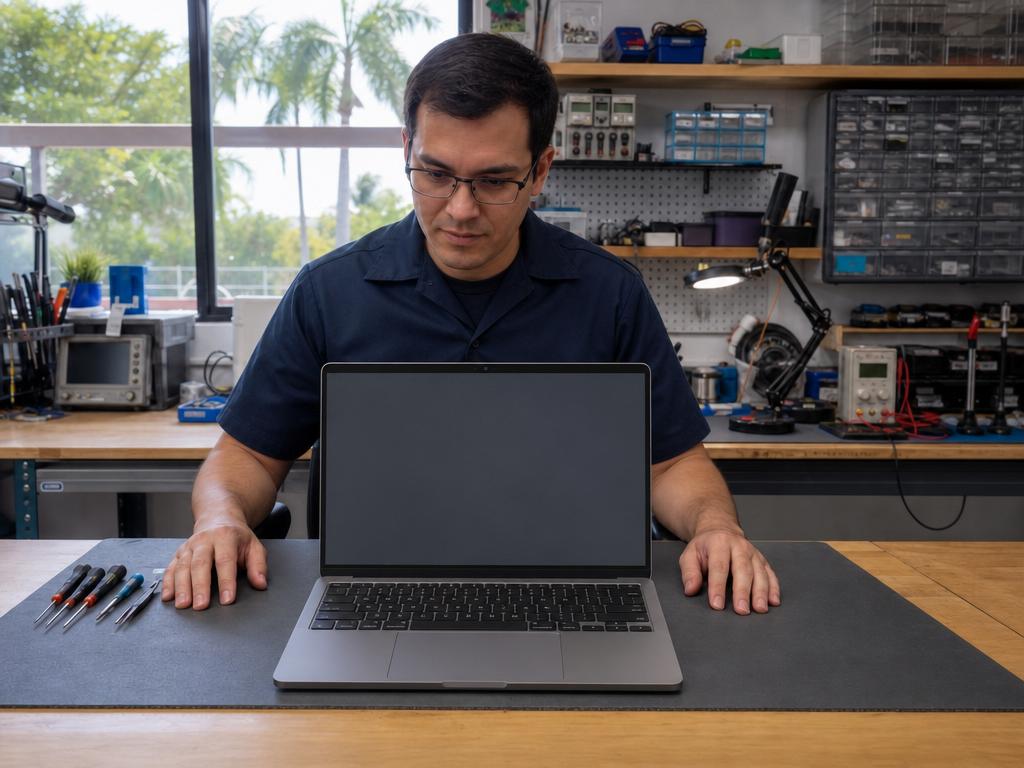
If your kid’s laptop, Chromebook, iPad, or phone is heading into another school year with a cracked screen, a battery that quits by noon, or a keyboard that sticks on every third key — in our experience here in Boca Raton, four weeks is plenty of time to fix all of it. You don’t need to write off a three-year-old laptop or scramble for a replacement. Most student-device problems are fixable, same-day, by an experienced local technician. The August rush hits fast; the window to repair it calmly, before every parent in Palm Beach County is in line, is right now.
Get Your Student’s Devices Ready Today
Walk in or call (561) 279-6888 — same-day repairs on laptops, tablets, phones, and more at both Boca Raton locations.
Written by Gadget Medics Team
Table of Contents
- What does a “back-to-school device check” actually cover?
- What student device repairs does Gadget Medics handle in Boca Raton?
- How much does back-to-school device repair cost in Boca Raton?
- Gadget Medics vs. Apple Store vs. Best Buy Geek Squad vs. uBreakiFix — Which Should You Choose?
- How does the back-to-school repair process work, step by step?
- South Florida heat and humidity are hard on student devices — here’s what to watch for
- Why Boca Raton families trust Gadget Medics for back-to-school device prep
- Frequently Asked Questions
What does a “back-to-school device check” actually cover?
A back-to-school device check is less glamorous than it sounds — it’s mostly about catching the slow-moving problems that will become emergencies in September. Students carry their devices differently than adults do. Laptops go in backpacks without cases. Phones get dropped on bleachers. Tablets slide off desk-height surfaces at least once per semester. The damage that happens over summer is real, and it compounds.
In our shop, the back-to-school surge hits two weeks before school starts and stays elevated for the first two weeks after. Every year, parents arrive with a cracked iPad screen and a story: “She dropped it in June and we kept meaning to fix it.” A same-day repair in late July is a calm, affordable fix. That same repair on August 9th — the day before Palm Beach County’s first day — happens in a queue, under time pressure, with fewer slots available.
A practical pre-school device check covers five things: screen condition (cracks that spread under heat), battery health (older devices lose capacity every year — a three-year-old battery holds 70-80% of its original charge at best), charging port function (fraying cables accelerate port damage), keyboard and trackpad response, and overall performance under load. If any of these fail in week one of school, you’re looking at a loan device, a rushed repair, or a replacement at full retail.
What student device repairs does Gadget Medics handle in Boca Raton?
We handle same-day repairs on the full range of student devices. That means laptops of all kinds — Windows machines, Chromebooks, and MacBooks — plus tablets (iPad and Android), phones (iPhone, Samsung Galaxy, Motorola), and accessories. Here’s what we see most in the weeks leading up to first day:
Cracked or broken screens
Screen repairs are the most common back-to-school fix we do. A cracked phone screen left all summer can develop pressure spots that make touch response unreliable. A laptop screen with a broken hinge or spider-web crack will worsen every time the lid opens. Same-day screen repairs are available for most phone and tablet models at both of our Boca Raton locations. Laptop screen replacements typically ship within one to two business days for parts, then same-day install once the part is in.
Battery replacement
South Florida heat accelerates battery aging faster than anywhere in the country — a battery left in a hot car or a sun-baked backpack degrades faster than one stored in a climate-controlled home. If a student’s phone dies before lunch or a laptop quits mid-period, a battery replacement is usually the fix. We stock batteries for most iPhone, Samsung Galaxy, and iPad models for same-day turnaround, and can typically source laptop batteries within one to two business days.
Charging ports and cables
Charging ports are the second-most-common back-to-school repair after screens. Kids are harder on cables than adults, and a fraying cable will eventually damage the port itself. If a phone only charges at a specific angle, or a laptop only powers on when the cord is held just right, the port is the problem. Same-day charging port repairs are available for most devices in stock.
Keyboard and trackpad
Sticky keys from spilled drinks, dead trackpad clicks, and broken key caps are extremely common on student laptops that have been through a year of heavy use. We repair keyboards on Windows laptops and Chromebooks, and handle the notoriously expensive MacBook keyboard replacements in-house — no shipping off to Apple required.
Data recovery and storage upgrades
A laptop that’s running slowly is often just running out of storage or has an aging hard drive. Upgrading from a spinning hard drive to a solid-state drive is one of the fastest, most cost-effective performance improvements you can make on a three- or four-year-old machine — and it can add two or three productive years to a laptop that would otherwise be replaced.
How much does back-to-school device repair cost in Boca Raton?
Repair costs vary by device type, model, and the specific problem. You can see current pricing on our individual service pages — laptop repair, tablet repair, and phone repair — where we list pricing by model so there are no surprises at pickup.
What we can say on the pricing question is this: in our experience, the cost of a same-day screen repair or battery replacement is almost always lower than the out-of-pocket cost at a big-box store — and significantly lower than the replacement cost of a device that “could have been fixed.” You approve the price before any work begins. If the repair doesn’t make financial sense for an older device, we’ll tell you that upfront. No pressure, no surprise charges.
A practical rule of thumb in our shop: if the repair costs less than one-third of what a comparable replacement device would cost, it’s usually worth it — especially for student devices that are only two to four years old. Laptops and tablets in that window often have three or four more productive years left in them with a screen swap, battery, or storage upgrade.
Gadget Medics vs. Apple Store vs. Best Buy Geek Squad vs. uBreakiFix — Which Should You Choose?
For back-to-school repairs in Boca Raton, you have several options. Here’s a direct comparison so you can make the right call for your situation.
| Option | Same-day turnaround? | Appointment required? | Non-Apple devices? | Chromebook / Windows laptop? |
|---|---|---|---|---|
| Gadget Medics | ✅ Yes, most repairs | Walk-ins welcome | ✅ All brands | ✅ Yes |
| Apple Store Genius Bar | ❌ Usually 2–7 days | Appointment required | ❌ Apple only | ❌ No |
| Best Buy Geek Squad | ❌ 5–14 business days | Appointment required | Partial | Limited |
| uBreakiFix | Varies by location and part availability | Usually required | Some brands | Limited |
The Apple Store Genius Bar is the right choice if your device is under AppleCare+ and the repair would otherwise be expensive. But Genius Bar appointments during back-to-school season at the Boca Raton Town Center and Sawgrass Mills locations are typically booked out five to seven days in advance. If your kid needs a device for school in the next week, that window doesn’t work.
Best Buy Geek Squad handles a wider range of devices than Apple, but they typically send repairs off-site — your device is gone for one to two weeks. For a student who needs a laptop or tablet for school, that’s not a viable timeline.
uBreakiFix handles phone screen repairs well for common models. For anything more complex — keyboards, charging ports, battery + screen combined, or older device models — you’ll want to call ahead and confirm part availability, since part sourcing varies significantly by location.
At Gadget Medics, walk-ins are welcome at both Boca Raton locations. Same-day turnaround is available for most in-stock repairs, and we work on every device on your student’s list — not just the Apple ones. In our experience, families who come in with two or three devices to check at once (a laptop, a phone, and a tablet) get everything assessed and queued for repair in one visit, rather than making separate appointments at three different chains.
How does the back-to-school repair process work, step by step?
We’ve streamlined the back-to-school repair process because we know you’re busy and the clock is running. Here’s what to expect when you bring a device in:
Step 1 — Bring it in (walk-in welcome, no appointment needed)
Walk in to either Boca Raton location — we’re open Monday through Saturday, 10 AM to 7 PM. No appointment required. Tell us what the problem is, and bring any accessories that are relevant (charging cables, if you’re having charging issues).
Step 2 — Assessment and price confirmation
Our technician assesses the device and gives you a firm price for the repair before any work starts. You approve it. If we identify something that isn’t worth fixing — an older device where the repair cost approaches replacement cost — we’ll say so clearly so you can make an informed decision. No pressure.
Step 3 — Same-day repair (for most in-stock services)
Most phone screen repairs, battery replacements, and charging port fixes are same-day — in the door and back in your hands within a few hours. Laptop repairs that require parts take one to two business days after the part arrives, then same-day completion. We’ll give you a realistic timeline at drop-off.
Step 4 — Quality check and pickup
We test every repair before returning the device — screen touch response, battery charge rate, keyboard key-by-key, charging port seating. You pick up a working device, not a repair receipt and a list of caveats. Every repair comes with a 90-day parts and labor warranty as standard.
South Florida heat and humidity are hard on student devices — here’s what to watch for
Palm Beach County’s climate creates device problems that don’t show up as prominently in drier parts of the country. If you’re new to the area or haven’t connected the dots between weather and device failure, here’s what we see regularly in our Boca Raton shop:
Battery degradation under heat. South Florida heat — regularly above 90°F from May through October — accelerates lithium battery chemistry degradation. A battery left in a hot car, a sun-facing backpack, or a poorly ventilated room deteriorates faster than the same battery in a climate-controlled environment. By the time school starts, a battery that survived the winter may be at 70–75% of its original capacity. If a student’s phone doesn’t make it through a school day on a single charge, heat degradation is almost always the cause.
Humidity and charging port corrosion. South Florida humidity accelerates corrosion inside charging ports, especially on older devices. The symptom is intermittent charging — the port works at some angles but not others, or stops charging entirely after the device gets warm. This is a common repair for devices that have been in Florida for two or more years.
Screen delamination on older tablets. The combination of heat and humidity accelerates screen delamination on older iPad and Android tablet models — you’ll see a cloudy or yellowish tint at the edges of the display, or “bubbling” near corners. Once it starts, it progresses. Pre-school is the right time to address it, before the delamination reaches the center of the screen and makes the device unusable.
Laptop fan failures. Laptop cooling fans work harder in South Florida’s heat and humidity. Fan failures show up as overheating shutdowns — the laptop runs fine for twenty minutes, then shuts off to protect the processor. In our experience, fan-related overheating is the most common laptop repair we see in the month before school starts for devices three years old and older.
The practical takeaway for Palm Beach County families: a device that seemed fine over winter may have accumulated significant heat-related wear by August. The annual back-to-school check isn’t optional in South Florida the way it might be in a cooler climate — it’s just good device hygiene for the region.
Why Boca Raton families trust Gadget Medics for back-to-school device prep
Gadget Medics has been Boca Raton’s independent repair shop since 2018. We’re not a franchise or a big-box chain — we’re a local shop with two Boca Raton locations, staffed by technicians who have been repairing devices in this exact community for eight-plus years. Trusted by 627+ Boca Raton neighbors with a combined 4.9-star rating across both locations.
What that means practically for back-to-school repairs:
- Walk-ins welcome — no appointment required at either location. If school starts in a week and you need a same-day fix, walk in.
- Same-day on most repairs — screen repairs, battery swaps, charging ports, and more. Not a drop-off-and-wait-a-week service like Best Buy Geek Squad or the Apple Store.
- Every device, not just Apple — we work on Windows laptops, Chromebooks, MacBooks, iPhones, Samsung Galaxy phones, Motorola phones, iPads, and Android tablets. You don’t need to make separate stops.
- You know the price before any work begins — no surprise charges, no approval-less repairs, no upselling.
- 90-day parts and labor warranty on every repair — standard, not an add-on.
- Broken Club members get lifetime warranty on all repairs and always-free device checks — ask about the membership if you’re bringing in multiple student devices.
The back-to-school season is one of the busiest repair windows of the year in South Florida. Families that come in during the four weeks before first day get the full attention of our technicians. Families that wait until the week of first day often face a queue. Call (561) 279-6888 or walk in now — same-day service is available while slots remain.
Frequently Asked Questions
How long does a back-to-school device repair take at Gadget Medics?
Most phone screen replacements, battery swaps, and charging port repairs are same-day — in by noon, out by end of day, often faster. Laptop repairs that require ordered parts typically take one to two business days for the part to arrive, then same-day installation. At drop-off, we give you a realistic timeline so there are no surprises.
Do I need an appointment for a back-to-school device check?
No appointment needed — walk-ins are welcome at both Boca Raton locations, Monday through Saturday, 10 AM to 7 PM. During peak back-to-school season (late July and early August), we recommend coming in earlier in the day when possible, since same-day slots fill up by mid-afternoon.
Is it worth repairing a 3-year-old laptop or iPad before school?
In most cases, yes — especially in South Florida where heat accelerates wear on batteries and screens faster than manufacturers’ expected degradation curves. A three-year-old laptop with a new battery, a screen repair, and a storage upgrade (spinning drive → SSD) typically runs cleanly for another two to three school years. You’re looking at a fraction of the replacement cost for a device that still has significant useful life. We’ll give you a straight assessment at the counter — if the math doesn’t work, we’ll tell you.
My kid’s laptop is running slow — is that hardware or software?
Usually hardware. On devices three years and older, slowness is almost always a storage issue (a nearly-full or aging hard drive) or a memory issue, not a software problem. A fresh OS install on a slow drive doesn’t fix the drive — it just temporarily clears the clutter. In our experience, upgrading from a spinning hard drive to an SSD is the single biggest performance improvement you can make on an older Windows laptop or MacBook. We can assess what’s limiting your device’s speed and give you a clear answer in-store.
Can Gadget Medics fix Chromebooks?
Yes. Chromebook screen replacements, keyboard repairs, charging port fixes, and battery replacements are all in-scope. Chromebooks are popular student devices in Palm Beach County schools, and we see them regularly. The one limitation worth knowing: Chromebooks have a manufacturer end-of-life (Auto Update Expiration) date built in, after which they no longer receive OS updates. If your child’s Chromebook is approaching or past its AUE date, we’ll flag that at drop-off so you can make an informed repair-vs-replace decision.
Need a Repair? We Can Help.
Diagnostic fee applied toward repair. Lifetime warranty. Most repairs same-day.
Call (561) 279-6888