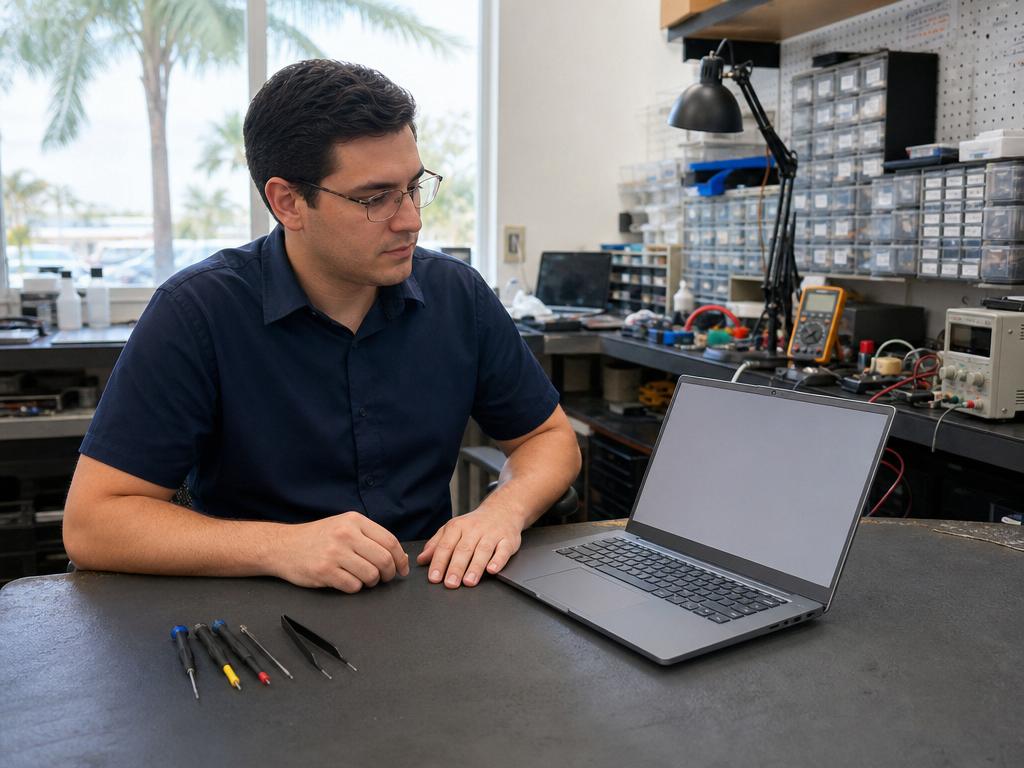
Most student device problems showing up at Gadget Medics every August were completely preventable — cracked screens left alone since April, laptop batteries that won’t last a full school day, charging ports that only work at a specific cable angle. You don’t need to scramble the week before first day. In our experience, families who check devices three weeks early get same-day repairs instead of joining the August back-to-school rush when every other Boca Raton parent has the same idea.
Get Student Devices Ready Today
Same-day laptop, iPad, and phone repairs at both Boca Raton locations. Walk-ins welcome.
Week One Is Done — If Your Student’s Device Broke, Here’s What to Do
Week three update — the tune-up wave: Three weeks in, the screen cracks and charging emergencies from week one are mostly handled. The calls we’re getting now are about performance: laptops that technically survived the first weeks of school but are running noticeably slower than they did in June, batteries that don’t last a full school day, and PC towers that need a dust clean and storage upgrade before semester assignments stack up. If that sounds like your student’s setup, see our performance tune-up section below — we cover what a same-day shop visit actually fixes on laptops, MacBooks, Windows laptops, Chromebooks, and desktops.
The first week of school is behind you. The prep guide below still stands — come back to it anytime you need a device checkup. But if something cracked in a hallway, stopped charging overnight, or broke in a backpack this week, you don’t need to wait for the weekend or track down a mail-in service. Walk in this week and we will take a look same day. No appointment needed.
In our experience at Gadget Medics, the second week of school is one of our calmest walk-in windows of the year — the August rush is behind us, queue times are shorter, and most common repairs (phone screens, iPad screens, batteries, charging ports) go from drop-off to pickup in a few hours. If your student’s device took a hit in week one, same-day is still the rule, not the exception.
The most common week-one breakage we see:
- Phone screen cracked — dropped between classes or in the hallway. iPhone and Samsung Galaxy screens are same-day for most models. Walk in, no appointment needed.
- Laptop won’t charge or battery died — charging port repairs and battery replacements are same-day, start to finish. Bring the charger.
- Laptop screen cracked — common student models (Windows, Chromebook, MacBook) are same-day or next-day depending on the part. Call (561) 279-6888 and we will tell you in 30 seconds if the part is on the shelf.
- iPad screen cracked — standard iPad and iPad Air screens are same-day. iPad Pro models vary by part availability — call ahead.
Go Straight to the Repair Page You Need
If you know what broke, here are the repair pages for the most common student device types:
- Phone Repair in Boca Raton — Cracked screens for iPhone, Samsung Galaxy, and Motorola. Battery replacements. Charging port service. Same-day for all in-stock models.
- iPhone Repair in Boca Raton — Screen, battery, and charging port repairs for all current iPhone models. Same-day on in-stock parts.
- Laptop Repair in Boca Raton — Screens, keyboards, batteries, charging ports, and SSD upgrades for Windows laptops, Chromebooks, and MacBooks. Most common student models same-day.
- Tablet & iPad Repair in Boca Raton — iPad screen replacements (standard, Air, Pro), battery service, and charging-port repair. Same-day on most common models.
Mission Bay Plaza is open daily 10 AM to 7 PM; Feinrose Plaza is open Monday through Friday 10 AM to 6 PM and Saturday 10 AM to 4 PM. Walk in or call (561) 279-6888 — no appointment required.
- Week One Is Done — If Your Student’s Device Broke, Here’s What to Do
- Your 3-Week Back-to-School Device Checklist
- What a “Back-to-School Device Check” Actually Covers
- How Much Does Back-to-School Device Repair Cost?
- Common Student Device Problems — by Device Type
- Gadget Medics vs. Best Buy Geek Squad vs. Apple Store vs. uBreakiFix
- How the Back-to-School Repair Process Works — Step by Step
- What “One Week Before School” Looks Like at a Repair Shop
- If It’s Already Broken: Your Two-Week Fix Window
- When Your Student’s Device Breaks in Week One — What to Do Next
- If Something Broke in the First Week — Post-First-Day Troubleshooting Guide
- Performance Tune-Up for Laptops, Desktops, and PCs — What It Actually Covers
- When to Repair, When to Replace
- South Florida Heat, Humidity, and Backpack Drops
- Protect the Rest of the School Year — Broken Club Membership
- Why Boca Raton Families Trust Gadget Medics Every August
- Frequently Asked Questions
Your 3-Week Back-to-School Device Checklist — What to Do Right Now
Palm Beach County schools start August 10, 2026. That gives most families roughly three weeks — enough time to catch problems early, get same-day repairs at a Boca Raton shop, and have every device working before class deadlines pile up, instead of scrambling at a big-box service center the week before school.
Three Weeks Out (Around July 20)
Start with a physical inspection of every device your student uses. Pick up each device, look at the screen for cracks or dead pixels, press every keyboard key, plug in every charger, and test the speakers. This takes ten minutes and surfaces 90% of problems that need repair before school starts.
In our Boca Raton shop, the most common back-to-school surprise is a cracked screen the student forgot to mention since April. A small corner crack in May is often a spiderweb by August — South Florida heat cycling causes existing fractures to expand through thermal stress over summer months.
- Screen: any cracks, dead zones, color bleed, or areas that don’t respond to touch?
- Battery: does the device make it through a full school day without charging? Test under real-use conditions, not just standby.
- Charging port: does the cable sit firmly, or does it wiggle and disconnect? Try more than one cable to isolate whether it’s the port or the cable.
- Keyboard and trackpad (laptops): any stuck, spongy, or unresponsive keys? Trackpad clicking properly in all corners?
- Speakers and mic: these matter for remote learning and video calls.
- Storage: less than 10–15% free space will slow most devices noticeably during class.
- Software updates: major OS updates close security vulnerabilities that school networks often check before allowing device access.
Two Weeks Out (Around July 27)
This is the window for dropping off anything that needs repair. Most screen replacements, battery swaps, and charging-port repairs at Gadget Medics are same-day — but if a part needs to be sourced, having two weeks of buffer means you’re still covered before first day. Same-day availability is highest in late July before the August rush builds.
One Week Out (Around August 3)
Finish line prep: pick up repaired devices and test everything fully before handing them back to your student. Confirm charging works, Wi-Fi connects, and school-required apps run. Back up photos and documents (see FAQ below). Set up any parental controls or school network credentials that require configuration time before first day.
What a “Back-to-School Device Check” Actually Covers
A back-to-school device check is less glamorous than it sounds — it’s mostly about catching the slow-moving problems that will become emergencies in September. Students carry their devices differently than adults do. Laptops go in backpacks without cases. Phones get dropped on bleachers. Tablets slide off desk-height surfaces at least once per semester. The damage that accumulates over summer is real, and it compounds.
In our shop, the back-to-school surge hits two weeks before school starts and stays elevated through the first two weeks after. Every year, parents arrive with a cracked iPad screen and a story: “She dropped it in June and we kept meaning to fix it.” A same-day repair a few weeks before school is a calm, affordable fix. That same repair the night before first day happens in a queue, under time pressure, with fewer slots available.
A practical pre-school device check covers five things: screen condition (cracks that spread under heat), battery health (older devices lose capacity every year — a three-year-old battery holds 70–80% of its original charge at best), charging port function (fraying cables accelerate port damage), keyboard and trackpad response, and overall performance under load. If any of these fail in week one of school, you’re looking at a loan device, a rushed repair, or a replacement at full retail.
If you’re also thinking about Apple’s back-to-school trade-in program ahead of the fall upgrade cycle, see our guide on getting your Apple device ready for trade-in — device condition matters more than most families realize when trade-in values are calculated.
How Much Does Back-to-School Device Repair Cost in Boca Raton?
Repair costs vary by device type, model, and the specific problem. You can see current pricing on our individual service pages — laptop repair, tablet and iPad repair, and phone repair — where we list pricing by model so there are no surprises at pickup.
In our experience, the cost of a same-day screen repair or battery replacement at Gadget Medics is almost always lower than the out-of-pocket cost at a big-box store — and significantly lower than replacing a device that could have been fixed. You approve the price before any work begins. If the repair doesn’t make financial sense for an older device, we’ll tell you that upfront. No pressure, no surprise charges. You know the cost before we touch the device.
A practical rule of thumb in our shop: if the repair costs less than one-third of what a comparable replacement device would cost new, it’s usually worth it — especially for student devices that are only two to four years old. Laptops and tablets in that window often have three or four more productive school years left in them with a screen swap, battery replacement, or storage upgrade.
The Most Common Student Device Problems — by Device Type
In our experience at Gadget Medics, back-to-school device problems cluster tightly by device type. Here’s what to look for — and what same-day repair looks like for each:
Laptops (Windows and MacBook)
Battery degradation is the single most common laptop issue we see every August. A laptop that shipped with an 8-hour claim now getting 2.5 hours means a student hunting for an outlet through every class. Most laptop batteries degrade noticeably over 2–3 years of daily use regardless of brand or operating system.
Common same-day repairs at our Boca Raton laptop repair service: screen replacement (cracked LCD, dead pixels, backlight failure), battery replacement, keyboard repair (stuck or unresponsive keys — especially common on thin ultrabooks and older MacBook models), charging-port service (USB-C, MagSafe, barrel-connector), and hinge repair for screens that won’t stay in position after backpack wear. SSD storage upgrades — from a nearly-full 128GB drive to 256GB or 512GB — can make a 3-year-old laptop feel new for another two school years at a fraction of replacement cost.
Chromebooks
Chromebooks are ubiquitous in Palm Beach County schools and share most failure modes with Windows laptops. Screen damage is most common — Chromebook displays tend to use thinner glass that cracks more easily than premium laptop screens. Keyboard damage from backpack liquid spills is also common, as is charging-port wear. We repair Chromebook screens, keyboards, and charging ports as part of our laptop repair services. One important note: before investing in a Chromebook repair, check the device’s auto-update expiration date in settings — Chromebooks past their expiration may not be allowed on school networks regardless of physical repair.
iPads
iPad screen damage is the highest-volume student repair we see by count. A corner drop onto tile or concrete in Palm Beach County can crack the front glass while leaving touch intact — or shatter both glass and digitizer depending on the angle of impact. Our Boca Raton tablet and iPad repair service handles screen replacement (glass-only or full digitizer+LCD), battery replacement for iPads that drain before lunch, charging-port service for both Lightning and USB-C models, and button repairs. Same-day on most common iPad models.
iPhones and Samsung Galaxy Phones
Student phones take more drops per day than any other device in the backpack. The two most common back-to-school phone repairs at our Boca Raton iPhone repair shop are cracked screens (hallway drops onto hard floors) and dead batteries. Phones 3+ years old often have batteries at 70–75% of original capacity — below the threshold for reliable all-day use. Battery replacement runs 30–60 minutes and restores the phone to near-original runtime. Same-day on all common iPhone and Samsung Galaxy models in stock.
Gadget Medics vs. Best Buy Geek Squad vs. Apple Store vs. uBreakiFix — Where Should Your Student’s Device Go?
This is the question every Boca Raton parent faces every August. Here is an honest comparison:
| Gadget Medics | Best Buy Geek Squad | Apple Store | uBreakiFix | |
|---|---|---|---|---|
| Turnaround (most repairs) | Same-day, walk-in | 5–10 days (off-site service center) | 3–7 days with Genius Bar appointment | Varies by location and part availability |
| Devices serviced | Laptops, MacBooks, Chromebooks, iPads, iPhones, Samsung Galaxy | Most brands (routed off-site) | Apple only | Some brands (common phone models) |
| Walk-in available? | Walk-ins welcome at both locations | Yes for drop-off; repair off-site | Appointment required (books out 5–7 days in August) | Usually appointment required |
| Chromebook / Windows laptop? | Yes, all brands | Limited | No | Limited |
| Back-to-school timing | Device back that same evening | Repair returns after school starts | Genius Bar slot may not exist before first day | Call ahead to confirm part availability |
Best Buy Geek Squad: A solid option if you have active Geek Squad protection on the device. Without coverage, Geek Squad routes most repairs to an off-site service center — 5–10 business days minimum. For August timing, a Best Buy turnaround of 7–10 days means your student starts school without their device. Geek Squad is not same-day for screen replacements or battery swaps.
Apple Store (Town Center at Boca Raton): For Apple devices under AppleCare+ warranty, the Apple Store is the right call. Without AppleCare+, Apple’s out-of-pocket screen and battery prices are typically higher than an independent shop. Genius Bar appointments have been booking out 5–7 days in the weeks before school starts — same-day walk-in service is not available for most Apple Store repairs. The Apple Store does not service non-Apple devices at all.
uBreakiFix: Handles phone screen repairs well for common models. For anything more complex — keyboards, charging ports, battery + screen combined, or older device models — call ahead to confirm part availability, as sourcing varies significantly by location. Chromebook and Windows laptop repairs are limited.
Big-box phone carriers (Verizon, AT&T, T-Mobile): Carrier stores don’t perform in-store repairs — they mail devices to service centers with 7–14 day turnaround. Not a viable back-to-school option if your student needs their phone for first day.
You don’t need to ship your student’s device across the country or wait 10 days at a Geek Squad service center. Same-day repair at an independent shop is specifically what works for the August timing crunch — device in the morning, device back that afternoon.
How the Back-to-School Repair Process Works — Step by Step
We’ve streamlined the back-to-school repair process because we know you’re busy and the clock is running. Here’s what to expect when you bring a device in:
Step 1 — Bring It In (Walk-In Welcome, No Appointment Needed)
Walk in to either Boca Raton location — at both Boca Raton locations. No appointment required. Tell us what the problem is and bring any relevant accessories (charging cables if you’re having charging issues). In our experience, families who come in with two or three devices to check at once — a laptop, a phone, and a tablet — get everything assessed and queued for repair in one visit, rather than making separate appointments at three different chains.
Step 2 — Assessment and Price Confirmation
Our technician assesses the device in front of you and gives you a firm price for the repair before any work starts. You approve it. If we identify something that isn’t worth fixing — an older device where the repair cost approaches replacement cost — we’ll say so clearly so you can make an informed decision. No pressure, no surprise charges, no approval-less repairs.
Step 3 — Same-Day Repair (for Most In-Stock Services)
Most phone screen repairs, battery replacements, and charging port fixes are same-day — in the door and back in your hands within a few hours. Laptop repairs that require parts take one to two business days after the part arrives, then same-day completion. We’ll give you a realistic timeline at drop-off.
Step 4 — Quality Check and Pickup
We test every repair before returning the device — screen touch response, battery charge rate, keyboard key-by-key, charging port seating. You pick up a working device, not a repair receipt and a list of caveats. Every repair comes with a 90-day parts and labor warranty as standard. Broken Club members receive a lifetime warranty on every repair.
What “One Week Before School” Turnaround Actually Looks Like
“I thought repairs took weeks” — we hear this from Boca Raton parents every August. Here is what real turnaround looks like at Gadget Medics:
Walk-In, Same-Day (Most Common)
iPhone screen replacement: 30–60 minutes for most models. iPad screen replacement: 45–90 minutes. Laptop screen replacement: 1–3 hours depending on model and parts in stock. Battery replacement (phone or tablet): 30–60 minutes. Charging port repair: 30–90 minutes. Keyboard key replacement: 30–90 minutes.
Walk-in means you arrive, we assess the device in front of you, quote you an exact price, and if you approve, we start immediately. No Genius Bar appointment needed, no drop-it-off-and-we-will-call-you-in-three-days. Same-day means same-day — repaired before dinner on a weekday.
1–3 Days (Specialty Parts)
MacBook screen repairs, some laptop hinge replacements, and Samsung Galaxy repairs for less-common models may require sourcing a part — typically 1–3 additional days. Still well within the back-to-school window if you come in during the last two weeks of July.
The Pre-School Rush Factor
In our Boca Raton shop, the week before school is consistently our highest walk-in volume week of the year. If you need same-day service this week, come in as early in the day as possible — we open at 10 AM. With first day behind us, the rush has cleared. Walk-in volume is lighter now than it was last week, and same-day slots are more available.
If It’s Already Broken and School Starts in Two Weeks, Here’s Your Repair Window
If your student’s phone, iPad, or laptop has been sitting with a cracked screen or a dead battery since spring, two weeks is actually a comfortable window — not a crisis. In our experience at Gadget Medics, the families who come in with two weeks to spare almost always leave with devices repaired and tested before first day. The families who come in the day before first day are the ones we have to prioritize differently. Here is what the two-week window actually looks like for each device type.
Cracked Phone or Tablet Screen
This is our highest-volume back-to-school repair every August, and it is also the one where two weeks of lead time makes the biggest difference. Most cracked iPhone and Samsung Galaxy screens are same-day repairs — you drop off in the morning and pick up that afternoon. Our Boca Raton phone repair service handles screen replacements for all current iPhone models (including iPhone 15 Pro and 15 Pro Max) and most Samsung Galaxy models the same day with parts in stock.
Cracked iPad screens are the same story. Most standard iPad and iPad Air screen replacements are same-day at our Boca Raton tablet repair service. iPad Pro repairs with Face ID recalibration may take an extra day, but still land well within a two-week window. Walk-ins are welcome at both Boca Raton locations Walk-ins are welcome at both Boca Raton locations (Mission Bay Plaza daily 10 AM to 7 PM; Feinrose Plaza Monday through Friday 10 AM to 6 PM, Saturday 10 AM to 4 PM) — no appointment needed for most screen repairs#8212; no appointment needed for most screen repairs.
One thing worth knowing: a cracked screen that has been sitting since spring has usually gotten worse, not better. South Florida heat causes existing glass fractures to expand over summer, and the spiderweb you noticed in May may have migrated to a second corner by now. A screen that still passes touch is easy to fix. A screen where the digitizer has started to separate requires a more involved repair. Get it in sooner rather than later — two weeks of buffer protects you either way.
Cracked Laptop Screen
Laptop screen replacements take longer than phone or tablet screens because displays vary more by model and parts are sourced individually. Most Windows laptop and Chromebook screen replacements are still same-day or next-day at our Boca Raton shop, assuming the model is common enough for us to have the part on the shelf. MacBook screens and less-common Windows laptop displays typically need 1–3 days for part sourcing. Two weeks gives you that buffer comfortably — you can drop off, wait for the part, and have the device back a full week before school starts.
Drop-off logistics are simple: bring the laptop with its charger, let us know what you need for the first week of school (dates, specific software required, school Wi-Fi login procedures), and we will work around your timeline. Most Boca Raton families find that dropping off Monday or Tuesday of a given week means pickup by Wednesday or Thursday at the latest — plenty of time to verify everything works before handing it back to your student.
What to Bring When You Drop Off
- The device itself — inspected in front of you at drop-off so you know exactly what we’re looking at before anything is authorized.
- The charger — so we can test charging and runtime after the repair is complete and not just return a device you have to charge at home before you know if it works.
- Your student’s passcode — if you want us to do a full post-repair function test (we will run through screen response, Face ID or Touch ID, cameras, speakers, and charging port). If you prefer not to share the passcode, we test all hardware functions we can access without unlocking and hand the device back for you to verify the rest.
- Any known context — dropped in the pool, corner hit the pavement, got rained on in the backpack. The more we know about what happened, the better we can anticipate any secondary issues that might appear after the primary repair.
Walk-In vs. Coming In During the Busiest Week
Walk-ins are welcome every day we are open — you do not need an appointment for most repairs. That said, the last week of July through the first week of August is our busiest window of the year, and the afternoon queue on a Saturday in late July can be longer than the morning queue on a Tuesday. Our practical recommendation for two-week-out families: come in during the week rather than the weekend, and earlier in the day rather than after noon. Morning drop-offs in the week of July 21–25 typically see same-day completion with plenty of time to spare before August 10.
You don’t need to stress about the timing — two weeks is a real buffer, not a tight window. The families who actually face a crunch are the ones who wait until the night before a major exam. If you are reading this with two weeks left, you are in exactly the right position. Come in, we will take a look, quote you a price, and if you approve, we get started. Most of the time, same day.
When Your Student’s Device Breaks in Week One — What to Do Next
Most students make it through the first week of school. Then, somewhere between Monday and Friday, a phone drops on the cafeteria floor, a backpack gets thrown onto a Chromebook, or a laptop screen closes at the wrong angle and cracks. First-week breakage is not a crisis — it is a common pattern, and in our experience at Gadget Medics, most week-one student device repairs resolve same day. Here is the practical walkthrough: what to do, what to bring, and what to expect.
Walk-In Flow — No Appointment Needed
You do not need to call ahead or schedule anything to drop off a student device at Gadget Medics. Walk-ins are welcome at both Boca Raton locations (Mission Bay Plaza daily 10 AM to 7 PM; Feinrose Plaza Monday through Friday 10 AM to 6 PM, Saturday 10 AM to 4 PM). The typical week-one walk-in flow looks like this:
- Drop off in the morning — any day Monday through Friday. Most phone screen, tablet screen, battery, and charging port repairs are completed the same day. Morning drop-off almost always means same-day pickup — you can arrange pickup before or after school pickup depending on what works for your schedule.
- We assess in front of you — when you walk in, a technician looks at the device, identifies the problem, and gives you an exact price before any work starts. You approve or decline. There is no commitment to repair when you walk in.
- Standard phone or tablet screen — most iPhone and Samsung Galaxy models, and most iPad standard and Air models, are 30–90 minutes from drop-off to done. We call you when it is ready.
- Laptop screen or keyboard — if we have the part on the shelf, same-day. If we need to source it, most common student laptop models arrive next day. Call (561) 279-6888 with the laptop model first and we will tell you part availability before you drive over.
You don’t need to find a mail-in service, wait for a Best Buy Geek Squad appointment slot, or ship a student device off for a week. The second week of school is actually calmer than back-to-school season was — same-day availability is strong and walk-in volume is lower now that the August rush has passed.
What to Bring When You Drop Off
A straightforward drop-off makes for a faster repair. Here is exactly what helps:
- The device itself — the one that broke. If the case is still on, leave it on so we can see the damage as it arrived and spot any related impacts on the corners or frame.
- The charger — particularly important for laptop and tablet repairs. We run a full charge test after the repair to confirm everything is working before we call for pickup. Without the charger, we use a compatible one from our bench stock, but matching the actual charger removes any variable about cable compatibility.
- The passcode or PIN — screen repairs and battery replacements require verifying that Face ID, Touch ID, and the display all work correctly post-repair. We cannot do that without unlocking the device. You do not need to share it if you are staying — just tell us verbally at pickup when we run the final test — but having it ready speeds things up.
- Any context about the break — which direction it fell, whether it was in a case, whether the screen went black immediately or flickered first. In our experience, a brief description of how the damage happened helps us spot secondary issues (frame bend, LCD connector damage) that are not visible from the outside but matter for the repair scope.
Same-Day vs. Next-Day — What’s Realistic When the Student Needs It Back for Homework
The honest week-two breakdown by device type, so you can plan around homework and class schedules:
- iPhone screen (iPhone 12 through iPhone 16) — same-day for all current in-stock models. Walk in before noon and same-day pickup before dinner is the standard outcome in our Boca Raton shop, not the exception.
- Samsung Galaxy screen (S22, S23, S24 series) — same-day for in-stock models. Less-common older Galaxy models may need a sourced part — call ahead and we confirm in 30 seconds.
- iPad screen (standard and Air models) — same-day on standard and Air. iPad Pro screens, particularly newer M-series models, have longer part lead times — call first. See our tablet repair page for current model timelines.
- Phone or laptop battery — same-day every day for all in-stock models. Battery replacement is the most consistently same-day repair we offer. Drop off in the morning, pick up in the afternoon.
- Charging port (phone or laptop) — same-day for standard USB-C and Lightning ports on common models.
- Laptop screen (common Windows or Chromebook models) — same-day or next-day depending on the specific panel. Dell, HP, and Lenovo Chromebooks — the most common Palm Beach County school-issued laptop brands — are well-stocked. Call with the model name first. Our laptop repair service covers current model availability.
- MacBook screen or keyboard — 1–3 days typically, depending on the generation. Not a same-day repair in most cases, but a Tuesday drop-off comes back before the weekend.
The practical planning rule: if the student needs the device back for tonight’s homework, morning drop-off for a phone screen or battery is the right call. If the timeline is less urgent — say, the student has a backup device and can wait a day — afternoon drop-off still works for most repairs. You don’t need to scramble.
Screen Only, or Screen Plus Related Damage — How to Tell the Difference
A drop that cracks a phone screen sometimes does only that — the glass breaks and the rest is fine. But depending on how the device fell, a visible crack can come with additional damage that changes the repair scope. Here is how to read the symptoms so you know what you are working with before you walk in:
- Screen-only crack (glass only) — the display still shows everything clearly, touch responds everywhere, colors look right. This is the cleanest outcome. A screen replacement restores everything and the repair is straightforward.
- LCD or OLED panel damage — the display shows black patches, color bleed, white lines, or dead zones that do not respond to touch. Or the screen is entirely black even though the phone is on (you can hear notifications). This means the display panel itself was damaged, not just the outer glass. The fix is a full display assembly replacement — which is how modern phone screens are built anyway (glass and panel are bonded as one unit). The repair cost is the same as a standard screen replacement on most models.
- Digitizer failure — the display looks visually perfect but touch does not work in some areas, or there are phantom touches (the screen activates where you are not touching). Digitizer and screen are part of the same bonded assembly on modern phones and tablets; a display replacement resolves this entirely.
- Hinge damage on a laptop — if the laptop fell with the lid open and hit at a corner, the hinge area sometimes cracks the plastic bezel or bends the hinge mechanism itself. A cracked bezel is often cosmetic — the hinge may still function correctly, making this a bezel repair rather than a structural one. True hinge failure (the lid does not hold its open angle) is a separate repair from the screen. In our experience, when a student laptop falls with the lid open, it is worth having the technician check the hinge area at drop-off even if the screen looks fine from the front.
- Frame or chassis bend — a hard drop on a corner can slightly bend the frame of a phone or tablet. Sometimes this does not affect function; sometimes it creates internal pressure on the battery or display connection. We check for this at intake as part of the assessment — one reason why telling us how the drop happened helps us give you an accurate picture immediately.
The short version: if the screen shows something — even if it is damaged — the repair is typically a straightforward display replacement. If the screen is fully black on a powered-on device, or touch behavior is erratic, those are signs the panel took impact. Walk in and we will tell you exactly what you are dealing with and what the repair costs before anything starts.
One Thing to Do Before You Drop Off — Back Up the Device
Screen replacements and battery swaps virtually never affect stored data. But the week your student’s school year is just getting started is not the week to find the exception. A ten-minute backup before drop-off removes that variable entirely and gives you peace of mind whether or not the data was ever at risk.
- iPhone — Settings → tap your name → iCloud → iCloud Backup → Back Up Now. Wait for it to complete. If Photos is already enabled in iCloud, your photos are already synced.
- Android phone or Samsung Galaxy — Settings → Accounts and backup → Back up data. Google Photos syncs photos automatically if it is enabled.
- iPad — same as iPhone: Settings → iCloud → iCloud Backup → Back Up Now.
- School portal or district app — before you drop off, pop into your school district app or parent portal and note the login your student uses. Most school-issued apps just need the student ID and password to re-authenticate after a repair — but having it written down before drop-off means pickup is smooth rather than a credential-recovery scramble while the student is standing there.
That backup step takes ten minutes and eliminates the one scenario where a routine screen repair becomes a stressful situation. Everything else — apps, settings, school profiles — re-authenticates when the student logs back in after pickup.
Week-One Repair Links — Go Straight to the Right Page
If you know what broke, here are the direct repair pages for the most common student device types this week:
- iPhone Repair in Boca Raton — screen, battery, and charging port repairs for all current iPhone models. Same-day for in-stock parts. Walk-in welcome.
- Phone Repair in Boca Raton — Samsung Galaxy, Motorola, and all other phone brands. Screen replacements, battery swaps, charging port service.
- iPad and Tablet Repair in Boca Raton — screen, battery, and charging port repairs for iPad standard, Air, and Pro models. Same-day on most in-stock models.
- Laptop Repair in Boca Raton — screen, keyboard, battery, and charging port repairs for Windows laptops, Chromebooks, and MacBooks. Most common student models same-day or next-day.
Walk-ins are welcome at both Boca Raton locations — Mission Bay Plaza (20437 State Road 7, Suite B-7), open daily 10 AM to 7 PM, and Feinrose Plaza (1906 Clint Moore Rd, Unit 5), open Monday through Friday 10 AM to 6 PM and Saturday 10 AM to 4 PM. No appointment needed. Trusted by 600+ Boca Raton families with a 4.8+ star rating across both locations.
If Something Broke in the First Week — Post-First-Day Troubleshooting Guide
First-week device problems are not a sign of bad luck. They are a predictable pattern, especially in South Florida where students carry devices across hot parking lots, into air-conditioned classrooms, and back out again multiple times a day. Heat cycling, humidity, and the sheer physical chaos of a new school year put more stress on devices in week one than the rest of August combined. Here is what to do when specific problems surface.
Cracked Screen From the First Backpack Drop
The most common week-one call we get at Gadget Medics: a phone, tablet, or Chromebook glass did not survive the first backpack throw onto a classroom chair or a hallway drop onto tile. A screen protector sometimes saves the glass underneath — but often the protector absorbs the blow, the glass below cracks anyway, and you are left with shattered tempered glass on top of a cracked front panel. Whether the protector helped depends entirely on the drop angle and surface.
The important call here: is it safe to keep using? A phone or tablet with a cracked screen but fully intact touch response and no LCD bleeding is technically usable — but the glass edges become a skin hazard and South Florida heat will push existing fractures further within days. A screen with dead touch zones (spots that do not respond to input), visible LCD bleed (dark spreading patches under the glass), or sharp exposed edges is not safe for a student to keep using. In those cases, same-day repair is the practical answer — not a weeks-long wait at a big-box service center.
Cracked phone screens are same-day at our Boca Raton iPhone screen repair and Samsung repair service. Cracked Chromebook and laptop screens are same-day or next-day at our Boca Raton laptop repair. Cracked iPad and tablet screens are same-day at our Boca Raton tablet repair. Walk in — no appointment needed.
Chromebook Won’t Turn On — or Is Stuck at the Logo Screen
A Chromebook that will not boot past the logo is almost always one of three things: a fully drained battery that has not been charged properly (especially over a summer sitting in a hot car or storage room), a charging port that is not making solid contact, or a boot-loop caused by a failed Chrome OS update. Each of these resolves differently.
What to try at home first: plug in with a known-working cable and charger for 30 minutes before trying to power on. If the charging indicator LED does not light up at all, the port may be the issue rather than the battery. If it charges fine but freezes at the logo, hold the power button for 10 seconds to force-shut, then try a fresh boot. A Chrome OS boot-loop that does not resolve after a hard reset typically requires a Powerwash (factory reset) or a Recovery USB — your school’s IT department can usually assist with school-issued Chromebooks.
If the charging port feels loose, only works with a specific cable angle, or the device will not charge at all, that is a physical repair. We see port damage frequently in student Chromebooks — especially USB-C models where students use whatever phone charger is nearby instead of the device’s original adapter. Bring it to our Boca Raton laptop repair service and we will take a look and give you a straight answer on cost before we open anything.
Laptop Battery Dying by Lunch
A laptop that shipped with an 8-hour claim and now gets 2–3 hours has a battery that has aged past the point of all-day classroom use. This is not a software problem — it is chemistry. Laptop batteries degrade by roughly 20% over the first two years of daily use and another 20–30% by year three, regardless of brand or operating system. A three-year-old student laptop that was barely making it through a school day last June will definitely not make it through a full school day now.
How to check before you bring it in: on Mac, hold Option and click the battery icon in the menu bar — look for the condition (“Normal” vs. “Replace Now”). On Windows 10 or 11, run powercfg /batteryreport in an admin Command Prompt — the report shows Design Capacity vs. Full Charge Capacity; anything below 70% of original is at the point of replacement. If you would rather not run the report, time the battery from 100% to 20% under normal classroom-style use — if that is under 3 hours, a battery swap before September grades start is the right call.
Battery replacement at our Boca Raton laptop repair service is same-day for most common student laptop models. In our experience, a battery swap on a two- or three-year-old laptop adds another two to three school years of practical life at a fraction of replacement cost. You know the price before we touch anything.
iPhone or Android That Got Wet at PE or After-School
Liquid damage in the first week of school is more common than most parents expect. PE classes, after-school sports, afternoon rain in Palm Beach County, a water bottle tipping in the backpack — any of these can put water into a port, speaker, or seam. The first thing most families try is the rice trick. In our experience, rice does nothing useful — it does not absorb water from inside a sealed device, it takes 24–48 hours of waiting, and it gives corrosion time to spread to the logic board. Corrosion is what actually causes permanent damage after water exposure — not the water itself, which is mostly harmless while still liquid.
What to actually do in the first hour: power the phone off immediately if it is still on. Do not charge it. Do not press any buttons beyond the power button. Bring it in as quickly as you can. The repair window for water-damaged phones is measured in hours, not days — a device brought in the same afternoon as the incident has a much higher chance of full recovery than one that sat powered on overnight while corrosion crept across the board.
We see water-damaged student phones every week in our shop. At our Boca Raton iPhone repair and Samsung repair service, we will take a look and give you a straight answer on what is recoverable and what the repair path looks like — before any work starts. Same-day assessment and same-day repair on most common water damage cases. Walk-ins welcome.
Hand-Me-Down Phone Setup Problems
A hand-me-down iPhone or Android that has not been properly reset before the handoff will cause problems from day one. The two most common scenarios: an iPhone still signed into the previous owner’s Apple ID (Activation Lock is active and the phone cannot be set up on a new account), and an Android with Google FRP (Factory Reset Protection) that requires the previous Google account credentials to complete setup. Neither of these is a hardware problem — both are software locks that require the original account to resolve.
What to do if you still have contact with the previous owner: for iPhones, the previous owner must sign out of iCloud (Settings → their name → Sign Out) OR remove the device from their Apple ID at appleid.apple.com — before any reset attempt. For Android, the previous owner needs to remove their Google account from the phone before the factory reset. Both steps must happen before the device is wiped. If the reset already happened and the previous owner did not do this first, they need to remove the device from their account remotely — the path depends on whether it is Find My (Apple) or Find My Device (Google).
If you no longer have contact with the previous owner and the device is locked, bring it in. Call us first at (561) 279-6888 — Activation Lock and FRP situations vary and we can tell you over the phone whether the path you have is workable or whether you need the original owner involved. You do not need an appointment.
Slow Computer After Summer — When a Tune-Up Is Enough and When Hardware Is the Answer
A student laptop that feels noticeably slower at the start of school than it did at the end of last year is almost never a coincidence. Over summer, automatic updates install, startup programs accumulate, and a nearly-full storage drive causes the operating system to slow down significantly. In our experience, about half of the “slow computer” calls we get in August resolve with software alone — clearing startup items, uninstalling accumulated bloatware, freeing up storage — without any hardware work at all.
The other half need hardware. A Windows laptop still running a mechanical hard drive (HDD) instead of a solid-state drive (SSD) will feel unbearably slow compared to any modern phone — an SSD upgrade is a night-and-day transformation that typically costs less than a new entry-level Chromebook and gives a 4- or 5-year-old laptop another two to three years of practical classroom life. A laptop that is hitting its RAM ceiling — 4GB of RAM running Windows 11 with a browser, a school portal, and two tabs open — needs a RAM upgrade or a replacement. Software tuning will not help when the physical memory is simply maxed out.
Bring the laptop to our Boca Raton laptop repair or desktop repair service and we will run through what is actually causing the slowdown. We will tell you honestly whether a tune-up handles it or whether an SSD or RAM upgrade makes sense — and we will give you the cost before touching anything. Same-day on most software tuneups and SSD swaps for common student laptop models.
Charging Port That Only Works at a Certain Angle
A charging port that only connects when the cable is held at a specific angle — or requires wiggling to start charging — has a physical problem, not a cable problem (though trying a different cable is always worth a quick check first). The most common cause is lint compacted into the bottom of a USB-C or Lightning port after months of being carried in a jeans pocket or backpack. Compacted lint looks like dark residue at the base of the port and prevents the cable connector from seating fully, which means intermittent contact instead of a solid charge.
What to try at home: with the device powered off, use a wooden or plastic toothpick — not metal, which can damage the pins — to gently loosen material at the base of the port, then tap the port face-down to let it fall out. If the cable seats solidly after the cleaning, you are done. If the port still only charges at an angle or has visible bent pins when you look inside with a light, that is port replacement territory. Continuing to force a cable in at an angle will damage the internal connector further.
Charging port replacement is same-day for most phone and tablet models at our Boca Raton iPhone repair and Samsung repair services. For laptops and Chromebooks, most common student models are same-day or next-day at our laptop repair service. Walk in — we will take a look and give you a price before we start anything.
Data Transfer From a Broken Device the Student Still Needs
“The screen is black but the phone still turns on” is one of the more stressful week-one situations because it combines an urgent access problem with a data-loss risk. Contacts, school photos, app data, and two-factor authentication apps that have not been backed up to iCloud or Google are all at risk if the device stops responding entirely. A shattered screen where the LCD has completely failed will leave the phone powered on internally — you can feel it vibrate or hear it make sounds — but completely dark and unusable from the outside. This is the scenario where getting it in quickly matters most.
What we can usually do: if the screen is the only failure and the phone’s internals are intact, a screen replacement restores full access immediately and the data is untouched. If the device took a hard impact and there are secondary issues beyond the display, we will tell you honestly what is and is not recoverable after we take a look. In our experience, the most important factor in these situations is timing — a phone that is still powering on today has a higher chance of full data recovery than one that has been charged and discharged several more times on a failing setup.
Walk in to either Boca Raton location or call (561) 279-6888. We will take a look, tell you what we see, and give you a firm price before we start. iPhone repair, Samsung repair, and tablet repair — walk-ins welcome, same-day on most phone and tablet screen failures.
Performance Tune-Up for Student Laptops, Desktops, and PCs — What It Actually Covers
Three weeks into the school year, the pattern at Gadget Medics shifts. The August rush is over, the week-one screen cracks and charging emergencies have been handled, and parents start calling about a different problem: a student laptop that technically works but runs noticeably slower than it did in June. In our experience, most of those calls come down to two or three specific hardware or software conditions — and most of them are fixable in a single afternoon at a Boca Raton shop without shipping anything or waiting a week for a Geek Squad appointment.
A performance tune-up is not a vague “service your device” catch-all. Here is exactly what it covers, what is realistic in a same-day shop visit, and when the honest answer is that a new device makes more sense than fixing the old one.
What a Performance Tune-Up Actually Does
A tune-up at an independent repair shop covers four distinct areas. Understanding what each one does — and does not — helps you make the right call for your student’s device.
Storage upgrade (SSD swap): The single biggest performance transformation available on most older Windows laptops. If a laptop is still running a spinning hard drive (HDD) — common on devices purchased before 2021 — switching to a solid-state drive is a night-and-day improvement. Boot times drop from 90 seconds to under 15. Apps open in seconds. A browser with six classroom tabs no longer freezes mid-task. The drive is the bottleneck, not the processor or the RAM — and a new SSD often costs less than a month of school supplies. If a device already has an SSD but it is nearly full (under 10–15% free space), performance degrades significantly regardless of processor speed. We upgrade to 256GB or 512GB same-day on most common student laptop models.
Battery replacement: A battery that has degraded to 60–70% of its original capacity does not just mean shorter runtime. It also causes the device to throttle its processor under sustained load to avoid overdrawing the degraded cells. A student laptop that feels slow during Zoom calls and class presentations is often experiencing processor throttling from a worn battery combined with a warm South Florida classroom. A new battery restores full processor headroom and typically adds two to three school years of practical life to an otherwise functional device.
OS optimization and software cleanup: Over a summer, automatic updates install silently, browser extensions accumulate, startup programs add themselves, and school-year apps leave behind service processes that run constantly in the background. On a Windows laptop with 4–8GB of RAM, three or four of these background services can consume 30–40% of available memory before your student opens a single browser tab. An OS tune-up covers removing startup items that do not belong there, uninstalling software that should not be on a school device, clearing the Windows temporary file cache — which can run to 20–30GB on neglected systems — and verifying that pending updates have fully completed rather than stalling in the background (which causes sustained CPU usage while the update runs silently). A clean Windows reinstall is a more aggressive version of this: it removes everything accumulated over the device’s lifetime and starts from a known-clean state. We do these same-day and migrate student data before wiping so nothing important gets lost.
Thermal cleaning and cooling service: Every laptop, MacBook, and PC tower accumulates dust inside its ventilation system. In South Florida, where outdoor air carries fine debris from landscaping, construction, and coastal particulates, internal dust accumulation happens faster than in most markets. Dust insulates the heatsink fins and blocks airflow across the cooling fan — which causes the processor to run hotter under load and, critically, forces the thermal management system to throttle processor speed to prevent overheating. A MacBook or Windows laptop that gets hot and slows down during class is almost certainly thermal-throttling from a clogged heatsink. Thermal cleaning involves disassembling the device, removing dust from the cooling system, and — on devices three years and older — replacing the thermal compound between the processor and heatsink. Thermal compound dries and degrades over three to five years; fresh compound typically drops idle temperatures by 10–15°C and restores the sustained performance the machine had when new.
What’s Same-Day vs. What May Require Parts Ordering
In our experience at Gadget Medics, these are same-day on most common student models:
- SSD swaps on most Windows laptops and MacBook models with upgrade-accessible storage
- Battery replacement on most Windows laptops and older MacBook models — call ahead for newer MacBook Air and MacBook Pro M-series models whose batteries are not user-accessible
- OS clean install and optimization (2–3 hours end-to-end with data migration)
- Thermal cleaning and thermal compound replacement on laptops, MacBooks, and PC towers
These may require one to three days for parts on less common models:
- Specific fan replacements for off-brand or school-issued Chromebooks not in common stock
- Batteries for narrow-form ultrabooks where OEM cells are not commodity parts
When in doubt, call ahead at (561) 279-6888. We can tell you in 30 seconds whether the part for your specific model is on the shelf, without you having to bring the device in first.
Desktop and PC Tower Tune-Ups — What’s Different
Desktop computers and PC towers have some of the highest tune-up return on investment of any device we work on at our Boca Raton desktop repair service. Because desktops sit in one place and are not carried in backpacks or subjected to physical drops, their chassis wear is low — but their internal dust accumulation is typically worse than laptops, and their storage and memory are often far easier to upgrade.
Most PC towers still in everyday use have a mechanical hard drive (HDD) as their primary storage. Swapping that for a solid-state drive is even more transformative on a desktop than on a laptop, because desktops often have the original 5,400 RPM drive that shipped four or five years ago. Adding a 500GB or 1TB SSD as the primary system drive — and keeping the old HDD as secondary storage for files — is the standard approach on family desktop setups. Same-day, and typically the highest-value single improvement available for an older PC at the lowest relative cost.
RAM upgrades are also simpler on desktops: more slots are usually accessible and the process is straightforward. A desktop running Windows 11 with 8GB of RAM is functional but noticeably slow under classroom-style multi-tasking (browser open plus school portal plus one video call). 16GB is the practical minimum for a comfortable Windows 11 student workstation in 2026. We can assess the RAM configuration at the counter and upgrade on the spot if the slots and memory type support it.
Thermal cleaning on a desktop tower that has been running for three or more years in a South Florida home — especially near a window, in a garage, or in a room without strong air conditioning — typically uncovers significant dust on the processor heatsink, case fans, and GPU cooler. A full interior clean restores airflow, drops temperatures, and in many cases resolves the “randomly shuts off during class” problem, which is almost always thermal-shutdown protection activating from overheating rather than a failing component. We do this same-day and include thermal compound replacement on the CPU. Bring it to our Boca Raton desktop repair service and we will tell you what we find and what it costs before touching anything.
MacBook Performance Tune-Ups
MacBooks have their own tune-up profile. Apple Silicon models — M1, M2, M3, and M4 chips, purchased from late 2020 forward — have storage and memory unified in the processor package and cannot be swapped. Performance tuning on Apple Silicon MacBooks is limited to OS optimization, thermal cleaning, and thermal compound service on older M-series Pro and Max models after three-plus years of use.
Intel-generation MacBooks from roughly 2017 through 2020 are a different story. These are exactly the MacBooks that are three to six years old in 2026 — the age bracket where thermal compound has degraded significantly and heatsink dust accumulation is having real impact on performance. In our experience at Gadget Medics, a 2018 or 2019 MacBook Pro that a student received as a hand-me-down and describes as “always hot and slow in class” almost always comes back to life with a thermal clean and compound refresh. You will notice it most in video calls and multi-tab classroom browsing — the two loads that push older Intel MacBooks into sustained thermal throttling. A same-day thermal service on most MacBook models brings idle temperatures down meaningfully, reduces fan activation under moderate load, and restores the sustained performance headroom the machine had when new.
Bring your MacBook to our Boca Raton laptop repair or computer repair service. We will tell you in plain terms what is slowing it down and what the fix costs before any work begins.
Windows Laptops and Chromebooks
For Windows laptops in the 3- to 5-year age window, the performance tune-up decision tree is straightforward. If the laptop still has a mechanical hard drive — swap to SSD first. Nothing else you do to this machine will have anywhere near the same impact, and it is usually the first thing we recommend. If it already has an SSD but runs slowly, the issue is almost always software: startup-list cleanup, disk cache clearing, and verifying that Windows updates have fully completed (a stalled update running silently in the background is one of the most common causes of sustained CPU throttling on Windows laptops we see in our shop). If it has 4GB of RAM and needs to run Chrome with more than four tabs open, a RAM upgrade makes sense if the model supports it — 4GB plus Windows 11 plus Chrome is a difficult ceiling to work around in software alone.
Chromebooks are simpler in scope: they have limited storage and RAM by design, and most of their hardware is not upgrade-accessible. A slow Chromebook is usually either low on storage space or approaching its Auto Update Expiration date — the point at which Chrome OS stops receiving security updates. Once that date passes, some school IT systems flag the device for network access issues. If your student’s Chromebook is running slowly and you are not sure of its AUE date, bring it in and we will check it in-store at no charge. You do not need an appointment.
When a Tune-Up Makes Sense vs. Replacing the Device
The honest answer from our counter: a tune-up makes sense on a 3- to 5-year-old laptop or desktop when the chassis is structurally sound, the screen works, and the slowness is traceable to one of the four areas above. It does not make sense when the device has multiple hardware failures piling up, when the replacement cost of a comparable used device is close to or below the tune-up cost, or when the Chromebook’s AUE date means it will stop receiving updates within the next 12 months regardless of what hardware goes into it.
A practical framework we use in our shop: if the tune-up plus any hardware upgrade costs less than one-third of what a comparable replacement would cost used — tune it up. A 4-year-old Windows laptop with an HDD and a clean chassis is often worth an SSD swap and OS clean for a fraction of what a comparable used replacement would run. A 3-year-old MacBook with a thermal problem and a clean everything-else is worth the thermal service by a wide margin. A cracked screen plus a dead battery on a 4-year-old MacBook with a functional keyboard and intact chassis still has two or three school years of useful life after those two fixes.
For desktops, the calculus is often more favorable to repair than for laptops. A desktop does not have the battery degradation problem that makes laptops progressively harder to revive after five years — a 6- or 7-year-old PC tower with a working processor and a good case can often be meaningfully upgraded with an SSD, a RAM bump, and a fresh OS install for well under replacement cost of a comparable new system.
We will have this conversation honestly at the counter and give you the numbers directly. No pressure, no upsell — if the repair math does not work for a specific device, we will tell you that before any work begins. You know the cost before we touch anything. See our laptop repair, desktop repair, and computer repair pages for current pricing by service type.
The South Florida Factor — Why Devices Here Degrade Faster
In Boca Raton and Palm Beach County, the summer heat cycle does something to student devices that most national repair guides do not account for. When a laptop moves from a 78°F air-conditioned classroom to a 95°F car interior, sits there for two hours, and then comes back into the classroom, the thermal cycling stress on the battery cells, the thermal compound interface, and the cooling system accumulates differently than it would in a cooler climate. In our experience at Gadget Medics, we consistently see more 3-year-old devices with noticeably degraded batteries, dried-out thermal compound, and clogged cooling systems than the national averages the manufacturers design around — and we attribute a significant portion of that to Palm Beach County’s summer heat exposure.
What this means practically: devices in South Florida benefit from a thermal cleaning on a slightly shorter cycle than manufacturers typically suggest — around every two years instead of every three to four — and battery health checks should be on the pre-school calendar starting at year two rather than year three. The investment is small relative to the performance and longevity benefit. A same-day thermal clean at our shop is one of the lowest-cost ways to add meaningful productive life to a student laptop that is already paid for.
If your student’s laptop or desktop runs noticeably warm even at idle, feels significantly slower than it did at the start of last school year, and no software fix has made a real dent — bring it to our Boca Raton computer repair or laptop repair service. We will tell you in plain terms what is slowing the device down and what fixing it costs. Walk-ins welcome at both Boca Raton locations. Trusted by 600+ Boca Raton families with a 4.8+ star rating across our two locations.
When to Repair, When to Replace — The Honest Answer for Student Devices
Some student devices are worth fixing. Some are not. Here is the framework we use in our shop when Boca Raton parents ask us this question directly:
Repair When
- The device is 1–3 years old and only one component has failed (screen, battery, port)
- Repair cost is less than 40–50% of the device’s current used-market value
- Your student depends on this device for school and cannot wait for a new device to ship and be configured
- The device has important data, configurations, or installed school apps that take time to transfer
Replace When
- The laptop is 5+ years old with multiple failing components — when screen, battery, and keyboard all need work, the math typically does not favor repair
- Liquid damage has affected multiple components — circuit board corrosion typically worsens over time
- Repair cost exceeds 60% of a comparable used-market replacement
- The device no longer supports the operating system version your school’s IT department requires for network access
3-Year-Old Laptop: Five Specific Failure Modes — What Each One Means for Repair vs. Replace
A 3-year-old laptop sits in a particularly useful position: old enough that the original purchase cost is fully amortized, but typically young enough to still support current OS versions and run school software without throttling. In our experience at Gadget Medics, the repair-vs-replace decision on a 3-year-old laptop almost always comes down to which specific component failed rather than the laptop’s age. Here are the five failure modes we see most often at the 3-year mark, and what each one means for the decision.
Battery Swell — Visual Cues and When to Act Before It Cascades
A swollen laptop battery is one of the most common 3-year-old laptop failures we see every August in Boca Raton — and one of the most visually recognizable once you know the two cues. First: a visible bulge along the bottom chassis where the battery sits. Second: a trackpad that no longer sits flush with the palm rest, or feels raised in the center when you press it. Both happen because lithium-ion cells expand as they degrade internally. South Florida’s summer heat accelerates that degradation significantly compared to cooler climates — a battery that might hold up four years in the Northeast can show swelling at three years in Palm Beach County after repeated summer heat exposure.
The repair math on a swollen battery is almost always straightforward: if the battery is the only failing component, battery replacement on a 3-year-old laptop makes strong economic sense. The laptop still supports current software, the chassis is otherwise sound, and a battery swap restores a full school day of runtime for a fraction of what a replacement device costs. The case where this flips is when swelling has already cracked the display panel or caused permanent trackpad damage from internal pressure — physical damage from a badly swollen battery can cascade if left untreated. Don’t wait for “trackpad feels a bit raised” to become “screen is cracking from inside.” Bring it in when you notice trackpad lift; you don’t need a new laptop because the battery wore out after three years of daily use.
Keyboard Failure — One Key vs. the Whole Board, and When a Top-Case Swap Changes the Math
Keyboard failure on a 3-year-old laptop splits into two categories with meaningfully different cost implications. A single stuck, spongy, or unresponsive key is almost always a debris or individual switch issue — the repair is targeted, often same-day, and costs far less than a keyboard replacement. Multiple keys down in one area, or an entire row that has stopped registering, points to a membrane strip failure or connector issue that requires replacing the keyboard module.
The top-case swap scenario comes up specifically on MacBooks and certain thin-ultrabook Windows models where the keyboard is riveted or glued to the upper chassis instead of being a removable panel. On those designs, a keyboard replacement is literally an upper assembly swap — which costs more than a standalone keyboard module on a standard Windows machine where the panel lifts out in 15 minutes. In our experience, even at the higher MacBook top-case price point, the repair still makes economic sense on a 3-year-old unit: a top-case replacement on a working MacBook Air 2022 or MacBook Pro 2021 runs significantly less than an equivalent new model. The break-even point where replacement becomes the smarter call is when a dead keyboard is paired with a failing battery and a cracked screen simultaneously — three concurrent repairs on one device is where the combined cost starts to approach used-device pricing and the math shifts.
Charging Port Wear — Intermittent Charge, Wiggle-to-Charge, and the Same-Day Fix
Intermittent charging is one of the most commonly misdiagnosed problems we see. Parents and students often assume the cable is bad and buy two or three replacements before bringing the laptop in. The actual culprit is almost always the port: USB-C connectors wear down after three years of daily plug-unplugs, barrel connectors on older designs bend or corrode internally, and debris can pack into the port enough to prevent solid contact at the pins.
The “wiggle-to-charge” pattern is the clearest signal: if the cable charges reliably when held at one angle and fails in others, the port connector has worn. Charging port repair is one of the cleanest same-day fixes on a 3-year-old laptop — it is a discrete component replacement that does not require board-level work or touching any other assembly. Don’t wait for “intermittent” to become “won’t charge at all.” A port that partially charges will eventually stop making contact entirely, leaving a student with a dead laptop the night before an exam. You don’t need to replace a laptop with a perfectly functional screen, battery, and keyboard just because the charging port wore down from three years of daily use.
Screen Hinge Damage — Cracked Bezel vs. True Hinge Failure
Laptop hinges in student backpacks take consistent mechanical stress. The failure mode you see first is almost always cracking in the plastic bezel at the hinge corners — the area under the highest tension each time the lid opens and closes. A cracked hinge bezel looks alarming but is often cosmetic: the hinge mechanism below may still function correctly, making this a bezel replacement rather than a structural repair.
True hinge failure — where the lid no longer holds its open angle and folds forward or backward — is a different category. Hinge assemblies are typically replaced as a matched pair to maintain even lid tension, and on thin-ultrabook designs where the hinge integrates structurally with the display housing, parts and labor run higher than on standard designs with easily sourced hinge kits. In our experience, the decision point is this: a 3-year-old laptop with only a hinge failure is almost always worth repairing. A 3-year-old laptop where an ignored hinge has cascaded to display cable damage or a cracked LCD — at that point, compare the combined repair cost against a used-market equivalent before deciding. A single-component hinge failure caught early is a repair. A multi-component cascade from a hinge that was left too long is where the math starts to shift.
Slow SSD — When a Storage Upgrade Helps vs. When the Platform Is the Actual Bottleneck
A 3-year-old laptop that has become noticeably slow in class is not always a storage problem — but when it is, an SSD upgrade is one of the highest-ROI repairs we offer. The key question is whether the slowness is caused by the storage subsystem (nearly-full drive, slow interface, read/write saturation) or by the processor and RAM ceiling. Upgrading storage on a laptop that has hit its RAM ceiling produces no perceptible improvement — you need to understand what you’re actually limited by before ordering parts.
How to read the signals: if the laptop is a 2021–2023 model with an NVMe SSD that is more than 85% full, storage is almost certainly the culprit — NVMe drives slow down dramatically when nearly full, and an upgrade to a larger drive produces a real, noticeable improvement. If the laptop is a 2018–2020 model with a SATA SSD, the interface itself may be the ceiling: the fastest SATA drive reaches roughly 550 MB/s, while a modern NVMe reaches 3,000–7,000 MB/s. Replacing a SATA SSD with another SATA SSD of the same speed class won’t feel faster — only upgrading capacity helps in that scenario. Thermal throttling is a separate cause that mimics storage slowness: a laptop that runs slow and gets hot under moderate load is likely stepping down clock speed to manage heat. A thermal paste reapplication or a compressed-air dust cleaning can restore full performance without any storage work. And RAM ceiling: many 2020–2022 budget laptops shipped with 4–8 GB of RAM soldered to the board with no upgrade path. If 8 GB is the maximum and your student is running class browser tabs, school apps, and a video call simultaneously, storage is not the constraint — the platform has reached the load it was designed for, and at that point a step up to a used device with more capable specs makes more sense than a component repair that won’t solve the actual bottleneck.
The Hand-Me-Down Case
In our experience, a battery replacement on a 3–4 year old iPhone 12 or iPhone 13 handed down to a student is one of the best repair investments a Boca Raton family can make. Battery replacement brings runtime back to near-new performance, costs far less than a new phone, and gives a student a fully functional device with Face ID for another 2–3 school years. The same math applies to Samsung Galaxy S21 and S22 hand-me-downs — a battery swap on a 3-year-old Galaxy restores a capable student device at a fraction of replacement cost. You don’t need to buy new every time a student outgrows a device — sometimes a same-day battery replacement is the far smarter call.
Giving Your Student a Hand-Me-Down iPhone or MacBook? Here’s What to Check First
Passing down a phone or laptop that’s been sitting in a drawer for a year or two is one of the most practical back-to-school moves a Boca Raton family can make — in our experience, a hand-me-down device in decent shape can absolutely last another two or three school years. But in our shop, we see a consistent pattern every August: hand-me-downs that arrive at school with depleted batteries, debris-clogged charging ports, and storage packed with someone else’s data. A proper tune-up before the device changes hands costs far less than an emergency repair once the school year is already underway.
Battery Health — Check This Before Anything Else
On an iPhone, go to Settings → Battery → Battery Health & Charging. If Maximum Capacity reads below 80%, the battery is due for replacement before the device goes to school. A degraded battery doesn’t just drain fast — it triggers unexpected shutdowns under load and background-app kills, which is exactly the behavior that makes a perfectly functional hand-me-down feel “broken” to a student. Battery replacement at our Boca Raton iPhone repair shop takes 30–60 minutes for most models and restores near-original runtime. You don’t need to upgrade the phone — a fresh battery on an iPhone 12 or iPhone 13 buys two or three more years of useful school life.
For an older MacBook being handed down, check Battery Health under System Settings → Battery. Below 80% means the laptop won’t last a full school day on a single charge — and South Florida heat and humidity accelerate battery wear faster than Apple’s standard degradation curves. A MacBook battery swap at Gadget Medics is one of the highest-ROI repairs for a hand-me-down machine that otherwise still runs well. See our MacBook repair in Boca Raton page for what’s realistic on your specific model.
Charging Port — Clear Debris Before the School Year
A phone or MacBook that spent a year or more in a pocket, purse, or kitchen drawer accumulates lint and debris in the charging port. On iPhones, compressed pocket lint in the Lightning or USB-C port is the single most common reason a “broken” hand-me-down won’t charge — not a hardware failure, just a blocked connection. We clear charging port debris in a few minutes at the counter — walk in at either Boca Raton location, no appointment needed. For iPhone charging port cleaning, it’s almost always a counter fix rather than a bench repair. It’s worth doing before the student leaves for school with a phone that only charges at a specific cable angle and nowhere else. The same applies to MacBook USB-C and MagSafe ports, which collect similar debris from desks and bags over time.
Fresh Software and Storage — Start the Student Clean
A hand-me-down iPhone should be erased and set up fresh with the student’s own Apple ID (Settings → General → Transfer or Reset iPhone → Erase All Content and Settings). This isn’t just a privacy step — it removes years of accumulated background processes, old notifications, and orphaned app data that slow down performance and fill storage. Starting clean gives the phone a near-new feel and ensures the student’s own apps and photos get full storage headroom from day one.
For an older MacBook being handed down, a fresh macOS install makes a significant difference — especially if the machine has been running the same installation for three or four years without a clean start. If the MacBook still has a spinning hard drive instead of an SSD, an upgrade before the fresh install is the single biggest performance improvement you can make on an older machine. The speed difference is dramatic, and the upgrade typically costs a fraction of what a replacement laptop would run. We handle SSD upgrades and fresh macOS installs at Gadget Medics — one drop-off, same-day if parts are in stock. See our MacBook repair in Boca Raton page for model-specific availability.
iPhone Storage — When the Old Phone Is Already Full Before School Starts
Unlike a MacBook, an iPhone’s storage cannot be physically upgraded. If the hand-me-down is a 64GB model that’s already near capacity, the fastest fix is a factory reset — erasing the previous owner’s data starts the student with the full 64GB free and clear. Beyond the reset, a few practical steps: offload unused apps (Settings → General → iPhone Storage → Offload Unused Apps), move photos to iCloud or a Mac backup, and delete old podcasts and cached downloads.
If the hand-me-down iPhone is 64GB and perpetually full even after a clean reset — common on older models packed with a student’s growing media library — be honest about the math: a repaired 64GB phone is still a 64GB phone. In that case, the better investment is often battery and screen first (to maximize the phone’s trade-in or resale value) and then a storage-appropriate upgrade. Our team at either iPhone repair location in Boca Raton can tell you in a few minutes whether the hand-me-down is worth the tune-up investment or whether the money is better toward an upgrade.
One Last Check — the Screen Before It Goes to School
Before the hand-me-down device leaves the house, check the screen corners for micro-cracks. A hairline crack that doesn’t affect visibility today can spider across the full screen after the first backpack drop — and mid-semester screen repairs are always more disruptive than back-to-school ones. Screen replacement for most iPhone models is same-day at Gadget Medics, and it’s far less expensive than dealing with a fully shattered display two months into the school year. See our iPhone repair in Boca Raton page for same-day screen replacement options by model.
South Florida Heat, Humidity, and Backpack Drops — Why Palm Beach County Student Devices Take Extra Abuse
Device failures in Boca Raton and Palm Beach County follow a seasonal pattern that does not apply the same way in cooler climates. South Florida’s environment is genuinely hard on student electronics — here is what you are working against every school year:
Heat
Florida’s summer consistently hits 90°F+ with heat index above 100° through July and August. Lithium-ion batteries degrade measurably faster when regularly exposed to high heat. A device left in a hot car in Palm Beach County, or sitting in a backpack in direct South Florida sun at a bus stop, takes cumulative thermal damage that shortens battery life faster than the same usage pattern in a cooler climate.
In our experience, South Florida student devices often show battery degradation 30–40% faster than the same models used identically in the Northeast. A 2-year-old phone that might still be at 85% battery health in a Northern state can be at 70–72% capacity in Boca Raton after the same period — and that gap is the hidden reason behind “my phone barely makes it to after-school pickup” complaints that spike every August.
Humidity
Palm Beach County humidity averages 75–80% through summer months — conditions that accelerate corrosion inside devices with any unsealed port or existing crack damage. Devices with a cracked screen or a loose charging port are particularly vulnerable to moisture ingress after South Florida’s daily afternoon storms. In our Boca Raton shop, we see a noticeable spike in charging-port failures and camera-lens fogging every rainy season — often in devices that seemed “fine” before the summer rains started.
Backpack Drops
Student backpacks in Palm Beach County are tough environments for electronics — textbooks, water bottles, loose change, and daily commuting vibration create mechanical stress that is genuinely hard on thin display glass. Corner drops — the most common cause of student screen damage — happen constantly when devices are pulled quickly from backpacks in hallways and cafeterias. A rugged drop-rated case is the single highest-ROI step after any repair. Every repaired device that leaves our Boca Raton shop gets a case recommendation before it goes back into a student backpack.
Protect the Rest of the School Year — Broken Club Membership
Three weeks in, the acute repair emergencies are mostly behind you. The cracked screen from week one is fixed, the battery that wasn’t making it past lunch has been replaced. What comes next — the next nine months — is where a protection plan actually pays off. In our experience, the families who come back in October or January with a frustrated student and a broken device are almost always the ones who had one repair done and didn’t think ahead to what happens after that first fix.
Gadget Medics offers the Broken Club device protection plan — a membership that covers the devices your student actually carries: phones, tablets, laptops, Chromebooks, gaming consoles, and more. Here is what it covers and how it works.
What Broken Club Covers
Every Broken Club member gets a lifetime hardware repair warranty (compared to the standard 90-day warranty non-members receive), plus six months of software coverage. The plan includes up to 15% off all repairs and services for life, an annual labor fee waiver worth $99, a free glass screen protector with every repair, and one free computer tune-up per year. Premium membership tiers (User, Pro, Power User) add priority service and faster turnaround so members skip the standard queue during busy periods.
Device coverage is broad by design — the plan covers smartphones (iPhone, Samsung Galaxy), tablets and iPads, laptops, desktops, PlayStation, Xbox, and Nintendo systems. If your student uses it and it needs repair, it is almost certainly covered under the membership.
How the Plan Works in Practice
Broken Club members walk in, show their membership, and the lifetime warranty applies automatically to every repair — no per-incident paperwork, no coverage arguments. Free assessments on every future visit mean there is no reason to wait and wonder whether a slow laptop or an intermittent charging issue is worth bringing in. Bring it in, find out same day. Same-day service applies to Broken Club members exactly the same way it does to all repairs at both Boca Raton locations: iPhone screen and battery replacements for most models are done in under an hour, and laptop repairs — screen replacements, battery swaps, charging port fixes — are same-day for common student models.
For families with more than one student or more than one device, the 15% lifetime discount adds up across a school year. A single $200 battery replacement at 15% off pays for a meaningful portion of the lower-tier membership before the year is over, before you count the $99 labor fee waiver or the free annual tune-up. The free computer tune-up alone — which covers storage health, startup optimization, and software cleanup — is the kind of preventive visit that keeps a laptop running cleanly through finals instead of failing in April when deadlines are stacked.
Membership Options
Broken Club starts with a free tier that gives you the core benefits: lifetime hardware warranty on repaired devices, the annual $99 labor fee waiver, up to 15% off repairs, and a free screen protector with each repair. Paid tiers start at $200 per year for the User plan and add priority service and the annual free computer tune-up. The full tier comparison and enrollment details are on the Broken Club membership page.
September through May is a long stretch of school months for a device that already survived one summer and a rough first week. In our experience, the families who handle device problems calmly throughout the school year — drop it off, pick it up same day, lifetime Broken Club warranty on the work — are almost always the ones with some form of coverage in place before October. The ones scrambling for a school laptop loan program in March usually aren’t.
Why Boca Raton Families Trust Gadget Medics Every August
Gadget Medics has been repairing student devices every back-to-school season since 2018 — 8 years of August rushes, cracked screens, dead batteries, and same-day turnarounds for Boca Raton families who could not wait a week at a big-box service center. We handle the full range of devices students carry: Windows laptops, MacBooks, Chromebooks, iPads, iPhones, and Samsung Galaxy phones.
About Gadget Medics — Electronics repair shop in Boca Raton, FL. Fixing phones, laptops, MacBooks, iPads, and gaming consoles since 2018. Walk-ins welcome at both Boca Raton locations (call to confirm hours). All repairs backed by a 90-day warranty on parts and labor, with lifetime warranty through our Broken Club membership. Trusted by 600+ Boca Raton families with a 4.8+ star rating across both locations.
Same-day or it did not happen — most back-to-school repairs (screens, batteries, charging ports, keyboards) are completed the same day you drop off. No shipping, no 7–10 day service center wait, no “we will call you when it is ready” from a Geek Squad drop-off counter. Device in the morning, device back that afternoon. For the August timing crunch, that difference is the whole game.
Every repair uses OEM-quality parts that match original device specifications. All work includes a 90-day warranty against defects. Broken Club members get lifetime warranty and always-free assessments on every future visit. Walk-ins welcome at both Boca Raton locations — no appointment required for most repairs (call (561) 279-6888 to confirm hours).
Planning a trade-in before the fall Apple lineup? See our guide on Apple back-to-school 2026: getting your device ready before trade-in — a screen repair before trade-in often pays for itself in the value difference.
Frequently Asked Questions
How long does a laptop screen repair take at Gadget Medics?
Most laptop screen replacements are same-day at Gadget Medics — typically 1–3 hours depending on the model and parts availability. MacBook screens and some premium Windows laptop displays may require sourcing a part, which adds 1–2 days. In our Boca Raton shop, most student laptops that come in for screen repair leave same-day, especially during the back-to-school window when we stock the most common models.
Can you fix a Chromebook screen in Boca Raton?
Yes — Chromebook screen repairs fall under our laptop repair services and are typically same-day. Before investing in any Chromebook repair, check the device’s auto-update expiration date in Chromebook settings. Chromebooks past their expiration may not be allowed on school networks regardless of physical condition, which changes the repair-versus-replace calculation significantly.
What should I back up before dropping off my student’s device?
For phones and tablets: photo library, any locally-stored app data, and payment methods (Apple Pay, Samsung Pay) that will need re-setup after certain repairs. For laptops: documents folder, in-progress school projects, and browser bookmarks. Screen and battery replacements typically do not affect stored data, but a full backup before any repair is always the right precaution — especially with student devices that have years of schoolwork on them.
Is there a rush option if school starts in two days?
Walk in as early in the day as possible — we open at 10 AM at both Boca Raton locations. For the most common repairs (screen replacement, battery swap, charging port), same-day turnaround is the standard. The August back-to-school rush builds up by afternoon, so morning arrivals are best for guaranteed same-day completion. Let us know the timing when you drop off and we will prioritize accordingly.
My student’s phone battery barely makes it to after-school pickup — what should I do?
A battery replacement at Gadget Medics runs 30–60 minutes and restores the phone to near-original runtime. For iPhones older than iPhone 13, a degraded battery is the most common cause of shortened runtimes, background-app kills, and sudden shutdowns. The same applies to older Samsung Galaxy phones. Battery replacement is same-day and is one of the most cost-effective student-device repairs — far cheaper than upgrading to a new device just to get a full day of battery life back.
Do I need an appointment, or can I walk in?
No appointment needed — walk-ins are welcome at both Boca Raton locations (call (561) 279-6888 to confirm hours). During peak back-to-school season (late July and early August), we recommend coming in earlier in the day when possible, since same-day slots fill up by mid-afternoon. You don’t need to call ahead for most repairs — just come in and we will assess the device in front of you and give you an exact price before anything starts.
Is it worth repairing a 3-year-old student laptop or iPad before school?
In most cases, yes — especially in South Florida where heat accelerates wear on batteries and screens faster than manufacturers’ expected degradation curves. A three-year-old laptop with a new battery, a screen repair, and a storage upgrade typically runs cleanly for another two to three school years. You’re looking at a fraction of the replacement cost for a device that still has significant useful life. We’ll give you a straight assessment at the counter — if the repair math doesn’t work for an older device, we’ll tell you upfront.
My kid’s laptop is running slow — is that a hardware problem or a software problem?
Usually hardware. On devices three years and older, slowness is almost always a storage issue (a nearly-full or aging hard drive) or a memory ceiling, not a software problem. A fresh OS install on a slow drive doesn’t fix the drive — it just temporarily clears the clutter. In our experience, upgrading from a spinning hard drive to an SSD is the single biggest performance improvement you can make on an older Windows laptop. We can assess what’s limiting your device’s speed in-store and give you a clear answer before recommending any work.