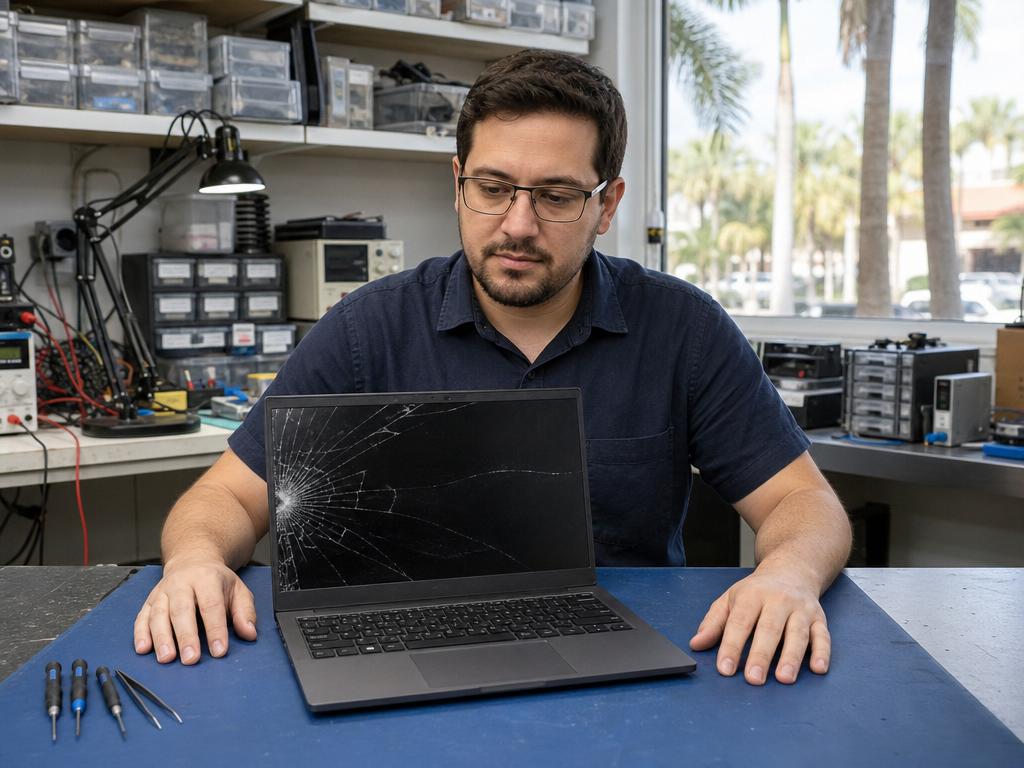
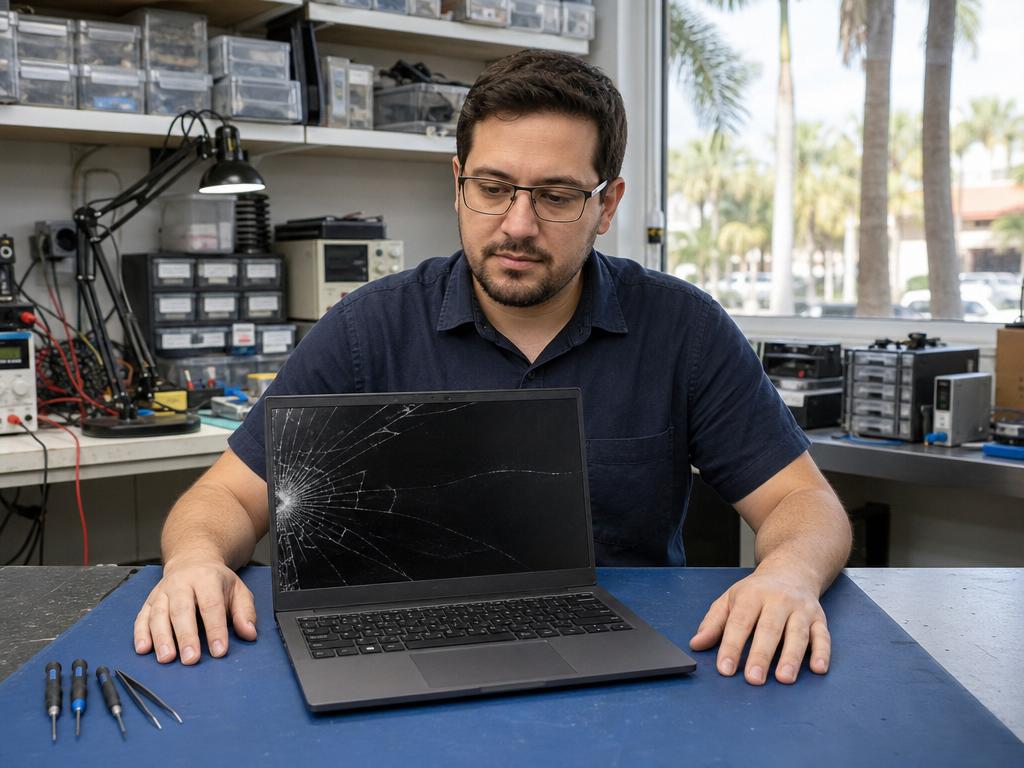
A cracked laptop screen turns a productive computer into a source of daily frustration — and South Florida’s heat, humidity, and the bumps of everyday Boca Raton life only raise the odds. Whether it’s a spiderweb shatter from a corner drop, a hairline crack running across the panel, or a completely dark screen after impact, Gadget Medics can assess and replace your cracked laptop screen same-day at our two Boca Raton repair shops.
We’ve been repairing laptops in Boca Raton since 2018 — with 600+ Google reviews and a 4.8+ star rating across both locations. Cracked laptop screen replacements start at $149 for Windows laptops and $249 for MacBook models. Most repairs are done in 1–4 hours. No shipping off, no week-long wait.
Call (561) 279-6888 Get a Free Estimate
Cracked Laptop Screen Replacement Prices in Boca Raton
Cost depends on your laptop model, screen technology, and the extent of the physical damage. Here’s what to expect at Gadget Medics — you approve the final price before we start:
| Laptop Type | Starting Price | Same-Day? |
|---|---|---|
| Windows Laptop (standard 15.6″ 1080p) | Starting at $149 | Yes |
| Windows Laptop (touchscreen 2-in-1) | Starting at $199 | Yes |
| MacBook Air (M1, M2, M3) | Starting at $249 | Yes — most models |
| MacBook Pro 13″ / 14″ | Starting at $299 | Yes — most models |
| MacBook Pro 16″ | Starting at $399 | Yes — parts permitting |
| Microsoft Surface (Pro, Laptop, Go) | Starting at $219 | Yes — most models |
| Gaming Laptop (144Hz+, larger panel) | Starting at $229 | Yes — most models |
You approve the exact cost before any work begins — no surprise charges. A quick visual assessment of the cracked screen is included so you get an accurate, no-obligation quote on the spot. See our diagnostic policy for how we handle deeper bench assessments and how any fee paid applies toward your repair.
Call (561) 279-6888 to check parts availability for your specific model before coming in.
Types of Cracked Laptop Screen Damage We Fix
Not all cracked screens are the same. Our technicians handle physical laptop screen damage every day at both Boca Raton locations — here’s how the most common impact patterns break down:
Spiderweb Crack — Corner or Edge Impact
A hard drop or corner hit creates the classic spiderweb pattern: cracks radiating outward from a single impact point while part of the display may still work. If colors are bleeding or pixels are dead along the crack lines, the LCD panel underneath is damaged too. We replace the full display assembly — glass, LCD, and digitizer if applicable — in a single same-day visit.
Dark Blotches or Dead Pixels After Impact
Sometimes the glass looks intact but dark splotches or dead pixel columns appear after a drop. That’s internal LCD damage — the outer glass cushioned the hit but the liquid crystal layer cracked underneath. This is a full panel replacement. Leaving it unrepaired usually leads to the dark area spreading across the screen within days or weeks.
Hairline Crack Running Across the Display
A thin crack running from a hinge corner toward the center often means the laptop was compressed — squeezed in a bag, sat on, or caught under something heavy. Hairline cracks spread under continued use. Even if the display is still readable, the crack will widen with every lid open-and-close cycle. We’ll assess whether the crack is glass-only or has reached the LCD.
Shattered Screen — Multiple Pieces, Full Break
A fully shattered display is the most severe case, but we still assess whether the LCD and backlight survived the impact. Often a complete shatter means a full screen assembly swap — we’ll quote you the exact cost and confirm same-day availability before you leave the counter. In many cases, even fully shattered laptops are repairable.
Touchscreen Laptop — Cracked Glass and Digitizer
For 2-in-1 laptops and touchscreen Windows laptops, the glass and touchscreen digitizer are fused directly to the LCD panel. A crack means the entire bonded assembly needs replacement — it’s a more involved repair but still same-day at Gadget Medics. Microsoft Surface models are especially common in our shop; we stock digitizer assemblies for most Surface Pro and Surface Laptop generations.
How Cracked Laptop Screen Repair Works at Gadget Medics
- Walk In — No Appointment Needed
Bring your cracked-screen laptop to Mission Bay Plaza or Feinrose Plaza. We take walk-ins all day — no booking required at either Boca Raton location. - Screen Damage Assessment
A technician examines the cracked screen to confirm whether you need glass-only, LCD-panel-only, or full assembly replacement. You get an exact price — you decide before we touch anything. - OEM-Quality Screen Replacement
We use OEM-quality replacement panels that match original brightness, color accuracy, and resolution specs. Most replacements are completed in 1–4 hours the same day. - Full Function Test + Warranty
Before we hand your laptop back, we run a complete display test: brightness uniformity, color rendering, touch response (if touchscreen), and hinge tension. Every cracked screen repair comes with a 90-day parts and labor warranty. Broken Club members receive a lifetime warranty on all repairs.
Why Boca Raton Trusts Gadget Medics for Cracked Laptop Screen Repair
- 637+ Google Reviews — 4.8+ Stars: Over 637 Boca Raton residents trust us with their devices — one of the highest-rated independent repair shops in South Florida.
- In Business Since 2018: 8+ years repairing laptops, MacBooks, and computers in Boca Raton. We’re a local independent shop, not a national franchise like Geek Squad.
- OEM-Quality Parts: We source replacement screens that match original manufacturer specs — not cheaper aftermarket panels that fade, yellow, or develop dead pixels within months.
- 90-Day Warranty (Lifetime for Broken Club Members): Every cracked screen replacement is covered. Broken Club members also get free diagnostics on every future repair.
- Same-Day Turnaround: Most cracked laptop screen replacements are done in 1–4 hours. You walk in with a shattered screen, you walk out with a working one.
- No Surprise Charges: You know the exact price before we start. No bait-and-switch, no “we found additional damage” surprises after the fact.
Gadget Medics vs. Apple Store vs. Best Buy Geek Squad
| Gadget Medics (Boca Raton) | Apple Store | Best Buy / Geek Squad | |
|---|---|---|---|
| Same-day repair | ✅ Most repairs 1–4 hours | ⚠️ Appointment required; often 24–48 hrs | ❌ Usually sent off-site, 3–7 days |
| MacBook cracked screen | ✅ Starting at $249 | ⚠️ Often $400–$750+ | ❌ Refers to Apple or mail-in service |
| Windows laptop cracked screen | ✅ Starting at $149 | ❌ Not serviced | ⚠️ Starting around $199–$400+ |
| Walk-in welcome | ✅ Yes — no appointment needed | ❌ Appointment required | ⚠️ Appointment recommended |
| Warranty | ✅ 90-day (lifetime w/ Broken Club) | ✅ 90-day standard | ⚠️ 90-day parts only |
| Local Boca Raton shop | ✅ Two locations | ❌ Nearest: Boca Town Center (mall) | ❌ Nearest: Boca Raton Best Buy |
Two Boca Raton Locations — Walk In Any Day
No appointment needed at either location:
- Mission Bay Plaza: 20437 State Road 7, STE B-7, Boca Raton, FL 33498 — Open 7 days a week, 10am–7pm
- Feinrose Plaza: 1906 Clint Moore Rd, Unit 5, Boca Raton, FL 33496 — Mon–Fri 10am–6pm, Sat 10am–4pm, closed Sunday
We serve Boca Raton and the greater South Florida area including Delray Beach, Deerfield Beach, Boynton Beach, Coral Springs, Parkland, and Highland Beach. Most clients are within a 20-minute drive.
Looking for general laptop screen replacement cost information beyond cracked glass? See our complete Boca Raton pricing guide: Laptop Screen Replacement Cost in Boca Raton — What Affects the Price.
Related guides: Fix Your Laptop Screen Fast · Tablet Screen Repair Cost Boca Raton
Frequently Asked Questions — Cracked Laptop Screen Repair in Boca Raton
Can a cracked laptop screen get worse if I keep using it?
Yes. Cracks spread under normal use — opening and closing the lid flexes the glass and extends fracture lines. South Florida’s heat and humidity can seep into the crack and accelerate damage to the LCD layer underneath. If your screen still displays but has a visible crack, get it replaced soon rather than waiting for a full blackout or screen separation.
How much does cracked laptop screen repair cost in Boca Raton?
At Gadget Medics, cracked screen replacement starts at $149 for standard Windows laptops and $249 for MacBook Air models. MacBook Pro 13″/14″ screens start at $299; Microsoft Surface and gaming laptops start at $219–$229. You’ll receive an exact quote after our technician assesses your specific model — no obligation to proceed. For a full overview of what drives typical laptop screen repair pricing across all laptop types in Boca Raton, see our dedicated cost guide.
Is there a diagnostic fee to look at my cracked laptop screen?
It depends on the device and the type of check needed. Our diagnostic policy explains exactly when a fee applies — and any fee paid is always credited toward your repair if you decide to proceed. Broken Club members receive free diagnostics on every visit.
Can you repair a cracked MacBook screen same-day?
Yes — we stock screens for most current MacBook Air and MacBook Pro models (M1, M2, M3 generations). If we have your specific panel, screen replacements are typically done in 2–4 hours. Call ahead at (561) 279-6888 to confirm parts availability for your exact model before coming in.
My cracked laptop screen still partially works — do I need to replace it right away?
Not immediately, but we recommend it soon. A functioning cracked screen means the LCD survived the initial impact — but crack lines spread over time, and LCD or backlight failure usually follows within weeks. If the crack is in a high-use area of the display or you rely on accurate color for your work, repair it before it degrades further.
Will replacing the cracked screen erase my data?
No. A screen replacement is a hardware-only swap — we never touch the hard drive, SSD, or software. Your files, apps, and settings remain exactly as they were. We always recommend keeping a recent backup regardless, but a screen replacement poses zero risk to your data.
What if my laptop screen cracked on its own — no drop, no impact?
Spontaneous screen cracks without impact can indicate a manufacturing defect or a warranty-eligible issue. We’ll give you an honest assessment: if your situation suggests a warranty claim is worth pursuing, we’ll tell you. If the manufacturer declines or the warranty has lapsed, we can repair it either way at competitive Boca Raton pricing.
Is it worth fixing a cracked screen on an older laptop?
Generally yes, if the repair cost is below 50% of the laptop’s current value and the rest of the machine runs well. A screen replacement typically extends usable life by 2–4 years at a fraction of a new laptop’s cost. If other major components are also failing — battery, keyboard, motherboard — we’ll give you an honest repair-vs-replace assessment before quoting.
Cracked Laptop Screen? Bring It In Today.
Walk-in welcome at both Boca Raton locations. Same-day repair. 90-day warranty on every fix — lifetime warranty for Broken Club members.